EasyManua.ls Logo

Panasonic KX-TG674SK - User Manual

Panasonic KX-TG674SK
92 pages
Print Icon
To Next Page IconTo Next Page
Loading...
Operating Instructions
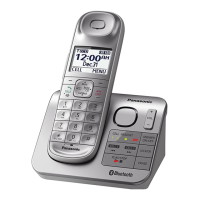
Cordless Telephone with Bluetooth
and Digital Answering Machine
Model No.
KX-TGL460
KX-TGL462
KX-TGL463
KX-TG674SK
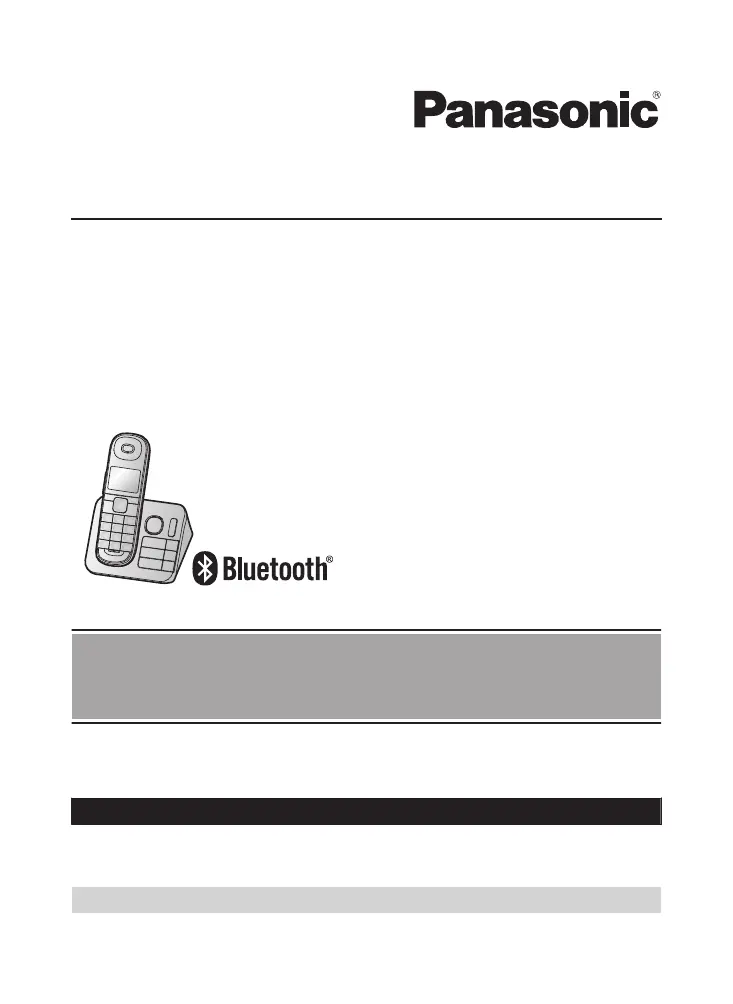
Model shown is KX-TGL460.
Before initial use, see “Getting Started”
on page 10.
Thank you for purchasing a Panasonic product.
Please read these operating instructions before using the unit and save them for
future reference.
Consulte “Guía Rápida Española”, página 75.
For assistance, visit our Web site: http://shop.panasonic.com/support for
customers in the U.S.A.
Please register your product: http://shop.panasonic.com/support
TGL46x(en)_0126_ver101.pdf 1 2016/01/26 17:25:16

Other manuals for Panasonic KX-TG674SK

Questions and Answers

  • E
    Eric BakerAug 18, 2025
    Why my Panasonic KX-TG674SK unit does not work?
    • J
      Jon CastroAug 18, 2025
      There are several possible reasons why your Panasonic Cordless Telephone unit might not be working. First, ensure the batteries are correctly installed. Secondly, fully charge the batteries. Also, check the connections. If the issue persists, try unplugging the base unit's AC adapter to reset the unit, then reconnect it. Finally, the handset may not be registered to the base unit; in this case, register the handset.
  • C
    corey00Aug 20, 2025
    What to do if I cannot pair a cellular phone to Panasonic KX-TG674SK Cordless Telephone base unit?
    • A
      andersonrobertAug 20, 2025
      If you're having trouble pairing your cellular phone to the Panasonic Cordless Telephone base unit, consider these points. It may be due to the compatibility of the cellular phone with the base unit, so confirm that your cellular phone supports the hands-free profile (HFP) specification. Ensure that the Bluetooth feature of your cellular phone is turned on. The Bluetooth technology on your cellular phone may not be functioning normally, so turn it off and on. If your cellular phone is already connected to another Bluetooth device such as a Bluetooth headset, turn it off or disconnect it from your cellular phone. Some cellular phones may require you to enter the Bluetooth PIN to pairing, so confirm that you entered the correct PIN.
  • J
    James ChapmanAug 23, 2025
    What to do if Panasonic KX-TG674SK unit does not work?
    • A
      andrewkempAug 23, 2025
      If your Panasonic Cordless Telephone unit isn't working, try these steps: Ensure the batteries are correctly installed and fully charged. Check all connections. Unplug the base unit’s AC adapter to reset it, then reconnect and try again. Also, ensure the handset is registered to the base unit.
  • M
    Michelle MccallAug 26, 2025
    What to do if Panasonic KX-TG674SK Cordless Telephone handset beeps and/or flashes?
    • J
      Jill WalkerAug 26, 2025
      If your Panasonic Cordless Telephone handset is beeping and/or flashing, it likely means the battery charge is low. Fully charge the batteries to resolve this issue.
  • L
    Lisa NunezAug 28, 2025
    Why I cannot hear a dial tone on Panasonic KX-TG674SK?
    • M
      Mark BallardAug 28, 2025
      If you cannot hear a dial tone on your Panasonic Cordless Telephone, ensure that the CELL indicator lights up. Check that the base unit’s AC adapter and telephone line cord are properly connected. If the connections are correct, disconnect the base unit from the telephone line and connect the line to a known working telephone.
  • J
    Jessica BeanAug 31, 2025
    Why I cannot connect a cellular phone to Panasonic KX-TG674SK Cordless Telephone?
    • I
      isabeldelgadoAug 31, 2025
      If you're having trouble connecting a cellular phone to the Panasonic Cordless Telephone base unit, make sure your cellular phone is turned on and within range of the base unit. Ensure that your cellular phone’s Bluetooth feature is enabled. If there's electrical interference, you may need to connect manually. Also, confirm the cellular phone is paired with the base unit and isn't already connected to another Bluetooth device or registered on another Panasonic DECT phone.
  • J
    Jonathan FitzpatrickSep 2, 2025
    Why I cannot pair a cellular phone to Panasonic KX-TG674SK Cordless Telephone?
    • M
      Mr. James LopezSep 2, 2025
      If you cannot pair a cellular phone to the Panasonic Cordless Telephone base unit, it might be due to compatibility issues. Confirm that your cellular phone supports the hands-free profile (HFP) specification and that its Bluetooth feature is turned on. Try turning your cellular phone off and on again. If it's connected to another Bluetooth device, disconnect it. Some cellular phones require entering the Bluetooth PIN for pairing; ensure you enter the correct PIN.
  • W
    Wendy WileySep 4, 2025
    Why I cannot register a handset to Panasonic Cordless Telephone base unit?
    • W
      Walter BarrSep 5, 2025
      If you cannot register a handset to the Panasonic Cordless Telephone base unit, it may be because the maximum number of handsets (6) is already registered. Cancel unused handset registrations from the base unit to resolve this.
  • C
    cohenmichaelSep 7, 2025
    What to do if Panasonic KX-TG674SK handset does not turn on?
    • P
      Pamela WilliamsonSep 7, 2025
      If the Panasonic Cordless Telephone handset does not turn on even after installing charged batteries, place the handset on the base unit or charger to turn it on.
  • Y
    ycareySep 9, 2025
    What to do if Panasonic Cordless Telephone display is in a language I cannot read?
    • D
      Dustin McmillanSep 10, 2025
      If the display on your Panasonic Cordless Telephone is in a language you cannot read, change the display language in the settings.

Panasonic KX-TG674SK Specifications

General IconGeneral
BrandPanasonic
ModelKX-TG674SK
CategoryCordless Telephone
LanguageEnglish

Related product manuals