EasyManua.ls Logo

Panasonic KX-TG6711NZ - User Manual

Panasonic KX-TG6711NZ
52 pages
Print Icon
To Next Page IconTo Next Page
Loading...
Operating Instructions
Model No. KX-TG6721NZ
KX-TG6722NZ
Digital Cordless Answering System
Model No. KX-TG6711NZ
KX-TG6712NZ
Digital Cordless Phone
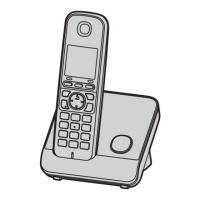
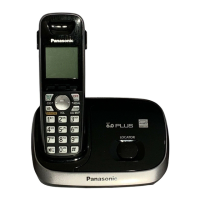
Model shown is KX-TG6711.
Before initial use, see “Getting Started”
on page 10.
Thank you for purchasing a Panasonic product.
Please read these operating instructions before using the unit and save them for
future reference.
Please access our online customer survey:
http://panasonic.net/pcc/tel/q
TG6711_21NZ(en)_0216_ver011.pdf 1 2012/02/17 15:48:56

Questions and Answers

  • K
    Kevin BerrySep 23, 2025
    Why is the sound quality of my Panasonic KX-TG6711NZ Cordless Telephone getting worse?
    • M
      Michelle RodriguezSep 23, 2025
      If the sound quality of your Panasonic Cordless Telephone seems to be getting worse, you may have registered a handset that is not recommended. The clearest sound quality is only possible by registering the recommended handset.
  • D
    danielmarshAug 23, 2025
    Why I cannot hear a dial tone on my Panasonic Cordless Telephone?
    • M
      Michael GarciaAug 23, 2025
      If you cannot hear a dial tone on your Panasonic Cordless Telephone, ensure you are using the supplied telephone line cord, as older cords may have different wiring. Also, check that the base unit’s AC adapter and telephone line cord are properly connected. If the problem persists, disconnect the base unit and connect the telephone line to a known working telephone. If that phone works, contact service personnel to repair the unit; otherwise, contact your service provider.
  • N
    nloweryAug 25, 2025
    What to do if my Panasonic Cordless Telephone does not record new messages?
    • C
      Calvin EvansAug 26, 2025
      If your Panasonic Cordless Telephone unit does not record new messages, make sure the answering system is turned on. Also, check if the message memory is full and erase unwanted messages if needed. Ensure the recording time is not set to 'Greeting Only'. If you subscribe to a voice mail service, messages are recorded by your service provider, so you may need to adjust the unit’s number of rings or contact your service provider.
  • T
    Tiffany SmithAug 27, 2025
    Why does my Panasonic KX-TG6711NZ Cordless Telephone handset not ring?
    • R
      Robert PadillaAug 27, 2025
      If your Panasonic Cordless Telephone handset does not ring, the ringer volume might be turned off. Adjust the ringer volume. Also, check if night mode is turned on and turn it off if necessary.
  • L
    lisagonzalesAug 27, 2025
    What to do if my Panasonic KX-TG6711NZ unit does not work?
    • K
      Kathryn ShieldsAug 28, 2025
      If your Panasonic Cordless Telephone unit does not work, ensure the batteries are installed correctly and fully charged. Check all connections. Unplug the base unit’s AC adapter to reset the unit, turn off the handset, reconnect the adapter, turn on the handset, and try again. The handset may not be registered to the base unit; register it.
  • K
    Katie SmithSep 17, 2025
    Why can't I operate the answering system remotely on my Panasonic KX-TG6711NZ?
    • S
      Stacey WalkerSep 17, 2025
      If you cannot operate the answering system remotely on your Panasonic Cordless Telephone, the remote access code may not be set. Set the remote access code. Also, you may be entering the wrong remote access code; check your current code in the remote access code setting. The answering system may also be turned off; turn it on.
  • J
    Joseph RodriguezSep 14, 2025
    Why is the caller information slow to display on my Panasonic KX-TG6711NZ?
    • B
      Breanna VazquezSep 14, 2025
      If the caller information is slow to display on your Panasonic Cordless Telephone, the unit may display the caller’s information at the 2nd ring or later, depending on your service provider. Set the first ring to 'Off'. Also, try moving closer to the base unit.
  • M
    Martin GloverSep 15, 2025
    Why is the name in the phonebook not fully displayed on my Panasonic Cordless Telephone?
    • C
      chavezmarkSep 16, 2025
      If the name stored in the phonebook is not fully displayed while an outside call is being received on your Panasonic Cordless Telephone, edit the phonebook entry name to fit on one line of text.
  • E
    Erin PerrySep 6, 2025
    What to do if Panasonic Cordless Telephone handset does not turn on?
    • U
      usolisSep 6, 2025
      If the handset does not turn on even after installing charged batteries, place the handset on the base unit or charger to turn it on.
  • A
    Amber SkinnerSep 3, 2025
    Why can't I register a handset to the base unit of my Panasonic KX-TG6711NZ?
    • M
      Micheal BryantSep 3, 2025
      If you cannot register a handset to a base unit of your Panasonic Cordless Telephone, the maximum number of handsets (6) may already be registered. Cancel unused handset registrations from the base unit. Also, you might have entered the wrong PIN. If you forget your PIN, contact an authorized service center.

Panasonic KX-TG6711NZ Specifications

General IconGeneral
TypeCordless Telephone
Number of Handsets1
Frequency1.9 GHz
DECTYes
GAP compatibleYes
Caller IDYes
Phonebook Capacity50 entries
Redial memory10 numbers
Call BlockYes
IntercomYes
Answering MachineNo
DisplayLCD
Display ColourBlack and White
Backlit DisplayYes
Ringer melodies10
Talk TimeUp to 15 hours
Battery typeNi-MH
Power SourceAC Adapter
Wall MountableYes
ColorBlack
RangeUp to 300m outdoor
Dimensions (Handset)Approx. 48 mm x 29 mm x 164 mm

Related product manuals