EasyManua.ls Logo

Panasonic KX-TG6823E - User Manual

Panasonic KX-TG6823E
56 pages
Print Icon
To Next Page IconTo Next Page
Loading...
Operating Instructions
Model No. KX-TG6811E
KX-TG6812E
KX-TG6813E
Digital Cordless Phone
Model No. KX-TG6821E
KX-TG6822E
KX-TG6823E
KX-TG6824E
KX-TG6891E
Digital Cordless Answering System
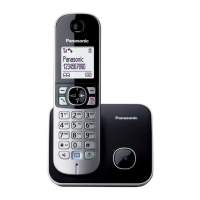
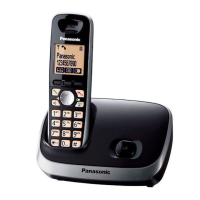
Model shown is KX-TG6811.
Before initial use, see “Getting Started”
on page 11.
Thank you for purchasing a Panasonic product.
Please read these operating instructions before using the unit and save them for
future reference.
Please access our online customer survey:
http://panasonic.net/pcc/tel/q
TG68xxE(en)_1225_ver012.pdf 1 2012/12/25 16:30:10

Questions and Answers

  • C
    coxelizabethSep 23, 2025
    What to do if liquid entered my Panasonic Telephone?
    • P
      Pamela FloresSep 23, 2025
      Disconnect the AC adaptor and telephone line cord from the base unit. Remove the batteries from the handset and leave to dry for at least 3 days. After the handset/base unit are completely dry, reconnect the AC adaptor and telephone line cord. Insert the batteries and charge fully before use. If the unit does not work properly, contact an authorised service centre.
  • G
    Gary CastroAug 25, 2025
    What to do if my Panasonic Telephone does not work?
    • C
      Candace MartinAug 25, 2025
      If your Panasonic Telephone is not working, ensure the batteries are correctly installed. Fully charge the batteries. Check all connections. Unplug the base unit’s AC adaptor to reset the unit and turn off the handset; then reconnect the adaptor, turn on the handset, and try again. Also, the handset may not be registered to the base unit, so you may need to register the handset.
  • W
    William HarrisAug 25, 2025
    Why can't I hear a dial tone on my Panasonic Telephone?
    • J
      Janet GarciaAug 26, 2025
      If you cannot hear a dial tone on your Panasonic Telephone, ensure that you are using the supplied telephone line cord, as your old cord may have a different wiring configuration. Check that the base unit’s AC adaptor or telephone line cord is connected properly. To further diagnose the issue, disconnect the base unit from the telephone line and connect the line to a known working telephone. If the working telephone operates properly, the unit may need repair. If the working telephone does not operate properly, contact your service provider/telephone company.
  • P
    perrydanaAug 26, 2025
    Why is my Panasonic Telephone base unit beeping?
    • J
      jenkinschelseaAug 27, 2025
      If the base unit of your Panasonic Telephone is beeping, it indicates that new messages have been recorded. Listen to the new messages.
  • X
    Xavier MillerAug 27, 2025
    Why I cannot make a call from my Panasonic Telephone?
    • A
      Angel DelgadoAug 27, 2025
      If you cannot make a call on your Panasonic Telephone, you may have dialled a call restricted number. Also, verify that the key lock feature is turned off.
  • J
    Jason BellSep 13, 2025
    Why does my Panasonic Telephone flash after fully charging the batteries, or why is the operating time shorter?
    • A
      Andrew MitchellSep 14, 2025
      If your Panasonic Telephone still flashes after fully charging the batteries, or if the operating time seems shorter, clean the battery ends and the charge contacts with a dry cloth and charge again. If the problem persists, it may be time to replace the batteries.
  • K
    Katherine StoneSep 12, 2025
    Why is my Panasonic Telephone handset beeping and flashing?
    • M
      Michael SheaSep 12, 2025
      If your Panasonic Telephone handset is beeping and/or flashing, it likely indicates that the battery charge is low. Fully charge the batteries.
  • K
    Kristopher TurnerSep 12, 2025
    What does it mean when the Panasonic Telephone displays?
    • E
      Eric ChoiSep 12, 2025
      If your Panasonic Telephone displays , it means the handset is too far from the base unit, so move closer. Check that the base unit’s AC adaptor is properly connected and reconnect it if necessary. The handset may not be registered to the base unit, so register it. Activating one touch eco mode reduces the range of the base unit in standby mode; turn eco mode off if required.
  • M
    Melanie RomanSep 4, 2025
    Why has the time shifted on my Panasonic Telephone?
    • N
      Nancy SchmittSep 4, 2025
      If the time on your Panasonic Telephone has shifted, it is likely due to incorrect time information from incoming Caller ID changing the time. Set the time adjustment to 'Manual' (off).
  • N
    Nicole PerrySep 2, 2025
    Why is caller information slow to display on my Panasonic Telephone?
    • R
      robert63Sep 2, 2025
      Caller information may be slow to display on your Panasonic Telephone because, depending on your service provider/telephone company, the unit may display the caller’s information at the 2nd ring or later. Set the first ring to 'Off'. Also, try moving closer to the base unit.

Summary

Introduction

Model composition

Details the different models and their components, including base units and handsets.

Accessory information

Lists the accessories supplied with the product and their quantities for various models.

Important Information

For your safety

Crucial safety instructions to prevent injury and property damage, covering power connection and installation.

Battery

Instructions for battery usage, handling, charging, and disposal, emphasizing Ni-MH batteries.

Getting Started

Connections

Instructions for connecting the base unit and charger to power and telephone lines.

Controls

Identifies and explains the functions of handset and base unit controls.

Smart Function Key (NR key)

Describes the function and usage of the Smart Function Key for quick access to features.

Making;Answering Calls

Making calls

Step-by-step instructions for dialling numbers manually.

Answering calls

How to answer incoming calls using the handset or any dial key.

Key lock

How to lock the handset to prevent unauthorized use and how to unlock it.

Shared Phonebook

Adding entries

Step-by-step guide to adding new contacts with names and phone numbers.

Speed Dial

Making a call using a speed dial key

Dialing numbers quickly by pressing and holding assigned speed dial keys.

Programming

Programmable settings

Overview of customising unit features via menus or direct command codes.

Ringer Setup

Customizing ringer volume, tone, night mode, and ring delay for handsets and base unit.

Caller Barred

Blocking unwanted calls by storing numbers in a restricted list.

Caller ID Service

Using Caller ID service

Prerequisites and benefits of using the Caller ID service.

Caller list

Information about the caller list, including access limitations and date/time accuracy.

Answering System

Turning the answering system on;off

Instructions for activating and deactivating the answering system on the base unit and handset.

Listening to messages using the handset

How to access and listen to new or all messages using the handset.

Voice Mail Service

Voice mail service

Explanation of voice mail as an automatic answering service provided by the service provider.

Intercom;Locator

Intercom

Making intercom calls between handsets and related notes.

Handset locator

How to locate a misplaced handset by paging it from the base unit or another handset.

Useful Information

Error messages

Lists common display messages and their causes/solutions for troubleshooting.

Troubleshooting

General troubleshooting steps for common problems with the handset, unit operation, and display.

Conditions of guarantee

Explains the terms and conditions of the product guarantee, including exclusions and warranty period.

Panasonic KX-TG6823E Specifications

General IconGeneral
TypeCordless Telephone
Number of Handsets3
Talk Time15 hours
Standby Time170 hours
Display1.8 inch LCD
Caller IDYes
IntercomYes
DECT TechnologyYes
GAP compatibleYes
Answering MachineYes
Recording Time30 minutes
Call BlockYes
Backup PowerNo
RangeUp to 300 meters outdoors
Phonebook Capacity100 entries

Related product manuals