EasyManua.ls Logo

Panasonic KX-TGCA20AZ - User Manual

Panasonic KX-TGCA20AZ
86 pages
Print Icon
To Next Page IconTo Next Page
Loading...
© Panasonic System Networks Co., Ltd. 2014
Unauthorized copying and distribution is a violation
of law.
ORDER NO. KM41410878CE
Telephone Equipment
Model No. KX-TGC220AL
KX-TGC220NZ
KX-TGC222AL
KX-TGC222NZ
KX-TGC223AL
KX-TGC223NZ
KX-TGCA20AZ
Digital Cordless Answering System
S: Silver Version
(AL : for Australia)
(NZ : for New Zealand)
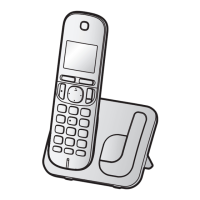
(Handset)
KX-TGCA20
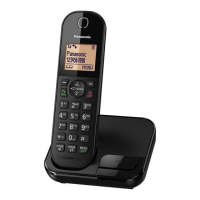
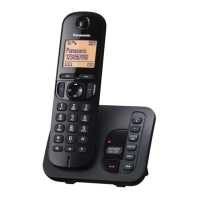
KX-TGC220
(Base Unit)
(Charger Unit)
Model No
Base Unit Handset
Charger Unit
KX-TGC220
1 (TGC220) 1 (TGCA20)
KX-TGC222
1 (TGC220) 2 (TGCA20) 1
KX-TGC223
1 (TGC220) 3 (TGCA20) 2
KX-TGCA20
1 (TGCA20) 1
Configuration for each model

Table of Contents

Question and Answer IconNeed help?

Do you have a question about the Panasonic KX-TGCA20AZ and is the answer not in the manual?

Summary

WARNING

Important Safety Notice

Highlights critical safety components marked with a symbol and the need for manufacturer-specified parts.

Lead-Free Soldering Information

Details regarding lead-free solder usage, PCB markings, and soldering iron settings.

Safety Precautions

Warning

Technical Descriptions

Test Mode

Troubleshooting Guide

Troubleshooting Flowchart

Provides a flowchart to diagnose and resolve common unit issues.

Check Power

Base Unit Power Check

Steps to check power supply and related components for the base unit.

Check the RF part

Finding Defective RF Part

Procedure to identify defective RF components (base unit or handset).

TEST RANGE Check

Check Caller ID

Check TAM Operation

Check TAM Operation

Steps to check the operation of the Telephone Answering Machine (TAM).

Troubleshooting by Symptom (Base Unit and Charger Unit)

Check Point (Base Unit)

Detailed procedures to check specific points on the base unit for troubleshooting.

Disassembly Instructions - Base Unit

Replacing the Handset LCD

Measurements and Adjustments

JIG Setting Method (Base Unit)

Explains how to connect and set up the JIG for base unit measurements.

Adjustment Standard (Base Unit)

Base Unit Bottom View

Shows the bottom view of the base unit's PCB with test points and connections.

Things to Do after Replacing IC or Xtal

Download Data for Base Unit EEPROM

Steps to download data to the base unit's EEPROM after replacement.

RF Specification

How to Check the Handset Speaker or Receiver

Schematic Diagram

Exploded View and Replacement Parts List

Replacement Parts List

Summary

WARNING

Important Safety Notice

Highlights critical safety components marked with a symbol and the need for manufacturer-specified parts.

Lead-Free Soldering Information

Details regarding lead-free solder usage, PCB markings, and soldering iron settings.

Safety Precautions

Warning

Technical Descriptions

Test Mode

Troubleshooting Guide

Troubleshooting Flowchart

Provides a flowchart to diagnose and resolve common unit issues.

Check Power

Base Unit Power Check

Steps to check power supply and related components for the base unit.

Check the RF part

Finding Defective RF Part

Procedure to identify defective RF components (base unit or handset).

TEST RANGE Check

Check Caller ID

Check TAM Operation

Check TAM Operation

Steps to check the operation of the Telephone Answering Machine (TAM).

Troubleshooting by Symptom (Base Unit and Charger Unit)

Check Point (Base Unit)

Detailed procedures to check specific points on the base unit for troubleshooting.

Disassembly Instructions - Base Unit

Replacing the Handset LCD

Measurements and Adjustments

JIG Setting Method (Base Unit)

Explains how to connect and set up the JIG for base unit measurements.

Adjustment Standard (Base Unit)

Base Unit Bottom View

Shows the bottom view of the base unit's PCB with test points and connections.

Things to Do after Replacing IC or Xtal

Download Data for Base Unit EEPROM

Steps to download data to the base unit's EEPROM after replacement.

RF Specification

How to Check the Handset Speaker or Receiver

Schematic Diagram

Exploded View and Replacement Parts List

Replacement Parts List

Panasonic KX-TGCA20AZ Specifications

General IconGeneral
BrandPanasonic
ModelKX-TGCA20AZ
TypeCordless Telephone
Number of Handsets1
DECTYes
Frequency1.9 GHz
ExpandableYes
SpeakerphoneYes
Caller IDYes
Wall MountableYes
Talk TimeUp to 10 hours
Standby TimeUp to 120 hours
Battery TypeNi-MH
Call WaitingYes
IntercomYes
Answering MachineNo
DisplayLCD
Phonebook50 Names
RangeUp to 300 meters outdoors

Related product manuals