EasyManua.ls Logo

Panasonic KX-TGD223C - User Manual

Panasonic KX-TGD223C
48 pages
Print Icon
To Next Page IconTo Next Page
Loading...
Operating Instructions
Digital Cordless Phone
Model No.
KX-TGD210C
KX-TGD212C
KX-TGD213C
KX-TGD214C
Digital Cordless Answering System
Model No.
KX-TGD220C
KX-TGD222C
KX-TGD223C
KX-TGD224C
KX-TGD225C
KX-TG443CSK
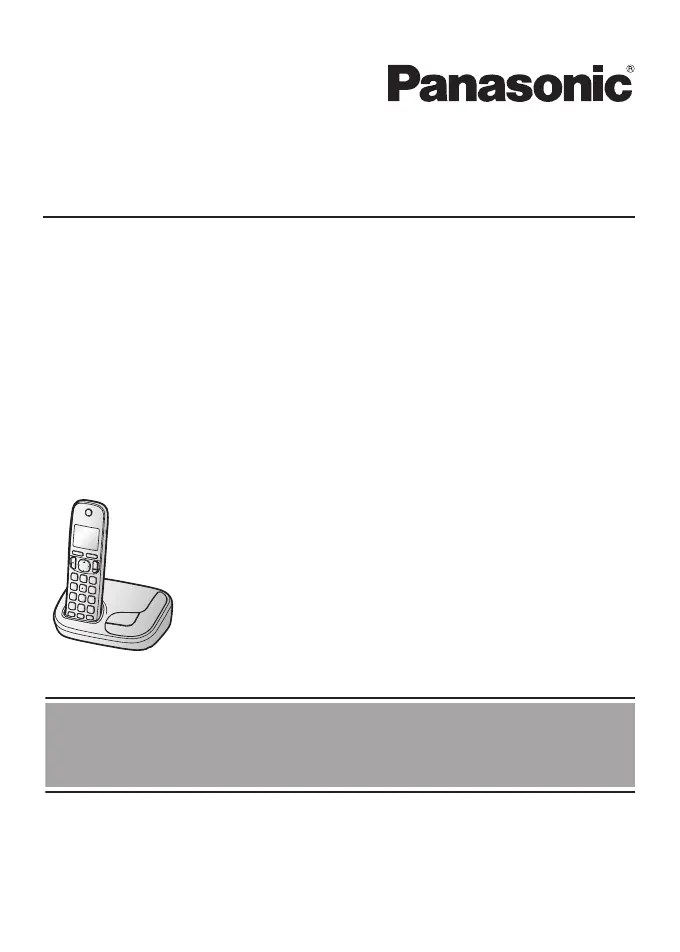
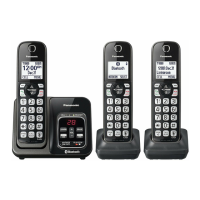
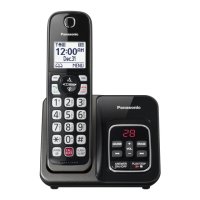
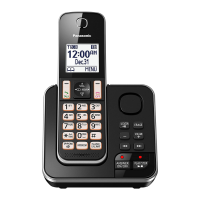
R Model shown is KX-TGD210.
Before initial use, see “Getting Started”
on page 10.
Thank you for purchasing a Panasonic product.
Please read these operating instructions before using the unit and save them for
future reference.
For assistance, please visit our support page on: www.panasonic.ca
TGD2xx_(en_en)_1226_ver.030.pdf 1 2013/12/26 15:04:46

Questions and Answers

  • C
    Charlene LiuSep 23, 2025
    Why is the 2nd caller's information not displayed during an outside call on my Panasonic KX-TGD223C Cordless Telephone?
    • J
      John GonzalezSep 23, 2025
      In order to use Call Display, Call Waiting, or Visual Call Waiting on your Panasonic Cordless Telephone, you must first contact your service provider and subscribe to the desired service. After subscribing, you may need to contact them again to activate this specific service.
  • M
    Michael WagnerAug 23, 2025
    What to do if my Panasonic KX-TGD223C is not working?
    • K
      Kayla MorrisAug 23, 2025
      If your Panasonic Cordless Telephone is not working, ensure the batteries are installed correctly. Fully charge the batteries. Check all connections. Unplug the base unit’s AC adapter to reset the unit, then reconnect it. If these steps don't work, the handset may need to be registered to the base unit.
  • M
    Mark BarreraAug 25, 2025
    What to do if my Panasonic KX-TGD223C Cordless Telephone handset does not ring?
    • Q
      qleeAug 26, 2025
      If your Panasonic Cordless Telephone handset does not ring, the ringer volume may be turned off, so adjust it. Also, check if night mode is turned on and turn it off.
  • D
    Devin JonesAug 27, 2025
    What to do if my Panasonic KX-TGD223C Cordless Telephone handset beeps and/or flashes?
    • E
      Elijah WilliamsAug 27, 2025
      If your Panasonic Cordless Telephone handset beeps and/or flashes, it indicates that the battery charge is low. You should fully charge the batteries.
  • A
    adamsnathanielAug 27, 2025
    Why has the time shifted on my Panasonic KX-TGD223C Cordless Telephone?
    • Y
      youngangelAug 28, 2025
      If the time on your Panasonic Cordless Telephone has shifted, incorrect time information from incoming Call Display may be changing the time. Set the time adjustment to “Manual” (off).
  • P
    Pamela LopezSep 18, 2025
    Why can't I dial the edited phone number in the caller list of my Panasonic Cordless Telephone?
    • T
      Theresa RogersSep 18, 2025
      If you cannot dial the phone number edited in the caller list of your Panasonic Cordless Telephone, the phone number may have been edited incorrectly (for example, the long distance “1” or the area code is missing). Edit the phone number with another pattern.
  • L
    Luis ColeSep 15, 2025
    What to do if liquid entered my Panasonic Cordless Telephone handset/base unit?
    • K
      kevinlarsonSep 15, 2025
      If liquid has entered your Panasonic Cordless Telephone handset/base unit, disconnect the AC adapter and telephone line cord from the base unit. Remove the batteries from the handset and let it dry for at least 3 days. After it is completely dry, reconnect the AC adapter and telephone line cord. Insert the batteries and charge fully before use. If the unit still does not work properly, contact an authorized service center.
  • J
    Joshua Kelly Jr.Sep 16, 2025
    Why can't I operate the answering system remotely on my Panasonic KX-TGD223C?
    • A
      Andrew DanielSep 16, 2025
      If you cannot operate the answering system remotely on your Panasonic Cordless Telephone, the remote access code may not be set, so set it. You might also be entering the wrong remote access code; check your current code in the remote access code setting. Ensure that the answering system is turned on.
  • E
    Eric FitzgeraldSep 6, 2025
    Why is caller information displayed late on my Panasonic Cordless Telephone?
    • J
      Jonathan WarnerSep 6, 2025
      Caller information may be displayed or announced late on your Panasonic Cordless Telephone because, depending on your service provider, the unit may display the caller’s information at the 2nd ring or later. Moving closer to the base unit may also help.
  • K
    Katie CordovaSep 3, 2025
    Why won't my Panasonic KX-TGD223C unit record new messages?
    • T
      timothy76Sep 3, 2025
      If your Panasonic Cordless Telephone unit isn't recording new messages, check if the answering system is turned off and turn it on. The message memory might also be full, so erase unnecessary messages. Also, verify that the recording time isn't set to 'Greeting only'. Finally, your service provider’s voice mail may be answering calls too quickly; adjust the unit’s ring setting or contact your provider.

Panasonic KX-TGD223C Specifications

General IconGeneral
BrandPanasonic
ModelKX-TGD223C
TypeCordless Telephone
Number of Handsets2
Frequency1.9 GHz
Caller IDYes
Call WaitingYes
Answering MachineYes
RangeUp to 1000 feet
SpeakerphoneYes
Call BlockYes
Keypad on BaseYes
ExpandableYes, up to 6 handsets
Power SourceAC Adapter
ColorBlack
Battery LifeUp to 10 hours talk time
Battery TypeNi-MH

Related product manuals