EasyManua.ls Logo

Panasonic KX-TGD223 - User Manual

Panasonic KX-TGD223
56 pages
Print Icon
To Next Page IconTo Next Page
Loading...
Operating Instructions
Digital Cordless Phone
Model No.
KX-TGD210
KX-TGD212
KX-TGD213
Digital Cordless Answering System
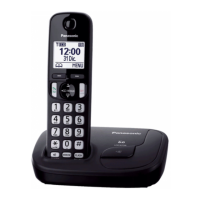
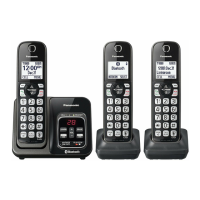
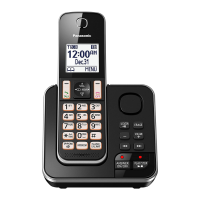
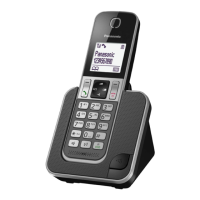
R Model shown is KX-TGD210.
Model No.
KX-TGD220
KX-TGD222
KX-TGD223
KX-TGD224
KX-TGD225
KX-TG443SK
KX-TG444SK
Before initial use, see “Getting Started”
on page 10.
Thank you for purchasing a Panasonic product.
Please read these operating instructions before using the unit and save them for
future reference.
Consulte “Guía Rápida Española”, página 47.
For assistance, visit our Web site: http://www.panasonic.com/help for customers
in the U.S.A. or Puerto Rico.
Please register your product: http://www.panasonic.com/prodreg
TGD2xx_(en_en)_1209_ver.040.pdf 1 2013/12/09 10:59:18
Question and Answer IconNeed help?

Do you have a question about the Panasonic KX-TGD223 and is the answer not in the manual?

Summary

Introduction

Model composition

Lists the components and part numbers for different phone models and their configurations.

Accessory information

Details the accessories supplied with the phone models, categorized by quantity.

Important Information

For your safety

Provides critical safety precautions to prevent injury and ensure proper operation of the product.

Operating safeguards

Outlines essential guidelines for safe operation, including cleaning and avoiding disassembly.

Medical

Advises on RF energy shielding for medical devices and usage in healthcare facilities.

Installation and location

Specifies safe practices for installing and placing the telephone to avoid electrical hazards.

Important safety instructions

Lists essential safety precautions for reducing the risk of fire, electric shock, and injury.

Battery

Details recommended battery types, usage precautions, and charging instructions.

For best performance

Provides guidance on optimal base unit placement to ensure clear communications and avoid interference.

Environment

Specifies ideal operating conditions and locations, avoiding electrical noise and extreme temperatures.

Routine care

Instructions on how to clean the product's exterior surfaces using a soft, moist cloth.

Notice for product disposal, transfer, or return

Recommends erasing personal data before disposing of or transferring the product.

Notice

States the product is designed for the USA and its sale in other countries may violate local laws.

ENERGY STAR

Identifies the product as meeting ENERGY STAR guidelines for energy efficiency.

Specifications

Getting Started

Setting up

Guides through the initial connections for the base unit and charger, including battery installation.

Connections

Step-by-step instructions for connecting the AC adaptor and telephone line cord to the base unit.

Battery installation

Details the correct way to install the rechargeable Ni-MH batteries into the handset.

Battery charging

Explains the charging process, expected time, and indicators for full charge.

Panasonic Ni-MH battery performance

Provides information on the operating time of the supplied Ni-MH batteries.

Intelligent eco mode

Describes the feature that automatically reduces handset power consumption when close to the base unit.

Controls

Identifies and explains the various buttons and features on the handset and base unit.

Display icons

Explains the meaning of icons displayed on the handset screen during operation.

Language settings

Instructions for changing the display language and voice guidance language.

Date and time

Steps to set the current date and time on the unit.

Recording your greeting message

Guides on how to record a personalized greeting message for the answering system.

Other settings

Configuration options for dialing mode, which affects how calls are made.

Making;Answering Calls

Making calls

Instructions on how to dial numbers, use the speakerphone, and adjust volume during calls.

Answering calls

How to answer incoming calls, use any-key answer, and temporarily mute the ringer.

Adjusting the handset ringer volume

Explains how to adjust the ringing volume of the handset while it is ringing.

Adjusting the base unit ringer volume

Details how to adjust the ringer volume for the base unit and turn it off.

Useful features during a call

Covers features like Hold, Mute, Flash, and Call Waiting.

Temporary tone dialing

How to temporarily enable tone dialing for rotary/pulse service users.

Handset clarity booster

Explains the feature that improves sound clarity in areas with potential interference.

Call share

Allows joining an existing outside call for conference calls.

Transferring calls, conference calls

Procedures for transferring calls and conducting conference calls between handsets.

Intercom

Instructions for making and answering intercom calls between handsets.

Phonebook

Adding phonebook entries

Step-by-step guide to adding new names and phone numbers to the phonebook.

Character table for entering names

Shows how to switch between uppercase and lowercase letters using the dial pad.

Erasing the character or number

How to erase individual characters or the entire entry.

Storing a redial list number to the phonebook

Process for saving numbers from the redial list into the phonebook.

Storing caller information to the phonebook

Method for saving incoming caller details into the phonebook.

Groups

Explains how to use groups for quick phonebook searching and assigning ringer IDs.

Changing group names;setting ringer ID

Instructions for customizing group names and assigning specific ring tones to callers.

Finding and calling from a phonebook entry

Methods for locating and initiating calls to entries stored in the phonebook.

Editing entries

How to modify existing names, numbers, or group assignments in the phonebook.

Erasing entries

Steps for deleting individual entries or all entries from the phonebook.

Chain dial

Feature to dial stored numbers or access numbers sequentially while on a call.

Speed dial

How to assign phone numbers to the speed dial keys (1-9) for quick dialing.

Adding phone numbers to speed dial keys

Guides on assigning numbers to speed dial keys either manually or from the phonebook.

Editing an entry

How to edit names or phone numbers associated with speed dial keys.

Erasing an entry

Steps to remove a number assigned to a speed dial key.

Viewing an entry;Making a call

How to view speed dial entries and initiate a call.

Programming

Menu list

Explains how to navigate the unit's features using the display menus or direct command codes.

Display Menu Tree and Command Codes

Provides an overview of menu options, their codes, and corresponding page references.

System Settings

Configuration options for ring count, recording time, remote access, and screen call settings.

Voice Mail and Intercom

Instructions for accessing voice mail and making intercom calls.

Date, Time, and Alarm Settings

Procedures for setting the date, time, alarms, and silent mode schedules.

Ringer and Silent Mode Configuration

Options for configuring ringer volume, tone, and silent mode for calls.

Talking Caller ID and Call Management

Features for managing callers via Talking Caller ID, Call block, and Caller ID editing.

Display and Key Tone Settings

Options for LCD contrast, key tone, and auto talk features.

Telephone Line Settings

Configuration for telephone line settings, flash time, and call sharing.

Registration and Language Settings

Procedures for registering units and changing display/voice prompt languages.

Alarm and Silent Mode Operation

Setting alarms and configuring silent mode to prevent ringing during specific times.

Call Blocking Features

Detailed options for blocking unwanted callers and calls without phone numbers.

Handset and Unit Management

Procedures for changing handset names, registering new units, and deregistering handsets.

Caller ID Service

Using Caller ID service

Explains the requirements and basic functions of the Caller ID service.

Caller ID features

Details how caller information is displayed, including common messages like "Out of area".

Missed calls

How missed calls are indicated and how the indication disappears.

Phonebook name display

Describes how stored phonebook names are displayed with incoming calls.

Talking Caller ID

Feature to announce caller information audibly without looking at the display.

Phonebook name announcement

Announces stored phonebook names when a matching call is received.

Caller list

Information on viewing and calling back entries from the caller list.

Viewing the caller list and calling back

Steps to view past calls and initiate a call back from the caller list.

Editing a callers phone number

How to edit phone numbers in the caller list, such as removing area codes.

Caller ID number auto edit feature

Automatically customizes caller information format based on edited numbers.

Erasing selected caller information

Steps to delete specific entries from the caller list.

Erasing all caller information

How to clear all entries from the caller list.

Answering System

Answering system

Overview of the answering system's capabilities for answering and recording calls.

Memory capacity (including your greeting message)

Details the total recording capacity and maximum number of messages that can be stored.

Turning the answering system on;off

Instructions for activating or deactivating the answering system via the base unit or handset.

Greeting message

Explains how callers hear a greeting message when the system answers.

Recording your greeting message

Guides on how to record a personalized greeting message for the answering system.

Using a pre-recorded greeting message

Describes the use of the unit's built-in greeting messages.

Resetting to a pre-recorded greeting message

How to revert to the default pre-recorded greeting after recording a custom one.

Playing back the greeting message

Steps to listen to the currently set greeting message.

Listening to messages

Methods for playing back new or all recorded messages using the base unit or handset.

Erasing all messages

Procedure to delete all recorded messages from the answering system.

Calling back (Caller ID subscribers only)

How to call back a caller directly from the recorded message playback.

Editing the number before calling back

Allows editing a caller's number before initiating a callback.

Remote operation

Instructions for accessing answering system functions remotely using a touch-tone phone.

Remote access code

Explains the purpose and default setting of the remote access code for security.

Using the answering system remotely

Step-by-step guide to operating the answering system from an external touch-tone phone.

Voice guidance

How the unit provides voice prompts in English or Spanish during remote operation.

Remote commands

Lists dial keys to access answering system functions during remote operation without voice prompts.

Turning on the answering system remotely

Steps to remotely activate the answering system by dialing the phone number.

Answering system settings

Configuration options for call screening and the number of rings before answering.

Call screening

Allows listening to callers as they leave messages, with adjustable speaker volume.

Number of rings before the unit answers a call

How to change the number of rings before the answering system activates, including Toll Saver option.

For voice mail service subscribers

Advice for users who subscribe to a telephone company's voice mail service.

Callers recording time

Option to set the maximum recording time allowed per caller.

Selecting Greeting only

How to configure the system to announce a greeting without recording caller messages.

Useful Information

Voice mail service

Explains the voice mail service provided by telephone companies and its interaction with the unit's answering system.

Storing the voice mail (VM) access number

How to store the voice mail access number for automatic dialing.

To erase the voice mail access number

Steps to delete the stored voice mail access number.

Voice mail (VM) tone detection

How the unit detects voice mail tones and options to turn the feature on/off.

Turning VM tone detection on;off

Instructions for enabling or disabling the detection of voice mail tones.

Listening to voice mail messages

How the unit indicates new voice mail messages and how to listen to them.

Wall mounting

Detailed instructions and diagrams for mounting the base unit on a wall.

Base unit

Specific steps for preparing the base unit for wall mounting.

Charger

Instructions on how to install the charger using screws on the wall.

Error messages

Lists common error messages and their corresponding causes and solutions.

Troubleshooting

General use

Addresses common problems like handset not turning on, unit not working, and no dial tone.

Menu list

Troubleshooting tips for issues related to the menu display and handset registration.

Battery recharge

Solutions for problems related to low battery indication or charging issues.

Making;answering calls, intercom

Troubleshooting for issues during calls, such as no display, noise, no ringing, or inability to make calls.

Caller ID;Talking Caller ID

Problems related to Caller ID display, announcement, and phone number editing.

Answering system

Troubleshooting for the answering system not recording messages or operating remotely.

Voice mail

How to remove the "New Voice Mail" notification from the display.

Liquid damage

Instructions for handling liquid damage to the handset or base unit and precautions.

FCC and other information

Appendix

Customer services

Provides contact information and web addresses for customer support and product assistance.

Accessory Purchases

Information on purchasing parts, accessories, and manuals online or via email.

Warranty (For United States and Puerto Rico)

Details the limited warranty coverage, terms, and conditions for Panasonic telephone products.

Limited Warranty Coverage

Outlines the warranty period, options for repair, replacement, or refund, and exclusions.

Mail-In Service-Online

Instructions for submitting repair requests online and shipping the unit for service.

Limited Warranty Limits And Exclusions

Specifies what is covered and what is not covered by the limited warranty, including limitations and exclusions.

When you ship the product

Guidelines for packaging and shipping the product for repair, including required documentation.

Summary

Introduction

Model composition

Lists the components and part numbers for different phone models and their configurations.

Accessory information

Details the accessories supplied with the phone models, categorized by quantity.

Important Information

For your safety

Provides critical safety precautions to prevent injury and ensure proper operation of the product.

Operating safeguards

Outlines essential guidelines for safe operation, including cleaning and avoiding disassembly.

Medical

Advises on RF energy shielding for medical devices and usage in healthcare facilities.

Installation and location

Specifies safe practices for installing and placing the telephone to avoid electrical hazards.

Important safety instructions

Lists essential safety precautions for reducing the risk of fire, electric shock, and injury.

Battery

Details recommended battery types, usage precautions, and charging instructions.

For best performance

Provides guidance on optimal base unit placement to ensure clear communications and avoid interference.

Environment

Specifies ideal operating conditions and locations, avoiding electrical noise and extreme temperatures.

Routine care

Instructions on how to clean the product's exterior surfaces using a soft, moist cloth.

Notice for product disposal, transfer, or return

Recommends erasing personal data before disposing of or transferring the product.

Notice

States the product is designed for the USA and its sale in other countries may violate local laws.

ENERGY STAR

Identifies the product as meeting ENERGY STAR guidelines for energy efficiency.

Specifications

Getting Started

Setting up

Guides through the initial connections for the base unit and charger, including battery installation.

Connections

Step-by-step instructions for connecting the AC adaptor and telephone line cord to the base unit.

Battery installation

Details the correct way to install the rechargeable Ni-MH batteries into the handset.

Battery charging

Explains the charging process, expected time, and indicators for full charge.

Panasonic Ni-MH battery performance

Provides information on the operating time of the supplied Ni-MH batteries.

Intelligent eco mode

Describes the feature that automatically reduces handset power consumption when close to the base unit.

Controls

Identifies and explains the various buttons and features on the handset and base unit.

Display icons

Explains the meaning of icons displayed on the handset screen during operation.

Language settings

Instructions for changing the display language and voice guidance language.

Date and time

Steps to set the current date and time on the unit.

Recording your greeting message

Guides on how to record a personalized greeting message for the answering system.

Other settings

Configuration options for dialing mode, which affects how calls are made.

Making;Answering Calls

Making calls

Instructions on how to dial numbers, use the speakerphone, and adjust volume during calls.

Answering calls

How to answer incoming calls, use any-key answer, and temporarily mute the ringer.

Adjusting the handset ringer volume

Explains how to adjust the ringing volume of the handset while it is ringing.

Adjusting the base unit ringer volume

Details how to adjust the ringer volume for the base unit and turn it off.

Useful features during a call

Covers features like Hold, Mute, Flash, and Call Waiting.

Temporary tone dialing

How to temporarily enable tone dialing for rotary/pulse service users.

Handset clarity booster

Explains the feature that improves sound clarity in areas with potential interference.

Call share

Allows joining an existing outside call for conference calls.

Transferring calls, conference calls

Procedures for transferring calls and conducting conference calls between handsets.

Intercom

Instructions for making and answering intercom calls between handsets.

Phonebook

Adding phonebook entries

Step-by-step guide to adding new names and phone numbers to the phonebook.

Character table for entering names

Shows how to switch between uppercase and lowercase letters using the dial pad.

Erasing the character or number

How to erase individual characters or the entire entry.

Storing a redial list number to the phonebook

Process for saving numbers from the redial list into the phonebook.

Storing caller information to the phonebook

Method for saving incoming caller details into the phonebook.

Groups

Explains how to use groups for quick phonebook searching and assigning ringer IDs.

Changing group names;setting ringer ID

Instructions for customizing group names and assigning specific ring tones to callers.

Finding and calling from a phonebook entry

Methods for locating and initiating calls to entries stored in the phonebook.

Editing entries

How to modify existing names, numbers, or group assignments in the phonebook.

Erasing entries

Steps for deleting individual entries or all entries from the phonebook.

Chain dial

Feature to dial stored numbers or access numbers sequentially while on a call.

Speed dial

How to assign phone numbers to the speed dial keys (1-9) for quick dialing.

Adding phone numbers to speed dial keys

Guides on assigning numbers to speed dial keys either manually or from the phonebook.

Editing an entry

How to edit names or phone numbers associated with speed dial keys.

Erasing an entry

Steps to remove a number assigned to a speed dial key.

Viewing an entry;Making a call

How to view speed dial entries and initiate a call.

Programming

Menu list

Explains how to navigate the unit's features using the display menus or direct command codes.

Display Menu Tree and Command Codes

Provides an overview of menu options, their codes, and corresponding page references.

System Settings

Configuration options for ring count, recording time, remote access, and screen call settings.

Voice Mail and Intercom

Instructions for accessing voice mail and making intercom calls.

Date, Time, and Alarm Settings

Procedures for setting the date, time, alarms, and silent mode schedules.

Ringer and Silent Mode Configuration

Options for configuring ringer volume, tone, and silent mode for calls.

Talking Caller ID and Call Management

Features for managing callers via Talking Caller ID, Call block, and Caller ID editing.

Display and Key Tone Settings

Options for LCD contrast, key tone, and auto talk features.

Telephone Line Settings

Configuration for telephone line settings, flash time, and call sharing.

Registration and Language Settings

Procedures for registering units and changing display/voice prompt languages.

Alarm and Silent Mode Operation

Setting alarms and configuring silent mode to prevent ringing during specific times.

Call Blocking Features

Detailed options for blocking unwanted callers and calls without phone numbers.

Handset and Unit Management

Procedures for changing handset names, registering new units, and deregistering handsets.

Caller ID Service

Using Caller ID service

Explains the requirements and basic functions of the Caller ID service.

Caller ID features

Details how caller information is displayed, including common messages like "Out of area".

Missed calls

How missed calls are indicated and how the indication disappears.

Phonebook name display

Describes how stored phonebook names are displayed with incoming calls.

Talking Caller ID

Feature to announce caller information audibly without looking at the display.

Phonebook name announcement

Announces stored phonebook names when a matching call is received.

Caller list

Information on viewing and calling back entries from the caller list.

Viewing the caller list and calling back

Steps to view past calls and initiate a call back from the caller list.

Editing a callers phone number

How to edit phone numbers in the caller list, such as removing area codes.

Caller ID number auto edit feature

Automatically customizes caller information format based on edited numbers.

Erasing selected caller information

Steps to delete specific entries from the caller list.

Erasing all caller information

How to clear all entries from the caller list.

Answering System

Answering system

Overview of the answering system's capabilities for answering and recording calls.

Memory capacity (including your greeting message)

Details the total recording capacity and maximum number of messages that can be stored.

Turning the answering system on;off

Instructions for activating or deactivating the answering system via the base unit or handset.

Greeting message

Explains how callers hear a greeting message when the system answers.

Recording your greeting message

Guides on how to record a personalized greeting message for the answering system.

Using a pre-recorded greeting message

Describes the use of the unit's built-in greeting messages.

Resetting to a pre-recorded greeting message

How to revert to the default pre-recorded greeting after recording a custom one.

Playing back the greeting message

Steps to listen to the currently set greeting message.

Listening to messages

Methods for playing back new or all recorded messages using the base unit or handset.

Erasing all messages

Procedure to delete all recorded messages from the answering system.

Calling back (Caller ID subscribers only)

How to call back a caller directly from the recorded message playback.

Editing the number before calling back

Allows editing a caller's number before initiating a callback.

Remote operation

Instructions for accessing answering system functions remotely using a touch-tone phone.

Remote access code

Explains the purpose and default setting of the remote access code for security.

Using the answering system remotely

Step-by-step guide to operating the answering system from an external touch-tone phone.

Voice guidance

How the unit provides voice prompts in English or Spanish during remote operation.

Remote commands

Lists dial keys to access answering system functions during remote operation without voice prompts.

Turning on the answering system remotely

Steps to remotely activate the answering system by dialing the phone number.

Answering system settings

Configuration options for call screening and the number of rings before answering.

Call screening

Allows listening to callers as they leave messages, with adjustable speaker volume.

Number of rings before the unit answers a call

How to change the number of rings before the answering system activates, including Toll Saver option.

For voice mail service subscribers

Advice for users who subscribe to a telephone company's voice mail service.

Callers recording time

Option to set the maximum recording time allowed per caller.

Selecting Greeting only

How to configure the system to announce a greeting without recording caller messages.

Useful Information

Voice mail service

Explains the voice mail service provided by telephone companies and its interaction with the unit's answering system.

Storing the voice mail (VM) access number

How to store the voice mail access number for automatic dialing.

To erase the voice mail access number

Steps to delete the stored voice mail access number.

Voice mail (VM) tone detection

How the unit detects voice mail tones and options to turn the feature on/off.

Turning VM tone detection on;off

Instructions for enabling or disabling the detection of voice mail tones.

Listening to voice mail messages

How the unit indicates new voice mail messages and how to listen to them.

Wall mounting

Detailed instructions and diagrams for mounting the base unit on a wall.

Base unit

Specific steps for preparing the base unit for wall mounting.

Charger

Instructions on how to install the charger using screws on the wall.

Error messages

Lists common error messages and their corresponding causes and solutions.

Troubleshooting

General use

Addresses common problems like handset not turning on, unit not working, and no dial tone.

Menu list

Troubleshooting tips for issues related to the menu display and handset registration.

Battery recharge

Solutions for problems related to low battery indication or charging issues.

Making;answering calls, intercom

Troubleshooting for issues during calls, such as no display, noise, no ringing, or inability to make calls.

Caller ID;Talking Caller ID

Problems related to Caller ID display, announcement, and phone number editing.

Answering system

Troubleshooting for the answering system not recording messages or operating remotely.

Voice mail

How to remove the "New Voice Mail" notification from the display.

Liquid damage

Instructions for handling liquid damage to the handset or base unit and precautions.

FCC and other information

Appendix

Customer services

Provides contact information and web addresses for customer support and product assistance.

Accessory Purchases

Information on purchasing parts, accessories, and manuals online or via email.

Warranty (For United States and Puerto Rico)

Details the limited warranty coverage, terms, and conditions for Panasonic telephone products.

Limited Warranty Coverage

Outlines the warranty period, options for repair, replacement, or refund, and exclusions.

Mail-In Service-Online

Instructions for submitting repair requests online and shipping the unit for service.

Limited Warranty Limits And Exclusions

Specifies what is covered and what is not covered by the limited warranty, including limitations and exclusions.

When you ship the product

Guidelines for packaging and shipping the product for repair, including required documentation.

Panasonic KX-TGD223 Specifications

General IconGeneral
TypeCordless Telephone
ModelKX-TGD223
Number of Handsets2
ExpandableYes
DECT TechnologyYes
Frequency1.9 GHz
Caller IDYes
Call WaitingYes
Call BlockingYes
SpeakerphoneYes
IntercomYes
Answering SystemYes
Ringer IDYes
Talking Caller IDYes
Talk TimeUp to 10 hours
ECO ModeYes
Wall MountableYes
Power SourceAC adapter
ColorBlack
RangeUp to 160 feet indoors
Phonebook Capacity100 entries
Standby Time120 hours
DisplayBacklit LCD
Battery TypeNiMH
Weight0.3 lbs

Related product manuals