
 Need help?
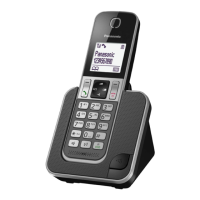
Do you have a question about the Panasonic KX-TGD810 and is the answer not in the manual?
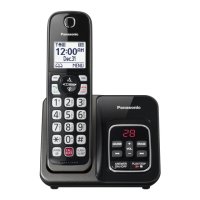
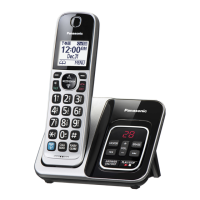
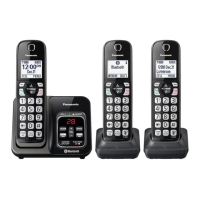
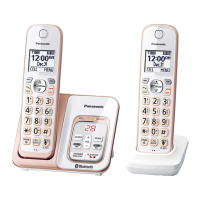
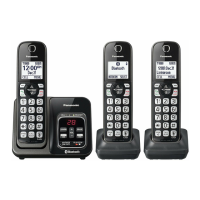
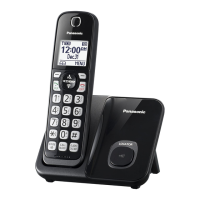
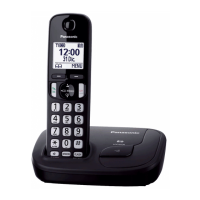
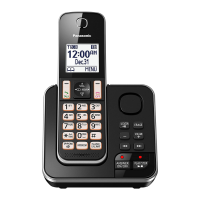
Details the base unit and handset models included with the phone system.
Lists the supplied accessories for different phone models.
Information on optional accessories available for purchase and their model numbers.
Notes on product design changes and technical specifications.
Information on expanding the phone system with additional handsets.
Explains the meaning of symbols used on the equipment.
Crucial safety precautions to prevent injury and ensure safe operation.
Guidelines for safe installation and proper placement of the equipment.
Instructions for handling, charging, and disposing of batteries safely.
Essential safety measures to follow when using the product.
Tips for optimal placement of the base unit to ensure clear communications.
Guidelines for operating the product in suitable environments and basic cleaning.
Information on data privacy and environmentally sound disposal.
Details operating frequency, power, and conditions.
Step-by-step guide for connecting the base unit and charger.
Instructions for correctly installing the rechargeable batteries.
Procedures for battery removal and charging, with important notes.
Important considerations for AC adaptor connection and behavior during power outages.
Explains icons representing battery charge levels.
Eco mode for power saving and identification of handset buttons.
Identifies and explains the function of base unit buttons.
Explains the icons displayed on the handset screen.
Lists and explains various icons representing device features.
How to change the display and voice announcement languages.
Procedure for setting the current date and time on the unit.
Instructions for recording a personal greeting message.
Setting dialing mode and configuring low battery notifications.
Steps for making and receiving phone calls.
How to adjust receiver, speaker, and ringer volumes.
How to put calls on hold, mute the microphone, and use the flash feature.
Managing call waiting and activating noise reduction for clearer calls.
Adjusting sound clarity and recording phone conversations.
Joining calls and managing conference calls.
How to communicate between handsets using intercom.
Enabling auto intercom and related baby monitor settings.
How to answer calls automatically using voice commands.
Adjusting sensitivity and other settings for voice command recognition.
How to block calls by adding numbers to the list.
Methods for storing numbers to block specific callers or number ranges.
How to block calls from specific number ranges and unknown numbers.
Viewing, editing, unblocking numbers and managing the first ring.
How to screen calls automatically based on caller ID.
Managing the allowed number database and access code.
Viewing blocked call counts and managing the allow name list.
Managing greeting messages for automated call blocking.
A feature to screen telemarketing calls by asking callers for their names.
Identifies and warns against potential scam calls based on ring patterns.
Setting the number of rings to detect potential scam calls.
How to add contacts with names, numbers, and groups.
Saving numbers from redial lists and caller ID to the phonebook.
Customizing group names and assigning specific ringtones.
Procedures for modifying or deleting phonebook contacts.
Dialing numbers from the phonebook while on an active call.
Assigning phone numbers to speed dial keys.
Managing speed dial entries.
Accessing features via menu scrolling or direct command codes.
Overview of the menu structure and associated command codes.
Configuring new message alerts and ring counts.
Adjusting recording time, remote access, and time/alarm settings.
Customizing ring volumes, tones, and silent mode.
Settings for talking caller ID and low battery notifications.
Registering key detectors and configuring scam alerts.
Configuring automated call block, call block lists, and blocked call counts.
Managing voicemail, display settings, and auto features.
Adjusting telephone line settings and call sharing options.
Registering handsets and changing system language.
Configuring baby monitor and key detector functions.
Configuring alarm times, snooze, and text memos.
Setting periods where the handset will not ring.
Setting up the baby monitor to listen to another room.
How to use a handset to monitor the baby monitor feature.
How to remotely listen to the baby monitor feature.
Editing numbers and adjusting sensitivity for remote monitoring.
How to answer and respond to baby monitor calls.
Customizing handset names and managing handset registration.
Overview of Caller ID display, missed calls, and phonebook name display.
Features for announcing caller names via voice.
Modifying or deleting caller numbers and information.
Automatically editing caller numbers based on previous actions.
Basic functions, memory capacity, and turning the system on/off.
Recording or using pre-recorded greeting messages.
Playing, resetting, and erasing greeting messages.
How to listen to new and all messages using the base unit or handset.
Setting up alerts and procedures for calling back.
Procedures for editing numbers related to alert calls.
Storing numbers for alert calls and managing notification settings.
Activating/inactivating remote access codes for message playback.
Instructions for operating the answering system remotely via phone.
Understanding voice prompts and using remote commands.
How to turn the answering system on remotely.
Configuring call screening and the number of rings before answering.
Adjusting message recording time and greeting options.
Information on using voicemail service from your phone provider.
How to store your voicemail access number for easy access.
Configuring settings for detecting voicemail tones.
How to route cords and prepare the base unit for wall mounting.
Steps for securely mounting the base unit to a wall.
Instructions for mounting the charger.
Lists common error messages and their corresponding solutions.
Solutions for common issues like handset not turning on or no dial tone.
Troubleshooting issues related to the display language and handset registration.
Solutions for battery charging problems and short operating time.
Troubleshooting problems with calls, intercom, and noise.
Troubleshooting issues related to call blocking and telemarketing calls.
Solutions for issues with displaying or announcing caller ID information.
Troubleshooting problems with dialing numbers and time settings.
Solutions for problems with recording messages and remote operation.
How to remove voicemail notifications from the display.
Instructions for dealing with liquid damage to the unit.
Information regarding FCC rules, registration, and ringer equivalence.
Guidelines for connecting to phone lines and minimizing interference.
Safety information regarding radio frequency exposure limits.
Information on handset compatibility with hearing aids.
Instructions for connecting the base unit and power.
Steps for installing and charging the handset batteries.
Explains function keys, navigation, and language settings.
How to record a greeting message for the answering system.
Basic steps for calls, answering, and phonebook entries.
Operating the answering system from base unit and handset.
Answers to frequently asked questions about operation and issues.
Information on where to find support, accessories, and parts.
Details the warranty period and coverage for products purchased in the USA.
Procedures for submitting repair requests and shipping the product.
Specifies what is not covered by the warranty and liability limitations.
 General
| Brand | Panasonic |
|---|---|
| Model | KX-TGD810 |
| Category | Cordless Telephone |
| Language | English |



 To Next Page