EasyManua.ls Logo

Panasonic KX-TGD833 - User Manual

Panasonic KX-TGD833
72 pages
Print Icon
To Next Page IconTo Next Page
Loading...
Operating Instructions
Cordless Phone
Model No.
KX-TGD810
KX-TGD813
KX-TGD830
KX-TGD832
KX-TGD833
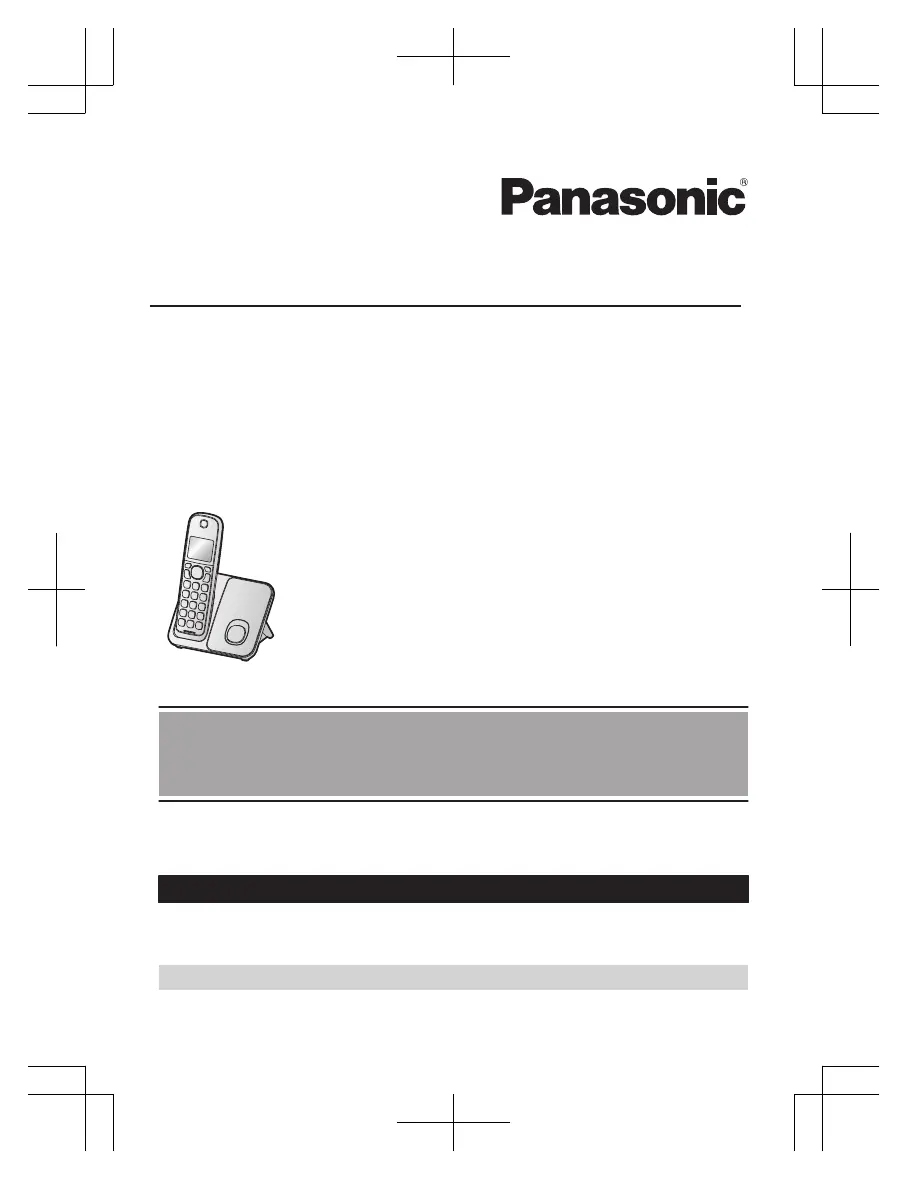
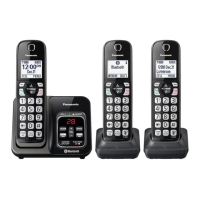
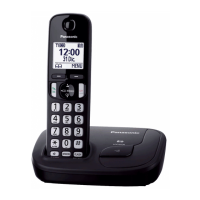
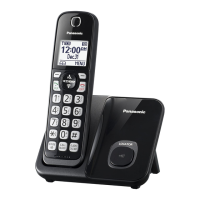
Model shown is KX-TGD810.
Before initial use, see “Getting Started”
on page 10.
Thank you for purchasing a Panasonic product.
Please read these operating instructions before using the unit and save them for
future reference.
Consulte “Guía Rápida Española”, página 61.
For assistance, visit our Web site: https://shop.panasonic.com/support for
customers in the U.S.A.
Please register your product: https://shop.panasonic.com/support
TGD81x_83x(en)_0316_ver222.pdf 1 2023/03/16 9:00:29

Questions and Answers

  • E
    Ernest CastroSep 23, 2025
    Why is the 2nd caller's info not displayed on my Panasonic KX-TGD833 Cordless Telephone?
    • D
      Donald LopezSep 23, 2025
      If the 2nd caller’s information is not displayed during an outside call on your Panasonic Cordless Telephone, you must subscribe to Caller ID, call waiting, or Call Waiting Caller ID (CWID) through your phone service provider. After subscribing, you may need to contact your phone service provider again to activate this specific service.
  • D
    Dr. Lucas CastroAug 25, 2025
    Why does my Panasonic KX-TGD833 beep and/or flash?
    • S
      Scott RyanAug 25, 2025
      If your Panasonic Cordless Telephone handset beeps or flashes, the suggested solution is to fully charge the batteries.
  • T
    tracy91Aug 26, 2025
    What to do if my Panasonic Cordless Telephone does not work?
    • T
      thomas61Aug 26, 2025
      If your Panasonic Cordless Telephone unit does not work, ensure the batteries are installed correctly. Fully charge the batteries. Check all connections. Try unplugging the base unit’s AC adaptor to reset the unit, then reconnect it. If the handset has not been registered to the base unit, register the handset.
  • B
    brookeporterAug 27, 2025
    Why is my Panasonic KX-TGD833 not ringing?
    • S
      Scott CaseyAug 27, 2025
      If your Panasonic Cordless Telephone handset or base unit does not ring, adjust the ringer volume. Ensure silent mode is turned off. Check if the ringer volume has been turned off by pressing and holding 0; press and hold 0 again to turn it on.
  • D
    Daniel LopezSep 23, 2025
    What to do if liquid gets into my Panasonic Cordless Telephone?
    • C
      Courtney JonesSep 23, 2025
      If liquid or other form of moisture has entered your Panasonic Cordless Telephone handset or base unit, disconnect the AC adaptor and telephone line cord from the base unit. Remove the batteries from the handset and leave to dry for at least 3 days. After the handset/base unit are completely dry, reconnect the AC adaptor and telephone line cord. Insert the batteries and charge fully before use. If the unit does not work properly, contact an authorized service center.
  • M
    moralescarlaSep 13, 2025
    Why do I hear an error sound when pressing keys on my Panasonic Cordless Telephone base unit?
    • P
      Paul RussellSep 13, 2025
      If you hear an error sound when you press some keys on the base unit of your Panasonic Cordless Telephone, automated call block is being screened. Try again later.
  • J
    Jeffrey MartinSep 12, 2025
    Why isn't the telemarketing call block key displayed on my Panasonic KX-TGD833 Cordless Telephone?
    • E
      emily22Sep 12, 2025
      If the dedicated key for Telemarketing call block is not displayed on your Panasonic Cordless Telephone, note that while on the charger, the MTELE.BLK.N key is not available; lift the handset from the charger. If the Auto talk feature is set to on, the call is answered automatically when the handset is lifted from the charger during an incoming call. Turn off the auto talk feature.
  • L
    lynnlaraSep 12, 2025
    Why can't I use voice paging on my Panasonic KX-TGD833?
    • O
      Olivia ChavezSep 12, 2025
      If you cannot use voice paging on your Panasonic Cordless Telephone, it is likely because other units are currently in use.
  • J
    Jacob RogersSep 4, 2025
    Why can't I remotely access my Panasonic KX-TGD833 answering system?
    • S
      Sarah KnightSep 4, 2025
      If you cannot operate the answering system of your Panasonic Cordless Telephone remotely, ensure the remote access code is set. If you are entering the wrong code, check your current code in the remote access code setting. Also, make sure the answering system is turned on.
  • J
    Jeffrey KimSep 2, 2025
    Why does my Panasonic KX-TGD833 Cordless Telephone answer calls automatically?
    • R
      reynoldsalecSep 2, 2025
      The Panasonic Cordless Telephone unit might answer an incoming call on its own due to a false detection of ambient noise, such as dog barking or TV sound. Move the unit further away from the noise sources. If you are using another telephone with a Talking Caller ID feature, it may also trigger false detection; turn off the Talking Caller ID feature on the other telephone. To minimize false detection, decrease the sensitivity level of the answer by voice command.

Summary

Important Information

Safety Precautions

Crucial safety precautions for operating the product safely.

Getting Started

Initial Setup and Connections

Step-by-step guide to connect the base unit and charger.

Battery Installation and Charging

Instructions for installing batteries and charging the handset.

Making and Answering Calls

Basic Call Operations

Basic steps for making, answering, and ending calls.

Answer by Voice Command

Call Blocking Features

Call Blocking Basics

Methods for blocking unwanted callers and managing blocked numbers.

Enhanced Call Block Options

Automated, telemarketing, and scam call blocking configurations.

Programming

Menu Navigation and Settings

Using menus and direct codes to configure phone features.

Caller ID Service

Answering System

Useful Information

Troubleshooting and Error Messages

Diagnosing and resolving common product issues and error codes.

Panasonic KX-TGD833 Specifications

General IconGeneral
BrandPanasonic
ModelKX-TGD833
CategoryCordless Telephone
LanguageEnglish

Related product manuals