EasyManua.ls Logo

Panasonic KX-TGD392C - User Manual

Panasonic KX-TGD392C
36 pages
Print Icon
To Next Page IconTo Next Page
Loading...
Operating Instructions
Digital Cordless Phone with Answering Machine
Model No.
KX-TGD390C
KX-TGD392C
KX-TGD393C
KX-TG163CSK
KX-TGD394C
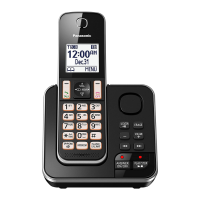
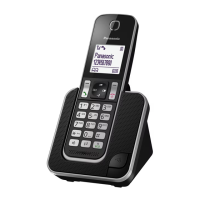
Model shown is KX-TGD390.
Before initial use, see “Getting Started”
on page 8.
Thank you for purchasing a Panasonic product.
Please read these operating instructions before using the unit and save them for
future reference.
For assistance, please visit our Support page:
www.panasonic.ca/english/support
TGD39xC_(en)_ver021.pdf 1 2016/01/25 15:56:50
Question and Answer IconNeed help?

Do you have a question about the Panasonic KX-TGD392C and is the answer not in the manual?

Summary

Important Information

Safety Precautions

Essential safety guidelines to prevent injury, electric shock, and fire hazards during use.

Battery Care and Safety

Instructions for proper battery installation, handling, charging, and disposal to prevent hazards.

Installation Safety

Guidelines for safe installation, including avoiding electrical storms and wet locations.

Safety Instructions

General safety precautions to follow when using the product, including avoiding water and electrical hazards.

Getting Started

Initial Setup Guide

Step-by-step instructions for connecting the AC adaptor, telephone line, and installing batteries.

Handset and Base Unit Controls

Identification and function of all buttons and controls on the handset and base unit.

Making;Answering Calls

Making Calls

Steps for making calls, using the redial list, and pausing calls for service lines.

Answering Calls

How to answer incoming calls and utilize features like auto-talk.

Phonebook

Adding and Editing Contacts

Steps for adding new entries, entering characters, and organizing contacts into groups.

Speed Dial Functions

Setting up and editing speed dial keys for quick dialing of frequently used numbers.

Programming

Call Blocking Management

Storing numbers, blocking anonymous calls, and managing the call block list.

Handset Registration

Procedures for registering new handsets to the base unit or deregistering existing ones.

Call Blocking

Setting up the feature to block unwanted incoming calls.

Caller ID Service

Caller ID Features

Details on displaying caller information, talking caller ID, and phonebook name announcements.

Answering System

Answering System Overview

Introduction to the answering system, its recording capacity, and basic functions.

Remote Operation Commands

List of commands used for controlling the answering system remotely.

Remote Operation

Instructions for operating the answering system remotely using a touch-tone phone.

Greeting Setup

Recording a personalized greeting or using a pre-recorded message.

Useful Information

Error Messages and Solutions

A guide to common error messages and their corresponding causes and solutions.

Troubleshooting Common Issues

Solutions for issues like no dial tone, time shifts, battery recharge problems, and call/intercom problems.

General Troubleshooting

Basic troubleshooting steps for common problems with the handset and base unit.

Useful Information

Answering System Issues

Solutions for problems like the unit not recording messages or memory being full.

Summary

Important Information

Safety Precautions

Essential safety guidelines to prevent injury, electric shock, and fire hazards during use.

Battery Care and Safety

Instructions for proper battery installation, handling, charging, and disposal to prevent hazards.

Installation Safety

Guidelines for safe installation, including avoiding electrical storms and wet locations.

Safety Instructions

General safety precautions to follow when using the product, including avoiding water and electrical hazards.

Getting Started

Initial Setup Guide

Step-by-step instructions for connecting the AC adaptor, telephone line, and installing batteries.

Handset and Base Unit Controls

Identification and function of all buttons and controls on the handset and base unit.

Making;Answering Calls

Making Calls

Steps for making calls, using the redial list, and pausing calls for service lines.

Answering Calls

How to answer incoming calls and utilize features like auto-talk.

Phonebook

Adding and Editing Contacts

Steps for adding new entries, entering characters, and organizing contacts into groups.

Speed Dial Functions

Setting up and editing speed dial keys for quick dialing of frequently used numbers.

Programming

Call Blocking Management

Storing numbers, blocking anonymous calls, and managing the call block list.

Handset Registration

Procedures for registering new handsets to the base unit or deregistering existing ones.

Call Blocking

Setting up the feature to block unwanted incoming calls.

Caller ID Service

Caller ID Features

Details on displaying caller information, talking caller ID, and phonebook name announcements.

Answering System

Answering System Overview

Introduction to the answering system, its recording capacity, and basic functions.

Remote Operation Commands

List of commands used for controlling the answering system remotely.

Remote Operation

Instructions for operating the answering system remotely using a touch-tone phone.

Greeting Setup

Recording a personalized greeting or using a pre-recorded message.

Useful Information

Error Messages and Solutions

A guide to common error messages and their corresponding causes and solutions.

Troubleshooting Common Issues

Solutions for issues like no dial tone, time shifts, battery recharge problems, and call/intercom problems.

General Troubleshooting

Basic troubleshooting steps for common problems with the handset and base unit.

Useful Information

Answering System Issues

Solutions for problems like the unit not recording messages or memory being full.

Panasonic KX-TGD392C Specifications

General IconGeneral
BrandPanasonic
ModelKX-TGD392C
TypeCordless Telephone
Number of Handsets2
ExpandableYes
Frequency1.9 GHz
Caller IDYes
Talking Caller IDYes
Call WaitingYes
Call BlockingYes
Answering SystemYes
SpeakerphoneYes
IntercomYes
Battery TypeNi-MH
DisplayLCD
ECO ModeYes
Keypad on Base UnitYes
ColorBlack
RangeUp to 1000 feet

Related product manuals