EasyManua.ls Logo

Panasonic KX-TGD310BX - User Manual

Panasonic KX-TGD310BX
56 pages
Print Icon
To Next Page IconTo Next Page
Loading...
Operating Instructions
Digital Cordless Phone
Model No.
KX-TGD310BX
KX-TGD312BX
KX-TGD310UE
KX-TGD312UE
Digital Cordless Answering System
Model No.
KX-TGD320BX
KX-TGD322BX
KX-TGD320UE
KX-TGD322UE
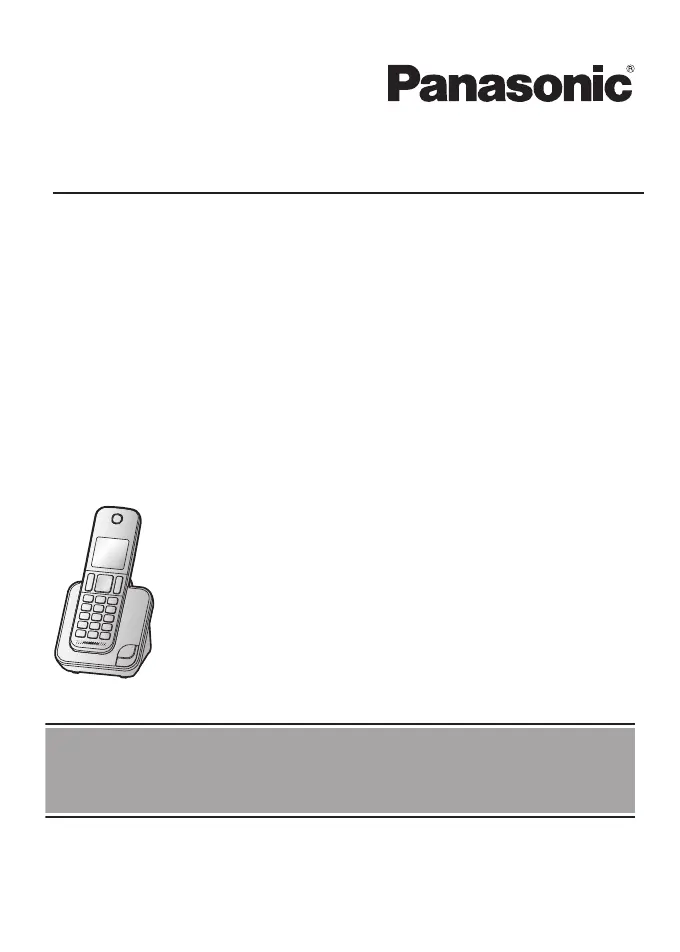
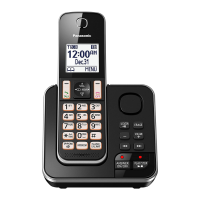
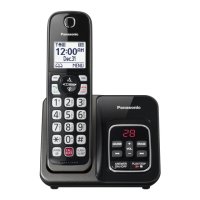
Model shown is KX-TGD310.
Before initial use, see “Getting Started”
on page 10.
Thank you for purchasing a Panasonic product.
Please read these operating instructions before using the unit and save them for
future reference.

Other manuals for Panasonic KX-TGD310BX

Questions and Answers

  • C
    Christine PrinceSep 14, 2025
    What to do if liquid entered my Panasonic KX-TGD310BX handset/base unit?
    • S
      Sean AllenSep 14, 2025
      If liquid or other form of moisture has entered the handset/base unit, disconnect the AC adaptor and telephone line cord from the base unit. Remove the batteries from the handset and leave to dry for at least 3 days. After the handset/base unit are completely dry, reconnect the AC adaptor and telephone line cord. Insert the batteries and charge fully before use. If the unit does not work properly, contact an authorised service centre.
  • M
    Margaret SmithAug 25, 2025
    What to do if my Panasonic KX-TGD310BX does not work?
    • D
      David SimonAug 25, 2025
      If your Panasonic Cordless Telephone is not working, there are several things you can check: * Ensure the batteries are installed correctly. * Fully charge the batteries. * Check all connections. * Try resetting the unit by unplugging the base unit's AC adapter, turning off the handset, reconnecting the adapter, and then turning the handset back on. * Make sure the handset is registered to the base unit.
  • K
    Kevin RomeroAug 25, 2025
    How to fix a Panasonic KX-TGD310BX when the handset doesn't ring?
    • K
      Katherine WattsAug 26, 2025
      If the handset on your Panasonic Cordless Telephone is not ringing, check if the ringer volume is turned off and adjust it accordingly. Also, verify that the do not disturb mode is not turned on; if it is, turn it off.
  • A
    Amanda FranklinAug 26, 2025
    Why is my Panasonic KX-TGD310BX Cordless Telephone handset beeping and/or flashing?
    • M
      Matthew JonesAug 26, 2025
      If your Panasonic Cordless Telephone handset is beeping and/or flashing, it likely means the battery charge is low. Fully charge the batteries to resolve this issue.
  • C
    Crystal LeeSep 14, 2025
    What does it mean when is displayed on my Panasonic Cordless Telephone?
    • S
      savannah34Sep 15, 2025
      If you see displayed on your Panasonic Cordless Telephone, it means the handset is too far from the base unit, so move closer. Reconnect the AC adaptor to the base unit. Also, the handset may not be registered to the base unit, so register it. If you have eco mode activated, it reduces the range of the base unit in standby mode, so turn eco mode off if needed.
  • R
    Rebecca LynchSep 23, 2025
    Why is the name stored in the phonebook not fully displayed on my Panasonic KX-TGD310BX?
    • M
      Michael WoodSep 23, 2025
      If the name stored in the phonebook is not fully displayed while an outside call is being received on your Panasonic Cordless Telephone, edit the phonebook entry name to fit in 1 line of text.
  • A
    andrew92Sep 7, 2025
    Why doesn't my Panasonic KX-TGD310BX Cordless Telephone emit the specified number of rings?
    • M
      Matthew JohnsonSep 7, 2025
      If the Panasonic Cordless Telephone does not emit the specified number of rings, it may be because the first ring is turned off, which decreases the number of rings by 1 from the specified number.
  • M
    Michele ThomasSep 8, 2025
    How to fix noise or sound cutting out on my Panasonic Cordless Telephone?
    • W
      whitneyrogerSep 8, 2025
      If you are experiencing noise or sound cutting in and out on your Panasonic Cordless Telephone, you may be using the handset or base unit in an area with high electrical interference. Try re-positioning the base unit and use the handset away from sources of interference. Also, move closer to the base unit. If you use a DSL/ADSL service, it is recommended to connect a DSL/ADSL filter between the base unit and the telephone line jack.
  • B
    bwilsonSep 23, 2025
    What to do if moisture entered my Panasonic KX-TGD310BX handset/base unit?
    • C
      christina73Sep 23, 2025
      If liquid or other form of moisture has entered the handset/base unit of your Panasonic Cordless Telephone, disconnect the AC adaptor and telephone line cord from the base unit. Remove the batteries from the handset and leave to dry for at least 3 days. After the handset/base unit are completely dry, reconnect the AC adaptor and telephone line cord. Insert the batteries and charge fully before use. If the unit does not work properly, contact an authorised service centre.
  • M
    Michael StevensAug 31, 2025
    What to do if my Panasonic KX-TGD310BX Cordless Telephone batteries still flash after charging or operating time is short?
    • M
      Maria CampbellAug 31, 2025
      If the batteries on your Panasonic Cordless Telephone still flash after being fully charged, or if the operating time seems shorter, clean the battery ends and the charge contacts with a dry cloth and charge again. If the problem persists, it may be time to replace the batteries.

Panasonic KX-TGD310BX Specifications

General IconGeneral
BrandPanasonic
ModelKX-TGD310BX
TypeCordless Telephone
Frequency1.9 GHz
DECT 6.0Yes
Number of Handsets1
Caller IDYes
Call BlockYes
SpeakerphoneYes
DisplayLCD
Talk TimeUp to 10 hours
Digital Answering SystemYes
Maximum Recording Time18 minutes
Call WaitingYes
IntercomYes
Backlit DisplayYes
Power SourceAC adapter
Phonebook Capacity50 entries
Expandable HandsetsYes, up to 6
Battery TypeNi-MH
Standby TimeUp to 5 days
RangeUp to 1000 feet

Related product manuals