EasyManua.ls Logo

Panasonic KX-TGD394C - User Manual

Panasonic KX-TGD394C
36 pages
Print Icon
To Next Page IconTo Next Page
Loading...
Operating Instructions
Digital Cordless Phone with Answering Machine
Model No.
KX-TGD390C
KX-TGD392C
KX-TGD393C
KX-TG163CSK
KX-TGD394C
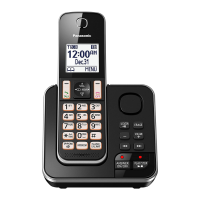
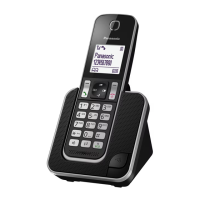
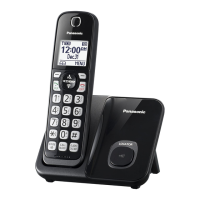
Model shown is KX-TGD390.
Before initial use, see “Getting Started”
on page 8.
Thank you for purchasing a Panasonic product.
Please read these operating instructions before using the unit and save them for
future reference.
For assistance, please visit our Support page:
www.panasonic.ca/english/support
TGD39xC_(en)_ver021.pdf 1 2016/01/25 15:56:50
Question and Answer IconNeed help?

Do you have a question about the Panasonic KX-TGD394C and is the answer not in the manual?

Summary

Important Information and Safety Guidelines

Safety Precautions for Use

Essential safety guidelines for using the phone, covering power, installation, and operation to prevent injury or fire.

Key Safety and Performance Information

Important Safety Instructions

Crucial safety instructions to follow when using the product to reduce risks of fire, electric shock, and injury.

Getting Started: Setup and Battery

Setting Up Connections

Step-by-step guide for connecting the AC adaptor, telephone line cord, and installing batteries.

Battery Installation and Charging

Instructions for installing the correct batteries and charging them, including battery level indicators.

Getting Started: Controls

Handset and Base Unit Controls Overview

Overview of the buttons and keys on both the handset and base unit for operation.

Making and Answering Calls

Phonebook Management

Programming Menu Options

Menu List Overview and Command Codes

Explains how to navigate the menu tree and use direct command codes for programming functions.

Programming: Voicemail, Intercom, and Time Settings

Programming: Alarm, Night Mode, and Call Blocking

Programming: Call Block List Management

Managing Call Block List

Steps for storing, viewing, editing, and erasing numbers from the call block list.

Programming: Handset Registration

Handset Registration and Deregistration

Procedures for registering new handsets to the base unit and deregistering existing ones.

Caller ID Service Features

Using Caller ID Features

Explains compatibility with Caller ID, how caller information is displayed, and talking caller ID feature.

Caller ID Service: Call Waiting and List Management

Answering System Operation

Answering System Operation Basics

Overview of the answering system's capabilities, recording capacity, and turning it on/off.

Greeting Message and Playback

How to record your own greeting message, use a pre-recorded one, and play back messages.

Answering System: Remote Access and Settings

Remote Operation and Voice Guidance

Instructions for operating the answering system remotely via phone, including access codes and voice prompts.

Answering System: Advanced Settings

Answering System Rings and Recording Time

Configuration options for the number of rings before answering and the maximum recording time per caller.

Useful Information: Troubleshooting Errors

Error Messages and Their Causes

Lists common display messages and their corresponding causes or solutions for troubleshooting.

General Troubleshooting Steps

Provides solutions for common problems like handset not turning on or the unit not working.

Useful Information: Troubleshooting Calls and Battery

Troubleshooting Dial Tone, Time, and Battery

Solutions for issues related to hearing a dial tone, time shifts, and battery recharge problems.

Troubleshooting Call Issues and Ringing

Addresses problems like no display, noise, cut-outs, handset not ringing, and inability to make calls.

Useful Information: Caller ID and Answering System Issues

Troubleshooting Caller ID and Answering System

Solutions for issues with Caller ID display/announcement and the answering system not recording messages.

Summary

Important Information and Safety Guidelines

Safety Precautions for Use

Essential safety guidelines for using the phone, covering power, installation, and operation to prevent injury or fire.

Key Safety and Performance Information

Important Safety Instructions

Crucial safety instructions to follow when using the product to reduce risks of fire, electric shock, and injury.

Getting Started: Setup and Battery

Setting Up Connections

Step-by-step guide for connecting the AC adaptor, telephone line cord, and installing batteries.

Battery Installation and Charging

Instructions for installing the correct batteries and charging them, including battery level indicators.

Getting Started: Controls

Handset and Base Unit Controls Overview

Overview of the buttons and keys on both the handset and base unit for operation.

Making and Answering Calls

Phonebook Management

Programming Menu Options

Menu List Overview and Command Codes

Explains how to navigate the menu tree and use direct command codes for programming functions.

Programming: Voicemail, Intercom, and Time Settings

Programming: Alarm, Night Mode, and Call Blocking

Programming: Call Block List Management

Managing Call Block List

Steps for storing, viewing, editing, and erasing numbers from the call block list.

Programming: Handset Registration

Handset Registration and Deregistration

Procedures for registering new handsets to the base unit and deregistering existing ones.

Caller ID Service Features

Using Caller ID Features

Explains compatibility with Caller ID, how caller information is displayed, and talking caller ID feature.

Caller ID Service: Call Waiting and List Management

Answering System Operation

Answering System Operation Basics

Overview of the answering system's capabilities, recording capacity, and turning it on/off.

Greeting Message and Playback

How to record your own greeting message, use a pre-recorded one, and play back messages.

Answering System: Remote Access and Settings

Remote Operation and Voice Guidance

Instructions for operating the answering system remotely via phone, including access codes and voice prompts.

Answering System: Advanced Settings

Answering System Rings and Recording Time

Configuration options for the number of rings before answering and the maximum recording time per caller.

Useful Information: Troubleshooting Errors

Error Messages and Their Causes

Lists common display messages and their corresponding causes or solutions for troubleshooting.

General Troubleshooting Steps

Provides solutions for common problems like handset not turning on or the unit not working.

Useful Information: Troubleshooting Calls and Battery

Troubleshooting Dial Tone, Time, and Battery

Solutions for issues related to hearing a dial tone, time shifts, and battery recharge problems.

Troubleshooting Call Issues and Ringing

Addresses problems like no display, noise, cut-outs, handset not ringing, and inability to make calls.

Useful Information: Caller ID and Answering System Issues

Troubleshooting Caller ID and Answering System

Solutions for issues with Caller ID display/announcement and the answering system not recording messages.

Panasonic KX-TGD394C Specifications

General IconGeneral
BrandPanasonic
ModelKX-TGD394C
CategoryCordless Telephone
LanguageEnglish

Related product manuals