
 Need help?
Do you have a question about the Panasonic KX-TGD220 and is the answer not in the manual?
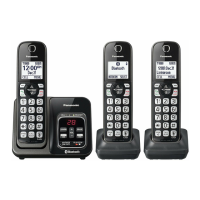
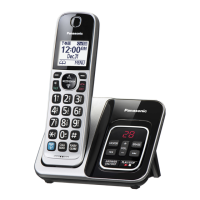
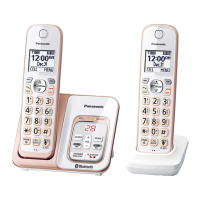
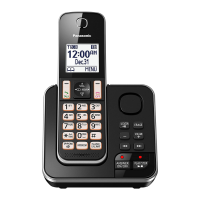
Describes the phone's components and model variants, including base unit and handset parts.
Lists supplied accessories such as AC adaptors, cords, and optional items.
Details items available for purchase separately, like rechargeable batteries and range extenders.
Explains how to add more handsets (up to 6) to a single base unit.
Crucial safety warnings and precautions for product use, including power connection and installation.
Core safety guidelines to prevent injury, electric shock, and fire, including battery handling.
Advice on optimal placement for clear communication and minimizing interference.
Guidelines for product placement and care regarding environmental factors like smoke, dust, and temperature.
Instructions for connecting the base unit, charger, and telephone line.
Steps for charging the handset batteries, including indicators and notes.
Identifies handset and base unit buttons and their functions.
Explains symbols shown on the handset display for status and features.
How to change display language and voice guidance language.
Procedure for setting the current date and time on the unit.
Guide to recording a custom greeting message for the answering system.
Configuration options such as dialing mode.
Steps to initiate a phone call using the handset.
How to receive and end incoming calls.
Explains call hold, mute, flash, clarity booster, and call waiting.
Instructions for making calls between registered handsets.
Guide to storing names and phone numbers, with character entry tables.
How to organize entries into groups and assign ringers (ringer ID).
Methods to locate and dial stored contacts via search or group.
How to modify existing phonebook records, including names and numbers.
Procedures for deleting individual or all phonebook records.
Assigning phone numbers to quick-dial keys (1-9) for fast access.
Overview of accessing features via display menus or direct command codes.
Setting up the alarm function for daily or once-off use.
Configuring periods of quiet operation for the handset and base unit.
Blocking unwanted callers by number or from unknown sources.
Instructions for adding new handsets or other units to the base unit.
Requirements and basic operation for displaying caller information.
Details on displaying and announcing caller information, including missed calls.
Modifying numbers in the caller list, such as removing area codes.
Removing specific entries from the caller list.
Activating or deactivating the answering system via base unit or handset.
Recording or using pre-recorded greetings for callers.
How to access and manage recorded messages.
Controlling the answering system from an external touch-tone phone.
Configuring call screening and the number of rings before answering.
Information on using external voice mail services and managing settings.
Instructions for mounting the base unit on a wall using the provided adaptor.
Troubleshooting common display messages and their causes/solutions.
Solutions for common operational problems with the handset, base unit, and features.
Regulatory compliance, safety notices, and RF exposure information.
Information regarding hearing aid compatibility for telephone handsets.
Contact information for product support, operating assistance, and literature requests.
Information on how to purchase parts, accessories, and owner's manuals online.
Details of the limited warranty coverage, terms, and mail-in service procedures.
 General
| Type | Cordless Telephone |
|---|---|
| Frequency | 1.9 GHz |
| Number of Handsets Included | 1 |
| Caller ID | Yes |
| Call Block | Yes |
| Speakerphone | Yes |
| Display | LCD |
| Backlit Keypad | Yes |
| Ringer Volume Control | Yes |
| Talk Time | Up to 10 hours |
| Standby Time | Up to 5 days |
| Phonebook Capacity | 50 entries |
| Noise Reduction | Yes |
| Answering System | Yes |
| Call Waiting | Yes |
| Intercom | Yes |
| Answering Machine | Yes |
| Power Source | AC Adapter |
| Expandable Handsets | Up to 6 |
| Battery Type | AAA Ni-MH |
| Range | Up to 1, 000 feet |


 To Next Page