2 Follow the pre-recorded instructions.
3 When finished, hang up.
Note:
R You can also use the MACCESSN soft key,
if displayed, to play new voicemail
messages.
R If the handset still indicates there are new
messages even after you have listened to
all new messages, turn it off by pressing
and holding # until the handset beeps.
Wall mounting
Note:
R Make sure that the wall and the fixing
method are strong enough to support the
weight of the unit.
Base unit
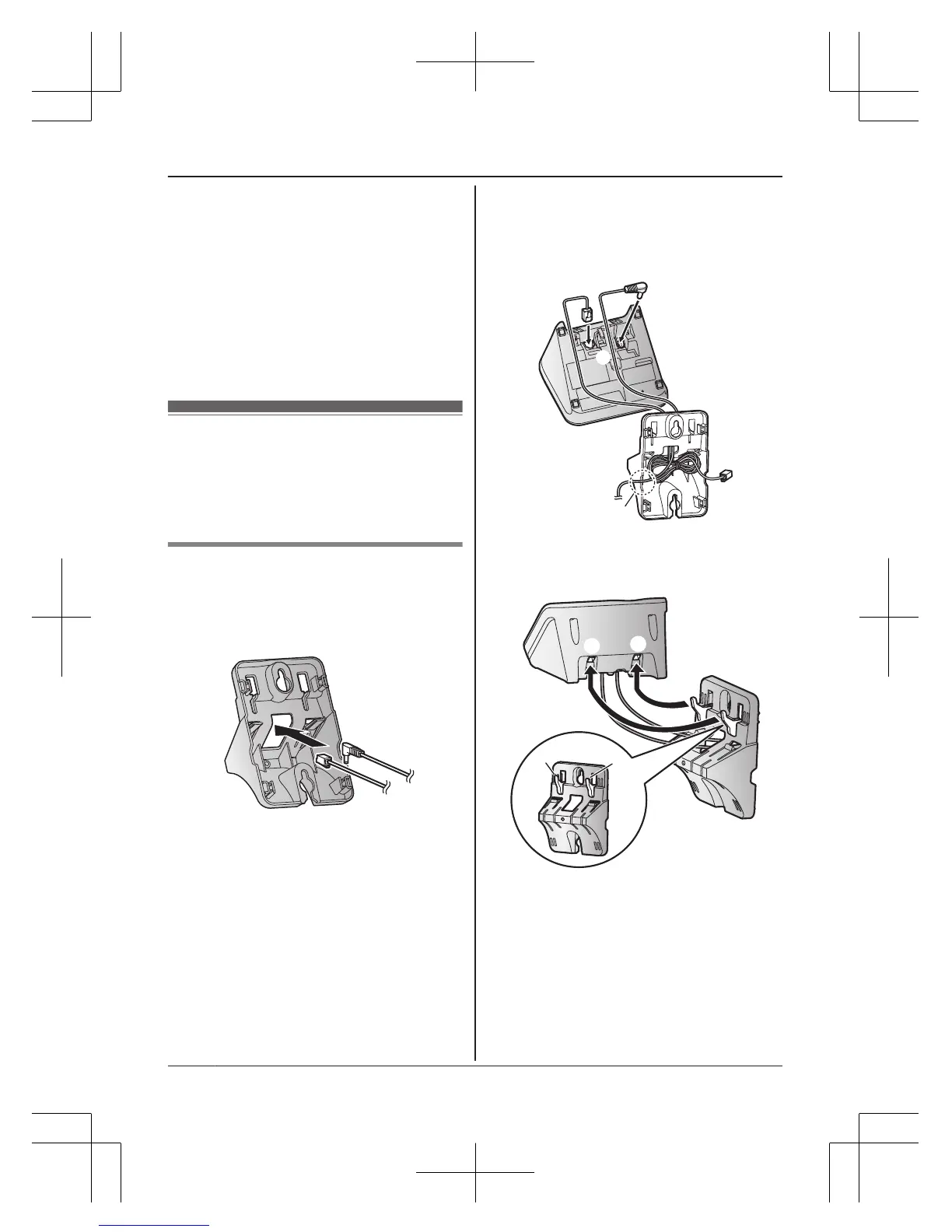
1 Lead the AC adaptor cord and telephone
line cord through the hole in the wall
mounting adaptor in the direction of the
arrow.
2 Tuck the telephone line cord inside the
wall mounting adaptor (A). Connect the
AC adaptor cord and telephone line cord
(B).









 To Next Page