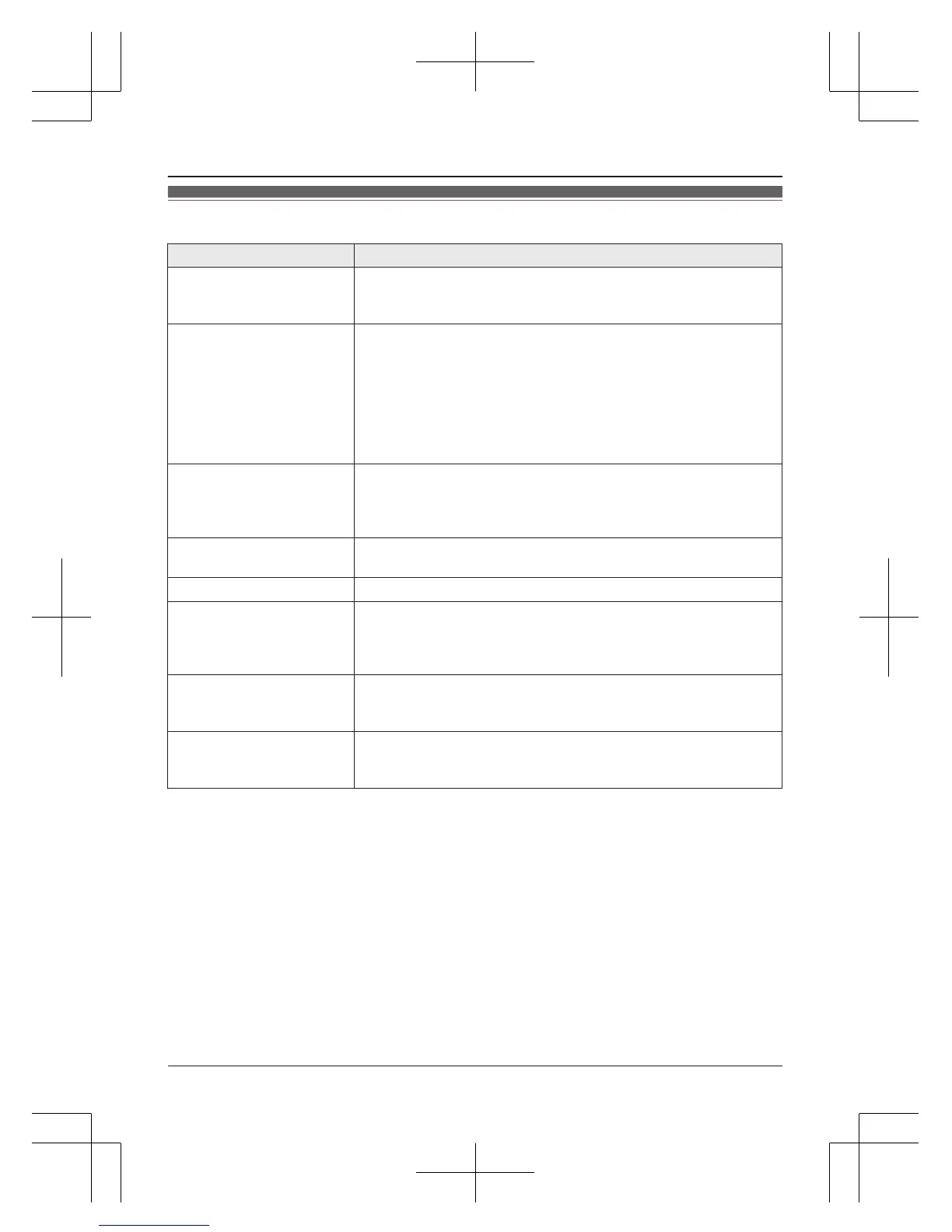
Error messages
Display message Cause/solution
Ask phone
company for
VM access #
R You have not stored the voicemail access number. Store the
number (page 41).
Base no power
or
No link. Re-
connect base
AC adaptor.
R Confirm the base unit’s AC adaptor is connected to the unit
and the power outlet correctly.
R The handset has lost communication with the base unit. Move
closer to the base unit and try again.
R Unplug the base unit’s AC adaptor to reset the unit.
Reconnect the adaptor and try again.
R The handset’s registration may have been canceled.
Re-register the handset (page 32).
Busy
R The called unit is in use.
R Other units are in use and the system is busy. Try again later.
R The handset you are using is too far from the base unit. Move
closer and try again.
Check tel line
R The supplied telephone line cord has not been connected yet
or not connected properly. Check the connections (page 9).
Error!!
R Recording was too short. Try again.
Invalid
R There is no handset registered to the base unit matching the
handset number you entered.
R The handset is not registered to the base unit. Register the
handset (page 32).
Requires
subscription
to Caller ID.
R You must subscribe to a Caller ID service. Once you receive
caller information after subscribing to a Caller ID service, this
message will not be displayed.
Use
rechargeable
battery.
R A wrong type of battery such as alkaline or manganese was
inserted. Use only the rechargeable Ni-MH batteries noted on
page 4, 6.
For assistance, please visit http://shop.panasonic.com/support
45
Useful Information









 To Next Page