What to do if I cannot cancel the display lock on Panasonic KX-UT248 IP Phone?
- CChelsea KirkSep 18, 2025
If you cannot cancel the display lock, the PIN number you entered may have been incorrect. Consult your administrator or dealer.
What to do if I cannot cancel the display lock on Panasonic KX-UT248 IP Phone?
If you cannot cancel the display lock, the PIN number you entered may have been incorrect. Consult your administrator or dealer.
What to do if I forgot my PIN number on Panasonic Telephone?
If you forgot your PIN number on your Panasonic Telephone, consult your administrator or dealer.
Why is the display blank on my Panasonic Telephone?
If the display on your Panasonic Telephone is blank, ensure that the device supplying PoE is receiving power and that the Ethernet cable is properly connected. If you're using an AC adapter, check that it's correctly connected and powered.
What to do if I cannot hear a dial tone on my Panasonic Telephone?
If you cannot hear a dial tone on your Panasonic Telephone, verify that the LAN cable is properly connected.
What does 'No Entries' mean on my Panasonic IP Phone?
This message indicates that the phonebook or call block list contains no entries. Store entries in the phonebook or call block list.
Why is the Message/Ringer lamp lit on my Panasonic KX-UT248?
If the Message/Ringer lamp is lit, you may have received a voice message while you were on the phone or away from your desk. Check the voice message.
What to do if my Panasonic KX-UT248 is not performing properly?
If your unit isn't performing properly: * Check all cable and cord connections. * Consult your administrator to confirm that your connection settings are correct. If the problem continues, consult your dealer. * Restart the unit.
What to do if the other party cannot hear my voice on Panasonic KX-UT248 IP Phone?
If the other party cannot hear you, check if the unit is muted. If it is, press [MUTE] to turn off the mute feature.
What to do if I cannot make a call on my Panasonic IP Phone?
If you're unable to make calls on your Panasonic IP Phone, first check the VoIP status in the Web user interface to confirm that each line is registered properly. Also, verify that the SIP server address, URLs of the configuration files, and encryption key are correct. Finally, check the firewall and port forwarding settings on the router.
What to do if my Panasonic KX-UT248 will not start up correctly?
If your Panasonic IP Phone doesn't start up correctly, the Web user interface settings or configuration file settings may be incorrect. To initialize the settings, follow these steps: 1. Press Setup. 2. Press [#][1][3][6]. 3. Select "IP Reset" using the navigation keys and press [ENTER]. 4. Select "Yes" using the navigation keys and press [ENTER]. 5. Select "Yes" again and press [ENTER]. The unit will restart automatically after performing IP Reset.
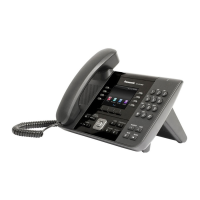
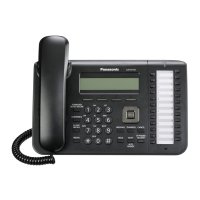
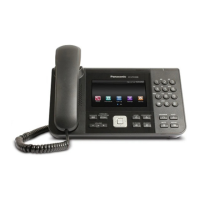
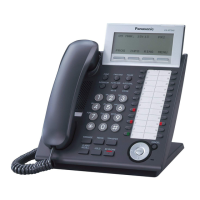
Describes the physical layout and buttons on different phone models.
Covers fundamental phone functions like going off-hook, on-hook, and adjusting volume.
Provides instructions for initiating calls via dialling, phonebook, or call logs.
Managing call routing and privacy settings.
Instructions for adding, editing, searching, and managing contacts.
Advanced configuration options accessible via a web browser.
Initial configuration steps after connecting power.
Technical details and features of different phone models.
Common issues and their possible causes and solutions.
Describes the physical layout and buttons on different phone models.
Covers fundamental phone functions like going off-hook, on-hook, and adjusting volume.
Provides instructions for initiating calls via dialling, phonebook, or call logs.
Managing call routing and privacy settings.
Instructions for adding, editing, searching, and managing contacts.
Advanced configuration options accessible via a web browser.
Initial configuration steps after connecting power.
Technical details and features of different phone models.
Common issues and their possible causes and solutions.
| Audio Codecs | G.711, G.722, G.726, G.729A |
|---|---|
| Bluetooth | No |
| SIP Accounts | 6 |
| Speakerphone | Yes |
| HD Voice | Yes |
| Number of Lines | 6 |
| Wall Mountable | Yes |
| Display | Color LCD |
| Ethernet Ports | 2 (10/100/1000 Mbps) |
| Power over Ethernet | Yes (IEEE 802.3af) |
| Headset Jack | Yes |
| Supported Protocols | SIP |
| Power Supply | Optional AC adapter |


Loading...