Playback/Editing
- 90 -
You can stamp the recording date/time, name, location or travel date onto the recorded
pictures.
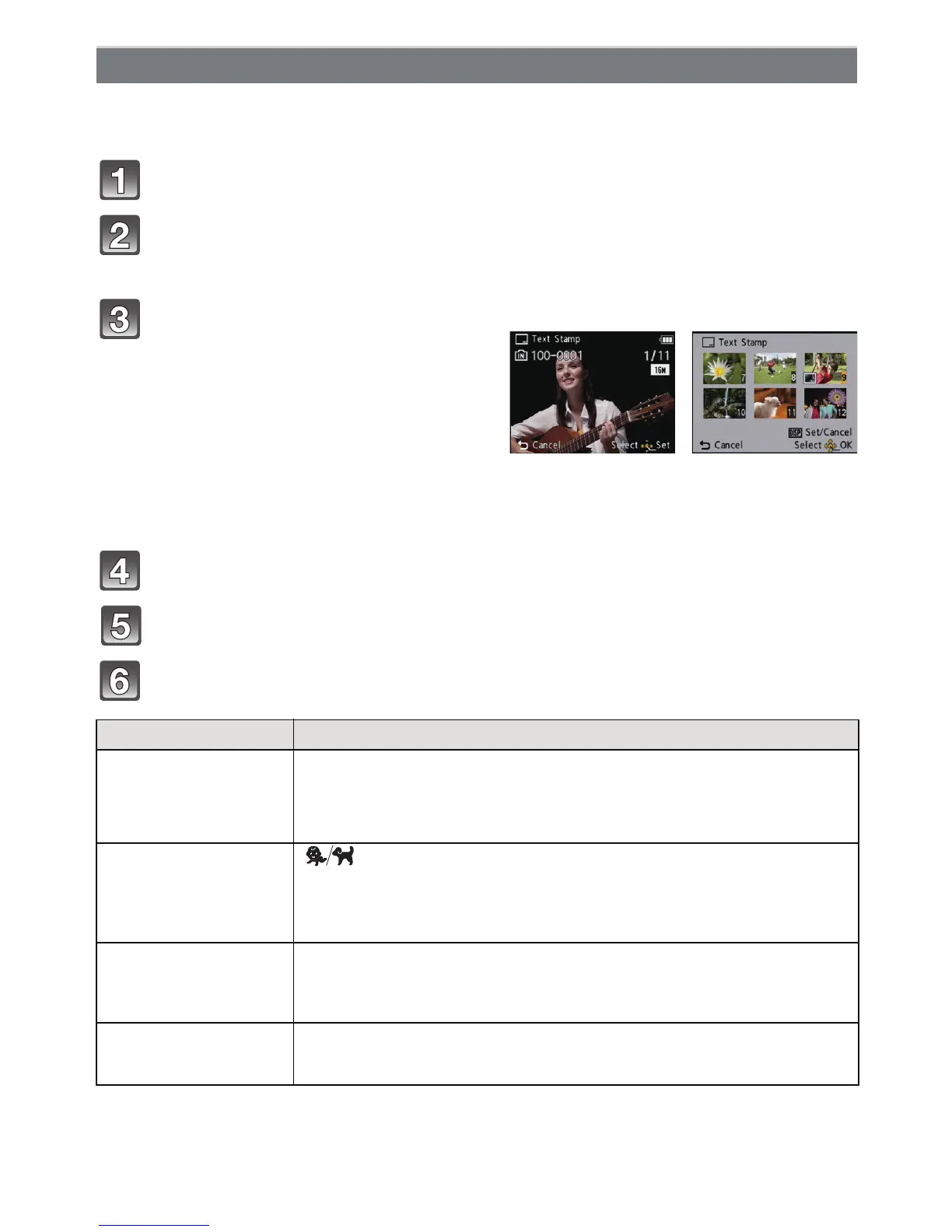
Select [Text Stamp] on the [Playback] Mode menu. (P35)
Press 3/4 to select [SINGLE] or [MULTI] and then press
[MENU/SET].
Press 3/4 to select [Set], and then press [MENU/SET].
\ Press 3/4 to select text stamp items, and then press [MENU/SET].
Press 3/4 to select the settings, and then press [MENU/SET].
[Text Stamp]
Select the picture, and then press
[MENU/SET] to set.
•[‘] is displayed on pictures already with
date or text stamped.
[MULTI] setting
Press [DISP.] to set (repeat), and then
press [MENU/SET] to set.
• The setting is cancelled when [DISP.] is
pressed again.
[SINGLE] [MULTI]
Press 2/1 to
select the picture.
Press 3/4/2/1 to
select the pictures.
Item Setting item
[Shooting Date]
[W/O TIME]:
Stamp the year, month and day.
[WITH TIME]:
Stamp the year, month, day, hour and minutes.
[OFF]
[Name]
[]
(BABY/PET):
Stamps names registered in name settings for
[Baby1]/[Baby2] or [Pet] in Scene Mode.
[OFF]
[Location]
[ON]:
Stamps the travel destination name set under
[Location].
[OFF]
[Travel Date]
[ON]:
Stamps the travel date set under [Travel Date].
[OFF]



 To Next Page
 Loading...