EasyManua.ls Logo

Panasonic Lumix DMC-FS42 - User Manual

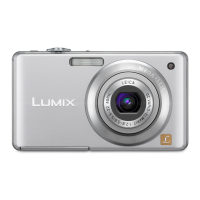
Panasonic Lumix DMC-FS42
179 pages
Print Icon
To Next Page IconTo Next Page
Loading...
Panasonic
Basic
Operating
Instructions
Digital
Camera
Model No. DMC-FS42
DMC-FS4
I
Before
connecting,
operating
or
adjusting
this
product,
please
read
the
instructions
completely.
Please also refer to Operating
Instructions (PDF format) recorded
on the CD-ROM containing the
Operating Instructions (supplied).
You
can
learn
about
advanced
operation
methods
and
check
the
Troubleshooting.
For USA and Puerto RIco assistance. please call: 1-800-211-PANA(7262)
or.
contact
us
via the web
at·
http://wwwpanasonlc.com/contactlnfo
VQT2845-2
H0209HM2089

Table of Contents

Other manuals for Panasonic Lumix DMC-FS42

Questions and Answers

  • P
    Paige CookAug 13, 2025
    What to do if uploading to YouTube cannot be performed properly in Panasonic Software?
    • N
      nchoiAug 13, 2025
      If you're having trouble uploading to YouTube with Panasonic Software, first, make sure your username and password are correct. Then, verify that your PC is connected to the Internet. Also, check that no resident software, like antivirus or firewall, is blocking access to YouTube. Finally, examine the YouTube site to ensure there are no issues on their end.
  • C
    Christopher WilliamsAug 17, 2025
    Why can't I write to CD/DVD using Panasonic Software?
    • D
      Derek MooreAug 17, 2025
      To use the CD/DVD writing function in Panasonic PHOTOfunSTUDIO, you need a CD/DVD drive that is compatible with the Windows® standard CD/DVD writing wizard. If the [Recording] tab isn't displayed in the [Properties] of your CD/DVD drive, it means the drive is not compatible and cannot be used.
  • M
    Maria StewartAug 21, 2025
    How to fix PC not recognizing Panasonic Lumix DMC-FS42 Digital Camera via USB?
    • T
      Teresa WilliamsAug 21, 2025
      If your PC isn't recognizing your Panasonic digital camera via USB, check if a memory card is inserted into the camera. Also, depending on the camera model, you might need to set the camera to connect with the PC. Check your camera's operating instructions for specific steps.
  • S
    Stacy GreerAug 25, 2025
    What to do if pictures cannot be categorized in Panasonic Software?
    • B
      bkochAug 26, 2025
      If you cannot categorize pictures or registered categorization items are not displayed in Panasonic PHOTOfunSTUDIO, the picture control information file may be corrupted. To resolve this, delete the picture control information file by going to [start] - [All Programs] - [Panasonic] - [PHOTOfunSTUDIO] - [Delete picture management information], and then categorize your pictures again.
  • D
    dmaddenAug 28, 2025
    Why does a still picture remain after deleting a motion picture in Panasonic Software?
    • J
      Jason Howard MDAug 28, 2025
      When you record motion pictures with a digital camera, both motion pictures (MOV file) and still pictures (JPEG file) are recorded. Even when these associated files exist, only selected pictures can be deleted by Panasonic PHOTOfunSTUDIO. If you want to delete both files, you must delete each one individually.
  • R
    Robert FrazierSep 1, 2025
    Why can't pictures be displayed in Focus or Full Screen mode in Panasonic Software?
    • V
      vsalazarSep 1, 2025
      Pictures can be displayed in thumbnails only in the List mode even if the pictures with thumbnail picture as Exif data exceed the applicable maximum file size.
  • M
    Michelle TranSep 5, 2025
    How to open a network folder in Panasonic Software?
    • Q
      qtorresSep 5, 2025
      To open a folder in a network computer within the [Explorer] of the folder view, assign a network drive to the folder you want to access. This allows you to access it using a drive letter (like F drive or Z drive).
  • A
    Anna WhiteSep 9, 2025
    What happens when two files have the same name in Panasonic Software?
    • J
      Jennifer CastilloSep 9, 2025
      If two files associated with each other (associated files) have the same name except for the extension, and the association is not established, they might not be reproduced correctly by the Panasonic digital camera.

Summary

Safety and Precautions

General Safety Warnings

Covers warnings, cautions, and advice for safe camera operation, handling, and environmental considerations.

Camera Setup and Components

Standard Accessories

List of items included with the camera for initial use.

Component Identification

Identification and location of all camera parts and controls.

Battery Management

Includes battery charging, life, insertion/removal, and related notes.

Date and Time Settings

Procedure for setting the camera's internal clock and date.

Photography Operations

Mode and Menu Navigation

Guide to switching camera modes and using the menu system for settings.

Automatic Picture Taking

Instructions for using the Auto Scene Mode for effortless photography.

Manual Picture Taking

Guide to using Normal Picture Mode for more control over settings like focus.

Playback and Picture Management

Playing Back Pictures

How to view recorded images on the camera's LCD screen.

Deleting Pictures

Steps for removing unwanted images from the camera or memory card.

Technical Information and Support

Specifications Overview

Detailed technical specifications of the digital camera.

Support and Warranty

Information on service, warranty, and customer support contacts.

Panasonic Lumix DMC-FS42 Specifications

General IconGeneral
Megapixel10.1 MP
Camera typeCompact camera
Sensor typeCCD
Image stabilizerYes
Image sensor size1/2.5 \
Supported aspect ratios3:2, 4:3, 16:9
Maximum image resolution3648 x 2736 pixels
Digital zoom4 x
Combined zoom28.4 x
InterfaceUSB 2.0
Digital SLRNo
Dimensions (WxDxH)97.6 x 22.3 x 55.4 mm
Camera shutter speed8 - 1/2000 s
Focal length (35mm film equivalent)33 - 132 mm
Focus adjustmentAuto
Normal focusing range0.5 - ∞ m
Macro focusing range (wide)0.05 - ∞ m
ISO sensitivity80, 100, 200, 400, 800, 1000
Flash modesauto, Flash off, Red-eye reduction
Flash range (tele)0.5 - 3 m
Flash range (wide)0.3 - 6.3 m
Internal memory50 MB
Compatible memory cardssd, sdhc
Motion JPEG frame rate30 fps
Maximum video resolution640 x 480 pixels
Display diagonal2.5 \
Display resolution (numeric)230000 pixels
Scene modesbeach, Candlelight, Children, Fireworks, Night, Night portrait, Panorama, party (indoor), Portrait, self-portrait, Sports, Sunset
Photo effectsblack&white, Neutral, Sepia, Vivid
White balanceauto, Cloudy, daylight, Shade
Camera playbackSlide show
Playback zoom (max)16 x
Product colorPink
Battery capacity940 mAh
Weight and Dimensions IconWeight and Dimensions
Depth22.3 mm
Width97.6 mm
Height55.4 mm
Weight112 g

Related product manuals