Advanced-Viewing
- 89 -
f
[RESIZE] Reducing the picture size (number of pixels)
This function is useful if you want to reduce the le size of the picture in cases when it
needs to be attached to an e-mail or uploaded to a website.
1
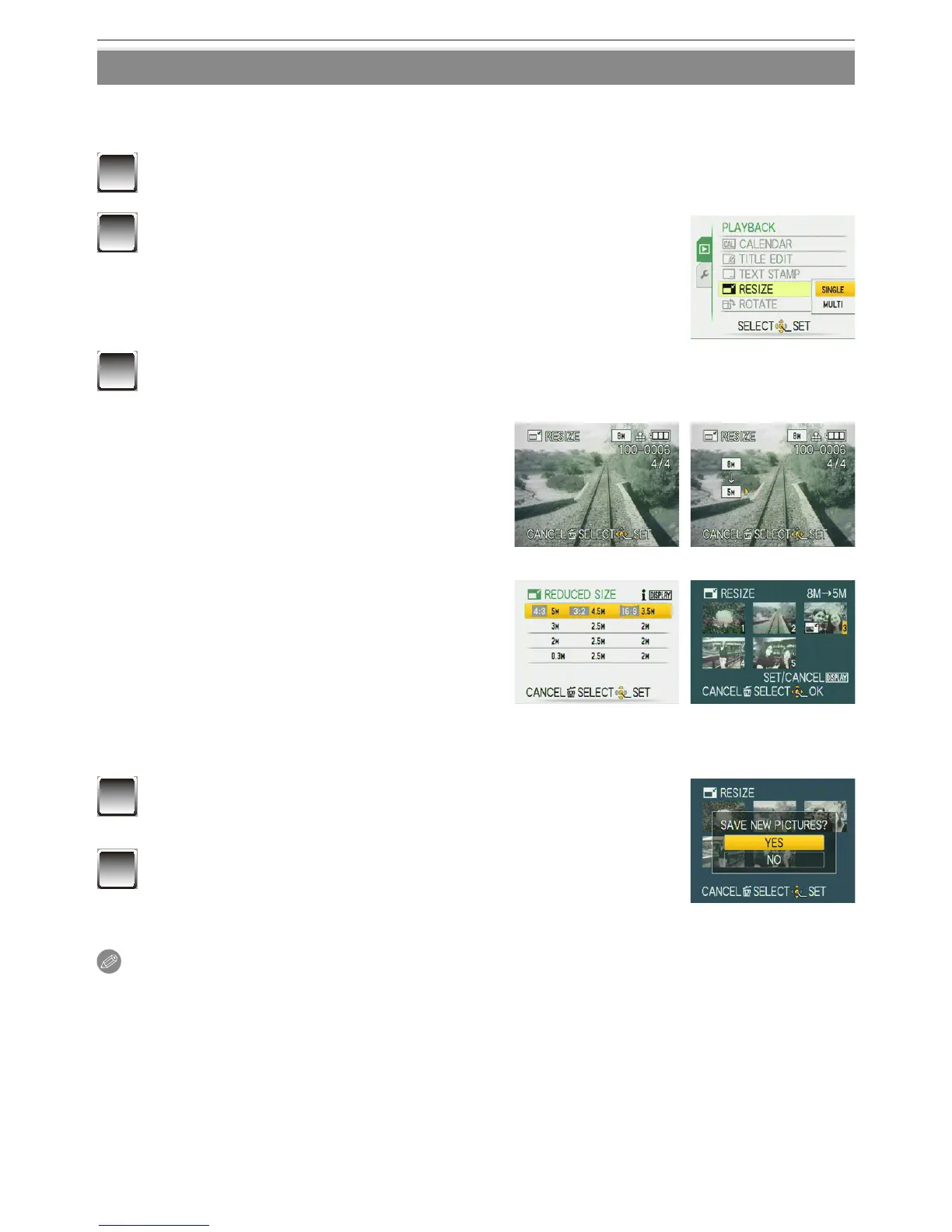
Select [RESIZE] on the [PLAYBACK] menu. (P21)
2
Press
e
/
r
to select [SINGLE] or [MULTI] and then
press [MENU/SET].
3
Select the picture(s) and size(s).
[SINGLE]
[SINGLE] setting
1 Press
w
/
q
to select the picture,
and then press [MENU/SET].
2 Press
w
/
q
to select the size
,
and then press [MENU/SET].
Only the sizes to which the pictures
can be resized are displayed.
[MULTI]
[MULTI] setting
1 Press
e
/
r
to select the size, and
then press [MENU/SET].
• When [DISPLAY] is pressed,
an explanation of resizing is
displayed.
2 Press
e
/
r
/
w
/
q
to select
the picture, and then press
[DISPLAY].
• Repeat this step for each picture, and press [MENU/SET] to set.
4
Press
e
to select [YES] and then press [MENU/
SET].
5
Press [
4
] to return to the menu screen
.
The menu screen is automatically restored when [MULTI]
is selected.
• Press [MENU/SET] to close the menu.
Note
• You can set up to 50 pictures at one time in [MULTI].
• You may not be able to resize pictures you have taken using other equipment.
• The picture becomes slightly rougher.
• Motion pictures or pictures stamped with [TEXT STAMP] cannot be resized.



 To Next Page
 Loading...