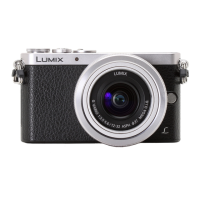
26
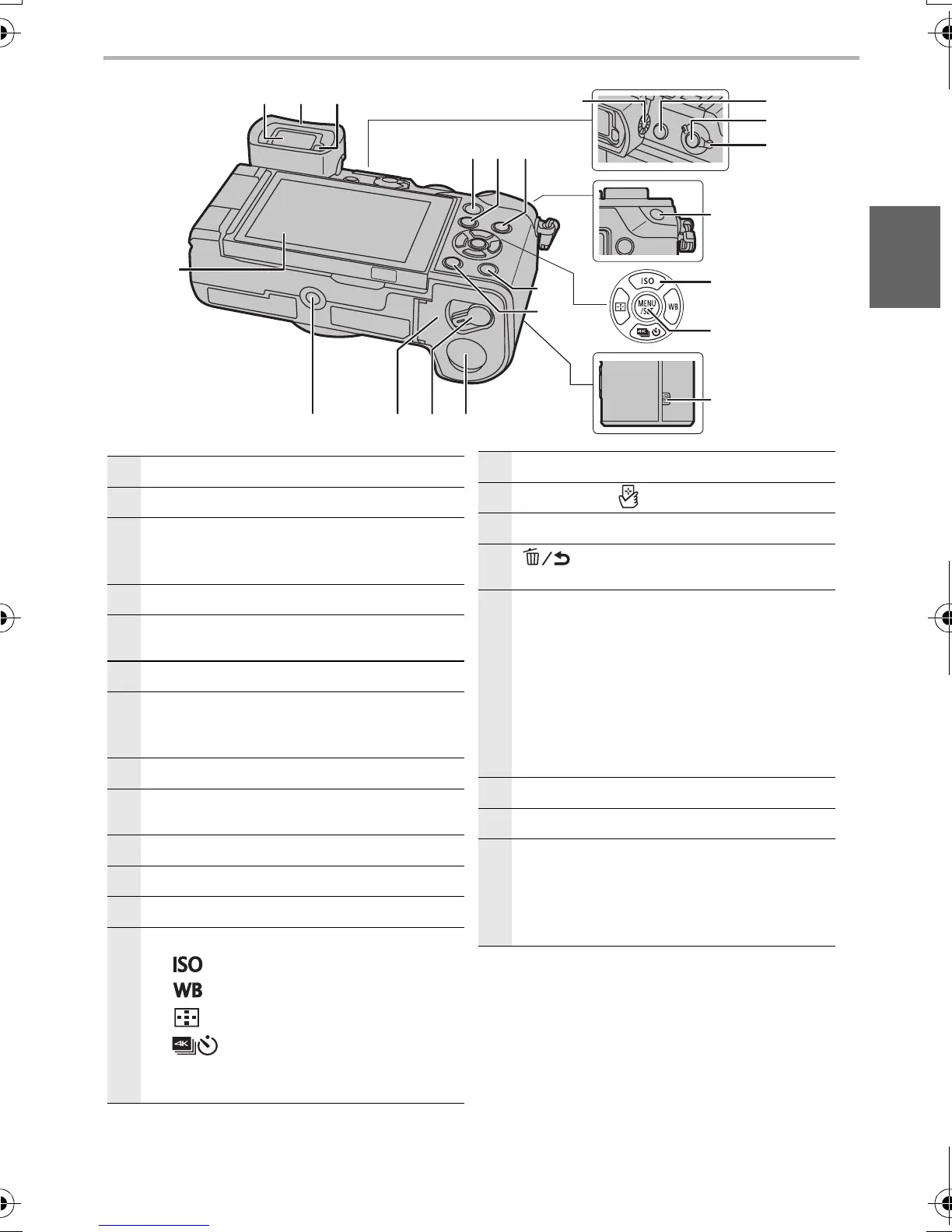
Touch screen (P22)/monitor (P50)
27
Viewfinder (P22)
28
Eyecup
• Keep the Eyecup out of reach of children to
prevent swallowing.
29
Eye sensor (P22)
30
[Q.MENU] button (P24)/
Function button (Fn2) (P24)
31
[(] (Playback) button (P39)
32
[DISP.] button
• Each time this is pressed, the display on the
monitor is switched.
33
Diopter adjustment dial (P18)
34
[LVF] button (P22)/
Function button (Fn6) (P24)
35
[Fn] button (Fn5) (P24)
36
Focus mode lever (P30)
37
[AF/AE LOCK] button
38
Cursor buttons (P20)
3/[ ] (ISO sensitivity)
1/[ ] (White Balance)
2/[ ] (Auto Focus Mode)
4/[ ] (Drive mode) (P31)
– Single (P31)/Burst/4K Photo (P32)/
Auto bracket/Self-timer
39
[MENU/SET] button (P23)
40
NFC antenna [ ] (P45, 47)
41
[Fn] button (Fn4) (P24)
42
[ ] (Delete/Cancel) button (P40)/
Function button (Fn3) (P24)
43
DC coupler cover
• When using an AC adaptor, ensure that the
Panasonic DC coupler (DMW-DCC8:
optional) and AC adaptor (DMW-AC10G:
optional) are used.
• Always use a genuine Panasonic AC
adaptor (DMW-AC10G: optional).
• When using an AC adaptor, use the AC
cable supplied with the AC adaptor.
44
Release lever (P14)
45
Card/Battery door (P14)
46
Tripod mount
• It may not be possible to attach and securely
fasten a tripod with a screw length of 5.5 mm
or more to the camera. Doing so may also
damage the camera.



 To Next Page
 Loading...