Preparation/Basic
12
SQT0790 (ENG)
∫ Lens
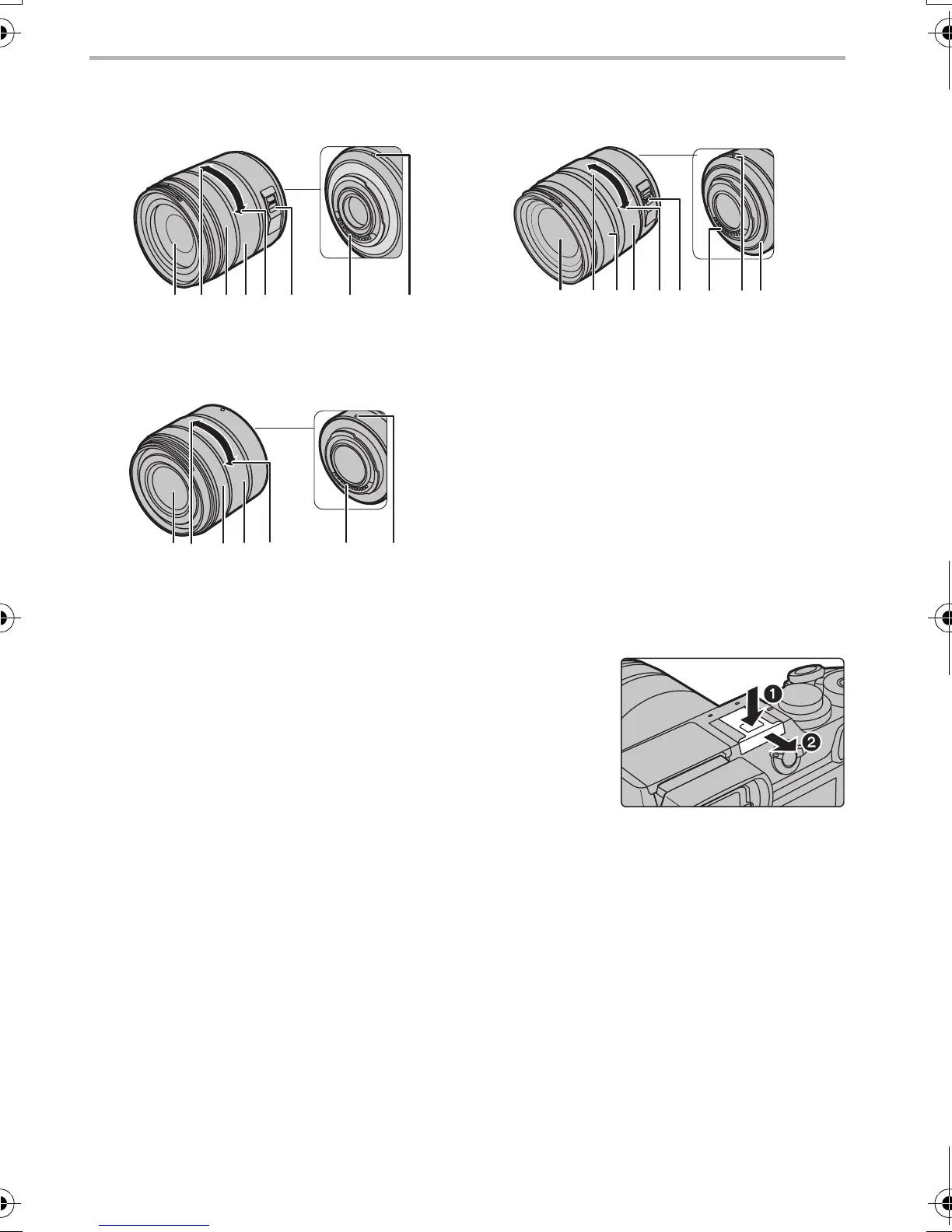
∫ Removing the Hot Shoe Cover
The camera comes with a hot shoe cover attached to the hot shoe.
Remove the hot shoe cover by pulling it in the direction
indicated by arrow
2
while pressing it in the direction
indicated by arrow
1
.
•
When the hot shoe is not in use, make sure to attach the hot
shoe cover.
• Please be careful not to lose the hot shoe cover.
H-FS14140 H-HS12035
H-FS1442A 1 Lens surface
2Tele
3 Focus ring (P30)
4 Zoom ring
5Wide
6 [O.I.S.] switch (P34)
7 Contact point
8 Lens fitting mark (P16)
9 Lens mount rubber
132 4
6
5 78
DMC-GX8A&GX8H&GX8K_GCGH-SQT0790_eng.book 12 ページ 2015年7月8日 水曜日 午前9時11分



 To Next Page
 Loading...