25
SQT0375 (ENG)
Basics
Taking pictures
• Press the [ ] button ( ) to set the drive mode to [ ] ([Single]).
1
Select the recording mode
• Each time you press the [iA] button, the recording mode will switch
between
and / / / .
[Intelligent Auto] Mode (→26)
Take pictures with automatic settings.
[Program AE] Mode (→29)
Record pictures with the aperture value and shutter speed settings
automatically adjusted.
[Aperture-Priority] Mode (→30)
Determine aperture, then record pictures.
[Shutter-Priority] Mode (→31)
Determine shutter speed, then record pictures.
[Manual Exposure] Mode (→32)
Determine the aperture value and shutter speed respectively, and
then record pictures.
2
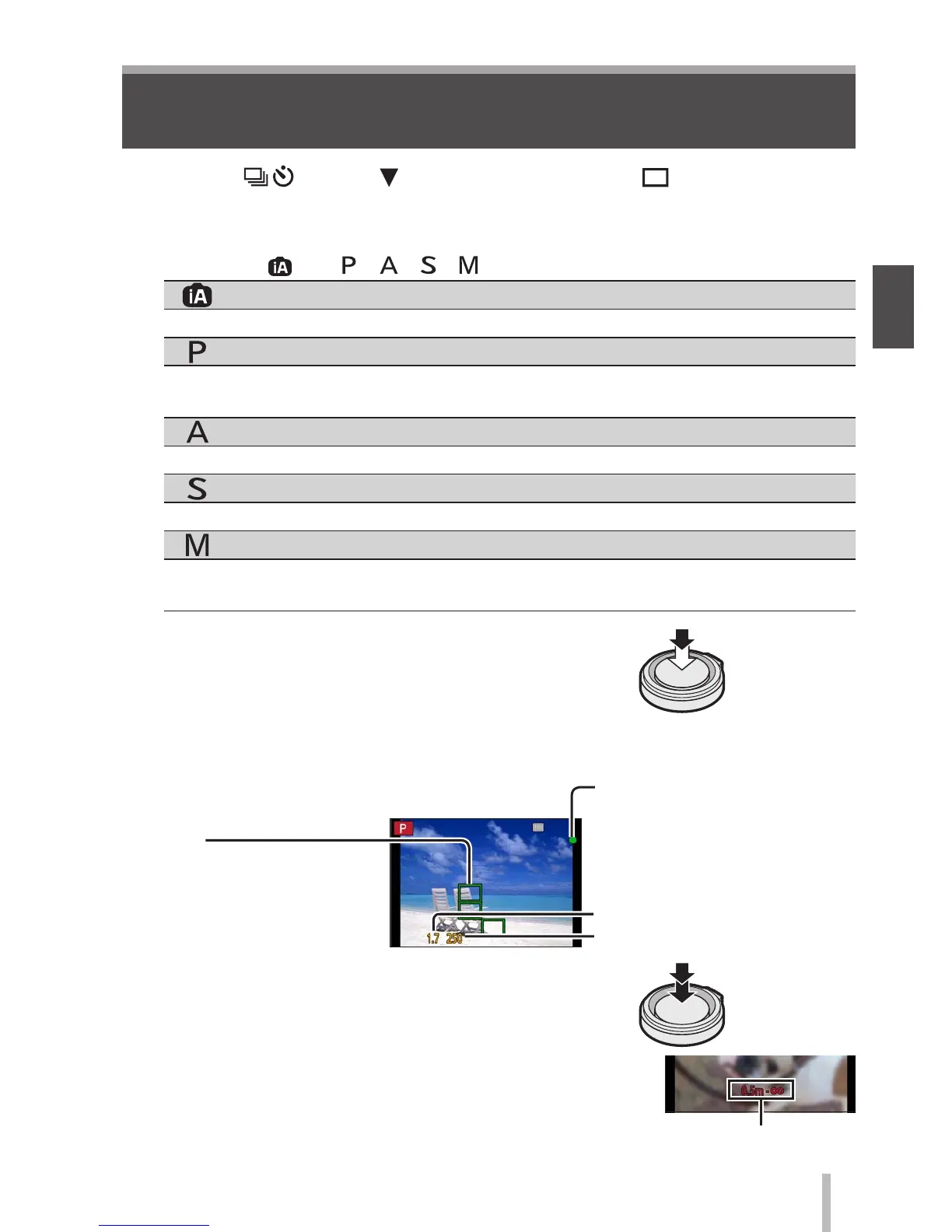
Adjust focus according to subject
• The aperture value and shutter speed are
displayed. (If the aperture value and shutter
speed are shown in red and flashing, you do
not have the appropriate exposure, unless you
are using the flash.)
Press
halfway
Aperture value
Shutter speed
Focus display
( When focus is aligned:
illuminated
When focus is not aligned:
flashing)
AF area
( When focus is aligned:
green)
3
Take a picture
Press fully
●
The focus display flashes and beep sounds when focus
is not aligned.
Use the focus range displayed in red as a reference.
Focus range


 To Next Page
 Loading...