EN29
EN28
Check items
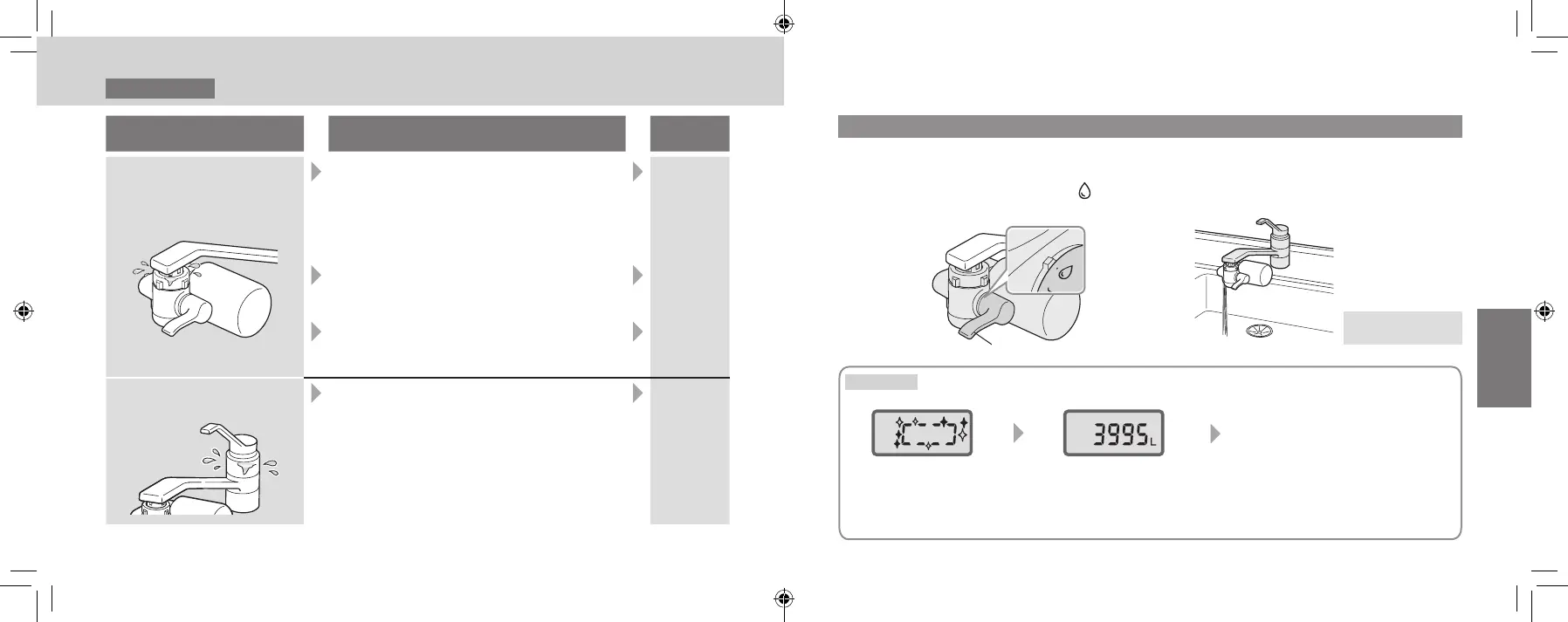
Inspection points and measures in case of
abnormality
Reference
page
Is water leaking from the
purier connection area?
Isthewaterpurierinstalledsecurely
onto the faucet?
→Reconrmthe“InstallationProcedures”
to install the product securely.
* If the adaptor is loose, rotating the water
purier will tighten up the mounting.
P. EN20
– EN26
Arethepartsinsidethewaterpurier
assembled properly?
→Assemble the parts properly.
P. EN20
– EN26
Is the end of the faucet (such as insulation
cap) chipped or cracked?
→Consult a plumber.
—
Is water leaking from the
faucet?
Is the faucet gasket being used an old
one?
→Consult a plumber.
—
Operation
Usingpuriedwater
Always use water with a temperature under 35 °C.
(If not observed, may result in cartridge malfunction.)
1
Set the selector lever to “ ”.
Using unpuried tap water (P. EN11)
Selector lever
2
Turn on the water faucet to let
thewaterow.
Proceed to Step 3
on the next page
TK-CJ600
During use
For 10 seconds after
turning off the faucet
10 seconds after turning off
the faucet
To conserve battery power, the
LCD will shut off about 10 seconds
after turning off the faucet.
(Turns back on when water
passes again)
(Animation display)
Displays the timing for cartridge
replacement with a remaining volume
that can be puried. (P. EN37)
When the water ow is 0.6 liter/minute or less, the water is considered to have been turned off
and the remaining volume that can be puried is displayed.
Installation 5
Checking after Installation (continued)
TK-CJ600_CJ300_EXZ.indb 28-29 2022/01/05 15:32:28












 To Next Page