EN35EN34
Maintenance (continued)
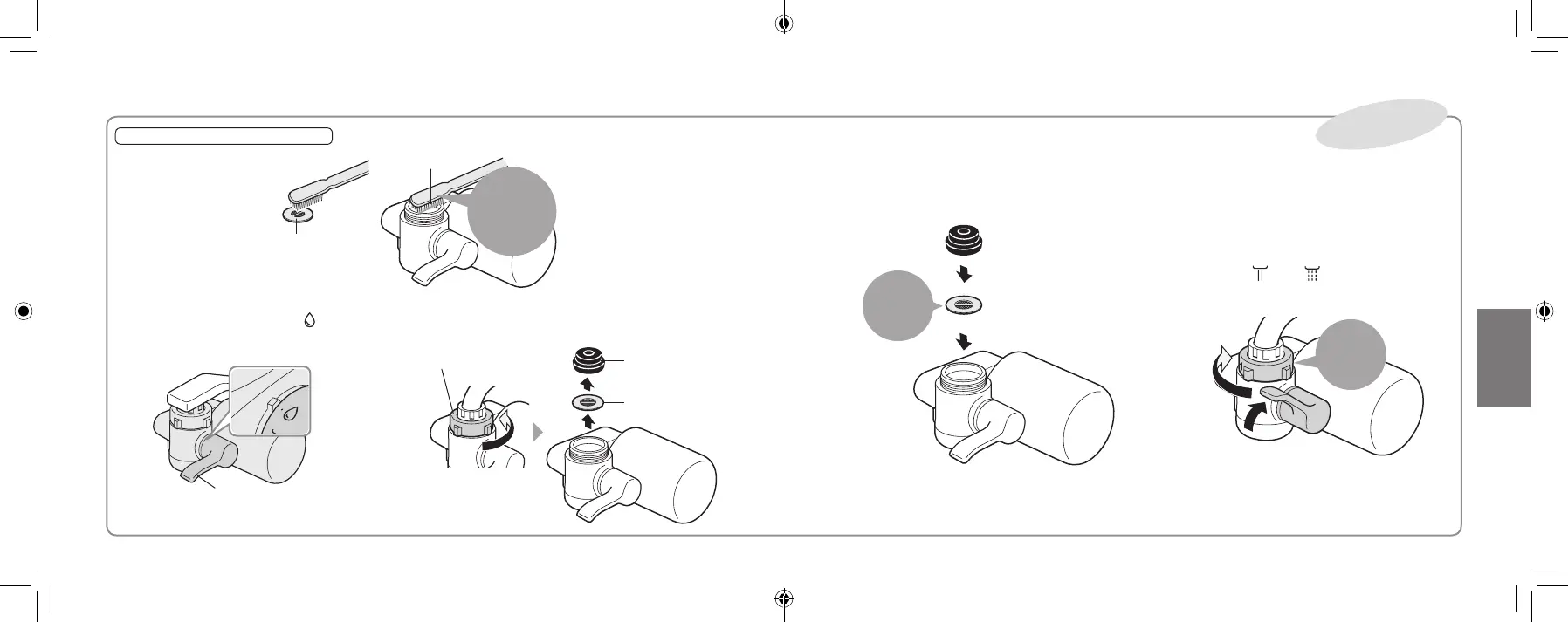
Waterpurierconnectionarea
Remove the water purier,
then rinse the lter and
water intake.
The water ow may
decrease when the lter
in the main unit
connection area
becomes clogged with
impurities.
■
How to attach
Be sure to follow this order.
① Reinstall
Ensure to
install
② Securely tighten the nut
③ After mounting the main unit, set the
lever to “
” or “ ” and allow water to
flow for about 5 seconds.
②
③
Tighten
rmlyby
hand
Filter
Water
intake
Using a
toothbrush
or similar
tools
■
How to remove
① Set the selector lever to “ ”
Selector lever
② Loosen the nut, remove the Water Purifier,
and take out the Gasket and filter.
Nut Main unit
gasket
Filter
Once a year
TK-CJ600_CJ300_EXZ.indb 34-35 2022/01/05 15:32:29












 To Next Page