28
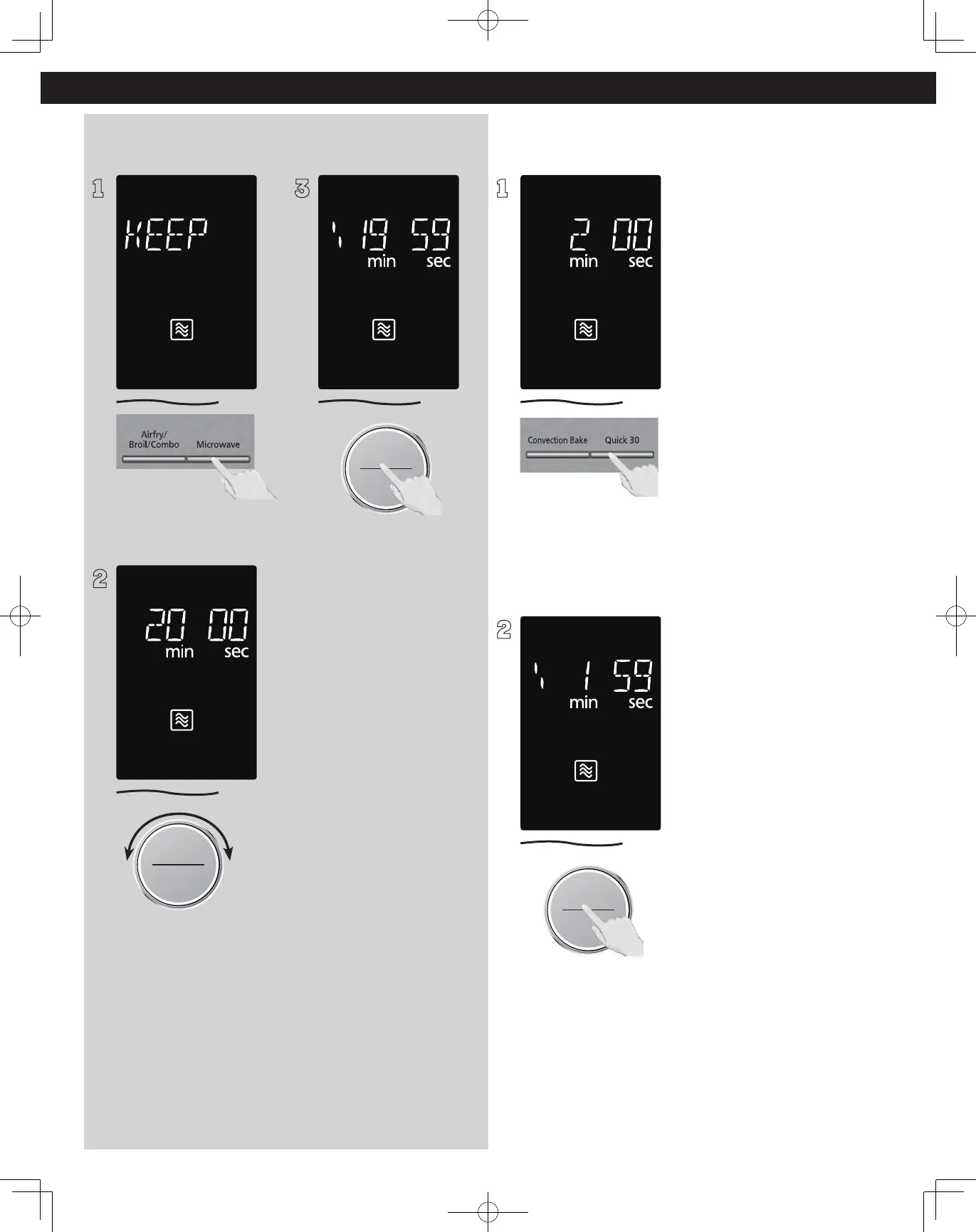
Keep Warm
(Will keep “cooked“ food warm for up to 30 minutes after cooking)
Quick 30
(Set or add cooking time in 30 seconds increments)
1
Press Microwave 7 times to
select the KEEP WARM.
2
Time Weight
Defrost/Auto Cook
Start/Select
Sensor Reheat
Set warming time by turning
dial (up to 30 minutes). Set
20 minutes cooking for an
example.
3
Start/Select
Sensor Reheat
Press dial to Start, the cooking
will start and the time will
count down in the display. At
the end of cooking, five beeps
will sound.
NOTES:
KEEP WARM can be set as
the final stage after cook time
has been manually entered.
It cannot be used with auto
programs (such as Defrost,
Sensor Reheat, Auto/Sensor
Cook and Steam Clean).
1
Press Quick 30 until the
desired cooking time (up to
5 minutes) appears in the
display. Power level is pre-set
at 1000 W.
2
Start/Select
Sensor Reheat
Press dial to Start; the cooking
will start and the time will
count down in the display. At
the end of cooking, five beeps
will sound.
NOTES:
1. If desired, you can use
other power levels. Select
desired power level before
pressing Quick 30.
2. After setting the time
by Quick 30 button, you
cannot use the Dial.
3. Quick 30 button can also
be used to add more time
during manual cooking.
4. It cannot be used with auto
programs (such as Defrost,
Sensor Reheat, Auto/Sensor
Cook and Steam Clean).
Operation (continued)







 To Next Page