32
Operation (continued)
Add Time
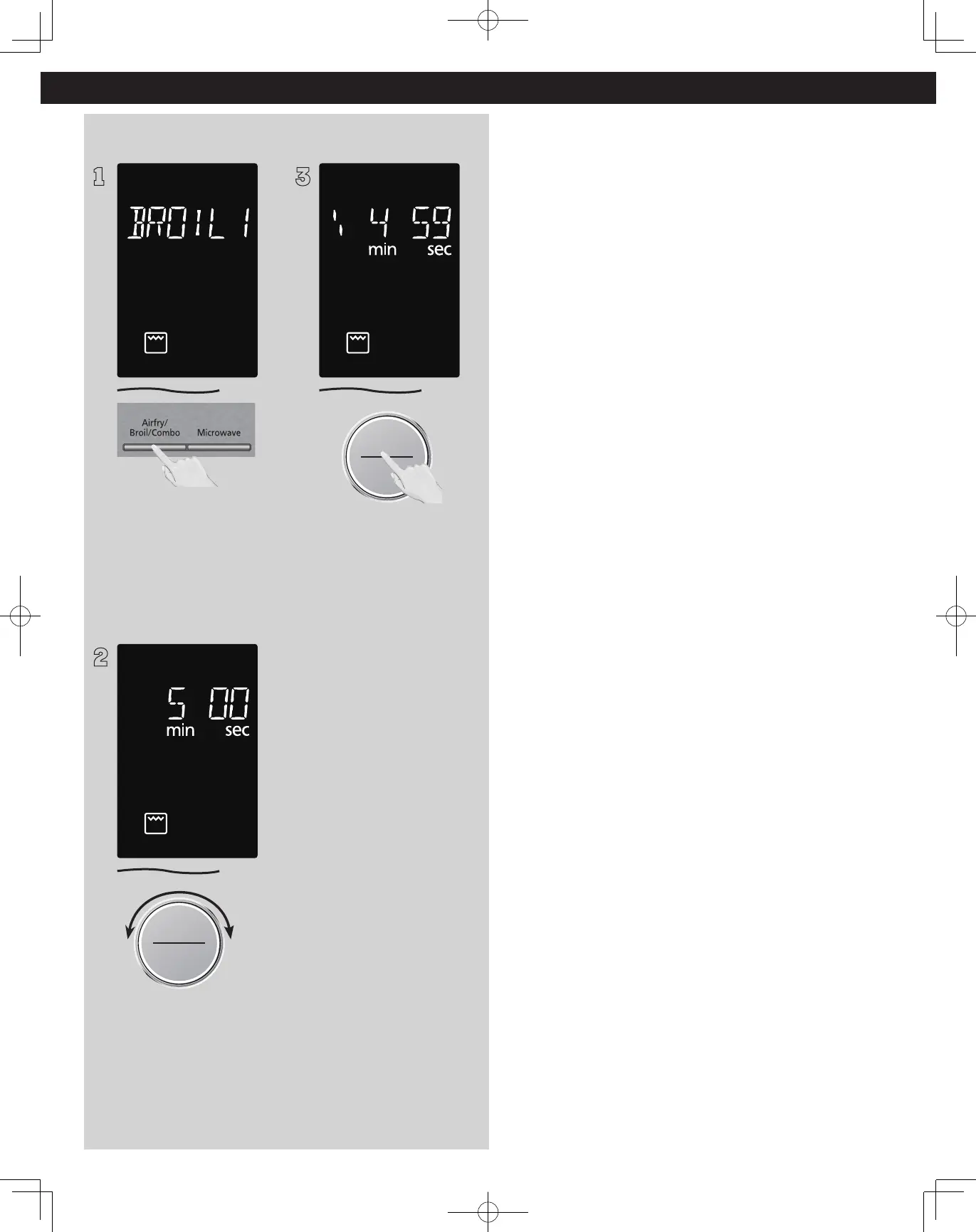
(Example: To add cooking time after Broil 1 (High).)
1
Set the desired cooking
program, by entering cooking
method and time required.
After cooking, “ADD TIME
OR ENJOY YOUR MEAL” will
appear in the display window,.
2
Time Weight
Defrost/Auto Cook
Start/Select
Sensor Reheat
Set desired cooking time by
turning dial.
3
Start/Select
Sensor Reheat
Press dial to Start. Time will be
added. The time in the display
window will count down.
NOTES:
1. This feature is not available
for auto programs (such
as Defrost, Sensor Reheat,
Auto/Sensor Cook and
Steam Clean).
2. The Add Time function
will be cancelled if you
do not perform any
operation within 1
minute after cooking.
3. The Add Time function can
be used after the 3-stage
cooking.
4. The power level is the
same as the last stage.







 To Next Page