– 18 –
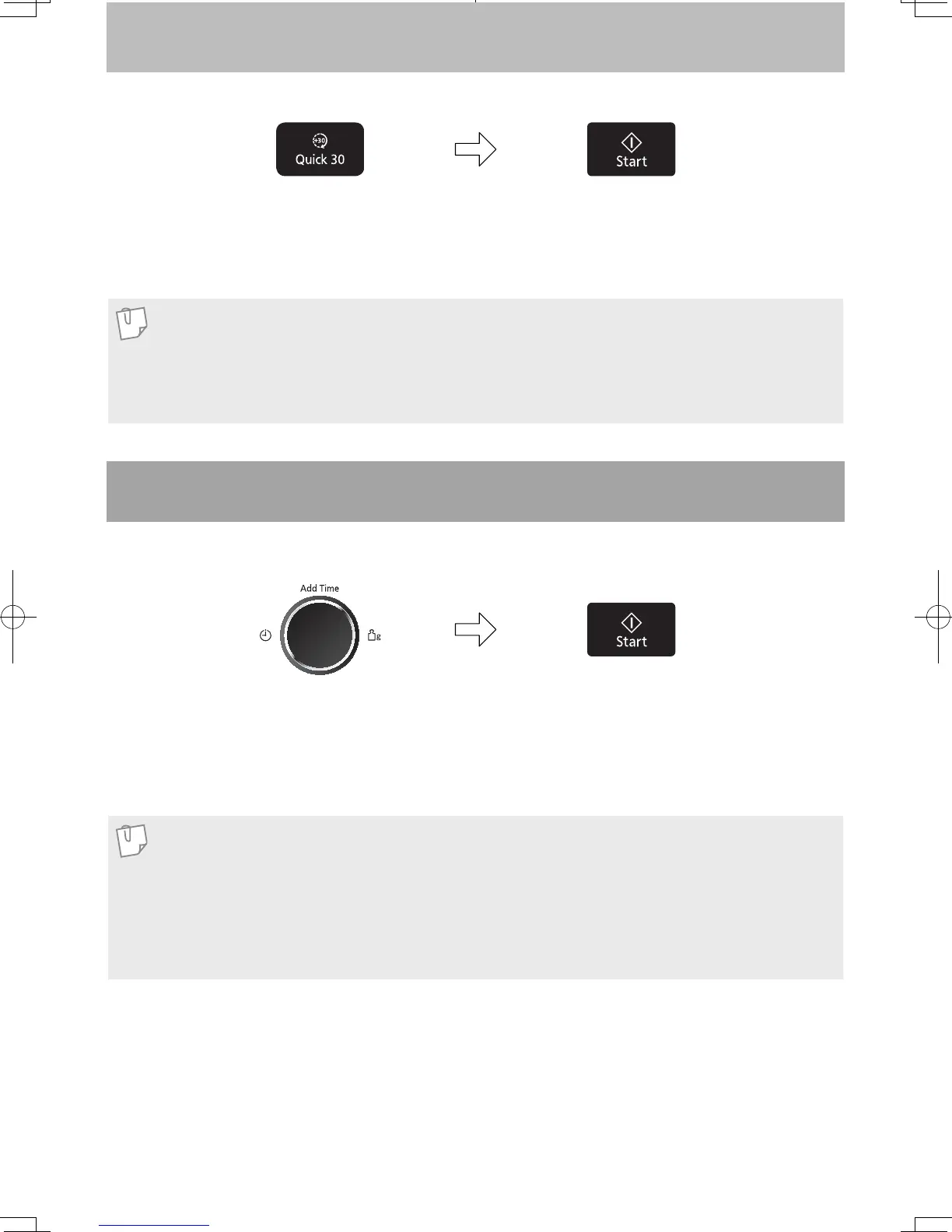
To Cook Using the Quick 30 Feature
1. Press Quick 30 to set the desired
cooking time (up to 5 minutes).
Each press is 30 seconds.
Time appears in the display.
Power level is pre-set at 1000 W.
2. Press Start.
The cooking will start and the time in the
display will count down.
At the end of cooking, fi ve beeps will
sound.
This feature allows you to quickly set cooking time in 30 second increments.
Note
1. This feature is only available for Micro Power mode. Select desired micro power level before
pressing Quick 30.
2. After setting the time by Quick 30, you cannot use dial.
3. This feature will not operate for 1 minute after manual cooking.
This feature allows you to add cooking time at the end of previous cooking.
Note
1. This feature is not available for Turbo Defrost and Auto Menus (Auto Reheat, Auto cook and Melt
Soften).
2. The Add Time feature will not operate after 1 minute cooking.
3. The Add Time feature can be used after the 3-stage cooking.
4. The power level is the same as the last stage. This feature will not operate if the last stage was
standing time.
2. Press Start.
Time will be added.
The time in the display window will
count down.
1. After cooking, turn dial to select Add
Time feature.
Maximum cooking time:
Microwave: 1000 W up to 30 minutes;
other powers up to 1 hour and 30
minutes;
Using the Add Time Feature
F0003BW40QP_OI_08_170630.indd 18 2017/6/30 13:28:27


 To Next Page