– 19 –
To Cook/Reheat Food Using
Auto Menus
This feature allows you to cook foods without selecting times and Power Level. Only set desired menu number
and Serving/Weight, the oven will cook your food automatically.
1
Select Desired Menu Number.
Press to select the desired button until the desired menu number appears in the display window.
2
Select Desired Serving/Weight.
Select the Weight of food by turning the dial. (see chart below)
3
Press .
The cooking time appears in the display window and begins to count down.
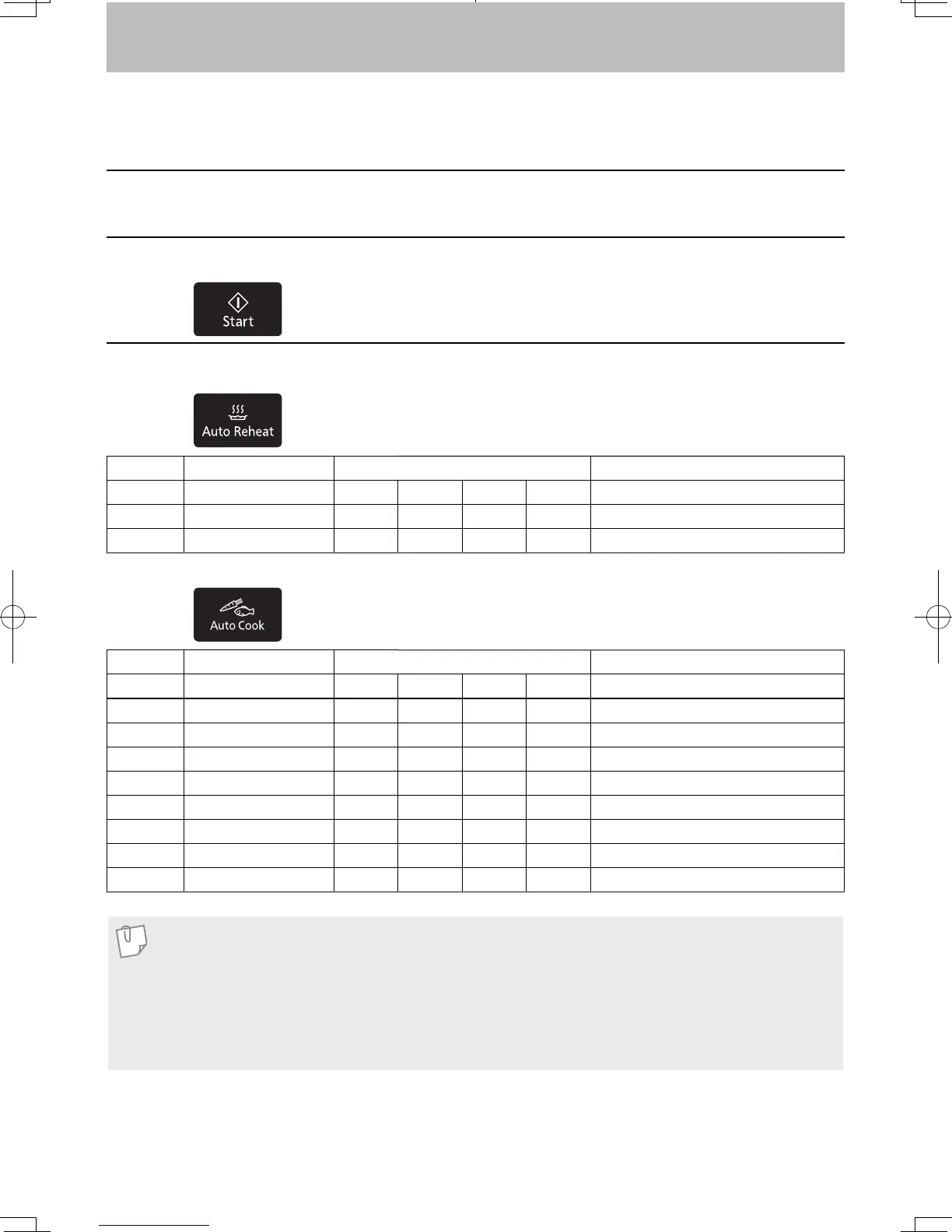
Menu No. Category Weight
Recommended containers
1 Reheat Meal 200
g
400
g
600
g
800
g
microwave safe bowl with plastic wrap
2 Reheat Bread 50
g
100
g
150
g
200
g
microwave safe dish
3 Reheat Soup 1 cup 2 cups 3 cups 4 cups microwave safe cup
Press
Press
Menu No. Category Weight
Recommended containers
4 Vegetables 120
g
180
g
250
g
370
g
casserole with lid
5 Frozen Vegetables 150
g
300
g
450
g
600
g
casserole with lid
6 Potatoes 200
g
400
g
600
g
— casserole with lid
7 Fresh Paste 150
g
250
g
375
g
— casserole
8 Dried Pasta 150
g
250
g
375
g
— casserole
9 Casserole Rice 100
g
200
g
300
g
— casserole with lid
10 Fish 100
g
200
g
300
g
400
g
microwave safe dish with plastic wrap
11 Chicken 200
g
400
g
600
g
800
g
casserole with lid
12 Curries 200
g
400
g
— — casserole with lid
Note
1. When you select an Auto Cook program, the auto and cooking feature indicators light and menu
number appear in the display.
2. Only cook foods within the weight ranges described.
3. Always weigh the food rather than relying on the package information.
4. Most foods benefi t from a standing time, after cooking with an Auto Cook Program, to allow heat to
continue conducting to the centre.
F0003BW40QP_OI_08_170630.indd 19 2017/6/30 13:28:27


 To Next Page