
 Need help?
Do you have a question about the Panasonic Omnivision PV-9451 and is the answer not in the manual?
Covers power source, plugs, cords, ventilation, and avoiding hot locations for safe installation.
Guidelines for safe antenna and cable connections and placement away from power lines.
Precautions regarding water, moisture, electrical storms, accessories, and cleaning.
Advises against self-servicing and emphasizes using qualified technicians for repairs.
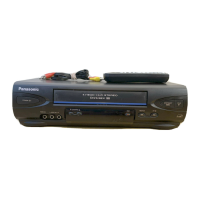
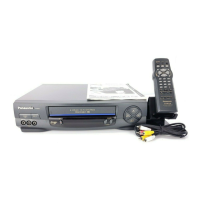
Lists included accessories like remote and batteries, and optional accessories for purchase.
Step-by-step instructions on how to insert batteries into the VCR remote control.
Details different methods for connecting antennas to the VCR using various cable types.
Explains various methods to connect the VCR output to different TV terminal types.
Steps to power on the VCR and TV, and tune the TV to the VCR's output channel.
Guide to selecting VCR language and configuring cable/DSS hookup and output channels.
Instructions for initiating the VCR's automatic channel and clock setting process.
Steps for manually setting the VCR's clock if automatic setup is incomplete or incorrect.
Checklist and steps to insert a tape and start playback using the remote.
Explains how to use buttons for searching, slow motion, and freeze-frame during playback.
Details how to perform playback operations directly using the VCR's buttons.
Checklist and steps for channel selection and recording speed setup.
Instructions on initiating recording, using pause, and stopping the recording process.
Explains One Touch Recording and recording while watching another program.
Illustrates various ways to connect cable TV systems to the VCR.
Details the connection process for a satellite (DSS) system to the VCR.
Instructions for connecting audio and video sources for enhanced picture and sound.
Important notes for installers, FCC warnings, and tape compatibility.
Steps to access the program setup screen and begin setting a timer recording.
Guide to setting the date, time, channel, and adding notes for a timer recording.
Specific important notes for users recording programs via a DSS receiver.
Steps to confirm and exit the timer recording programming mode.
Instructions on how to review, replace, or clear previously set timer recording programs.
Explanation of the VCR Plus+ system for simplified timer recording using codes.
Guide to choosing the correct connection diagram for VCR Plus+ setup.
Detailed steps for setting up the VCR Plus+ system when using a cable box.
Guide to programming local channel information for VCR Plus+ system operation.
Steps to enter program details, category, and notes using the VCR Plus+ system.
Instructions for setting up the remote to control TVs or Cable/DSS Boxes.
Guide to selecting VCR, TV, or Cable/DSS modes to control different devices.
A list of brand codes for programming the remote to control TV sets.
A list of brand codes for programming the remote to control cable boxes.
A list of brand codes for programming the remote to control DSS receivers.
Explanation of index marks and steps for using them to access recordings.
How to search timer recordings and scan tape sections for quick review.
Details on Auto Playback, Auto Rewind, Auto Eject, and Memory Rewind Off functions.
Instructions to set VCR for continuous replay and return to tape counter locations.
How to use the VCR to skip 60 seconds of recorded tape during playback.
Details the necessary connections for copying tapes between VCRs.
Step-by-step guide for performing tape dubbing, including standby and starting.
How to select the correct input mode (LINE1 or LINE2) for dubbing operations.
Outlines connections needed for stereo TVs or external stereo amps.
Explains different audio broadcast types like MTS Stereo, SAP, and Mono.
Guide to selecting Hi-Fi stereo, SAP, or Mono audio for recording broadcasts.
Instructions for selecting Hi-Fi or Normal audio modes for playback.
How to set up channel name displays (captions) for easier identification of stations.
Guide to manually entering custom captions for specific channels.
How the VCR records program data and how to enable/disable the Time Stamp feature.
Steps to edit the date, time, channel, category, and notes for recorded programs.
How to check the current position on the inserted tape.
How to enable/disable warnings for invalid key presses in TV/DSS/Cable modes.
How to activate VCR Lock to prevent unauthorized operation, useful for children.
How to enable display even with weak signals or turn it off for a blue screen.
How to set the VCR to automatically shut off after detecting blank tape or no signal.
Steps to change the VCR's display language to English, Spanish, or French.
Guide to resetting channels using antenna/cable settings and clock via auto or manual setup.
How to adjust the VCR's clock for Daylight Saving Time or time zone differences.
Instructions for adding or deleting specific channels from the VCR's memory.
Steps to reset all VCR memory settings, useful after relocation or setup errors.
How to break off the cassette tab to prevent accidental recording over tapes.
Explanation of automatic DST clock adjustments and manual settings.
A table showing recording/playback times for different tape speeds (SP, LP, SLP).
How to identify and address video head clogging using cleaning cassettes.
Instructions on how to safely clean the VCR's cabinet and ventilation holes.
Explains features like Auto Picture, Auto Tracking, Manual Tracking, and V-Lock Control.
How the VCR displays channel names, numbers, and function status on screen.
How to display VCR status, time, and other operational information on screen.
Explains common on-screen messages and prompts for user action.
Solutions for common problems related to VCR power, recording, and playback.
Solutions for remote control problems and issues with viewing programs on TV.
Provides phone numbers and website for product information and assistance.
Lists addresses and contact information for authorized service centers across various states.
Outlines the terms, coverage, exclusions, and limitations of the Panasonic VCR warranty.
Identifies remote control buttons and directs users to relevant pages for operation.
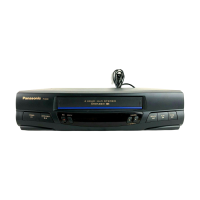
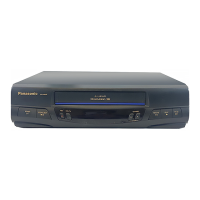
Details the physical controls located on the front panel of the VCR unit.
Explains the various indicators and information shown on the VCR's multi-function display.
Identifies and describes all input and output connectors on the rear of the VCR.
Basic steps for inserting a tape and playing it back on the VCR.
Basic steps for inserting a tape and recording a program on the VCR.
 General
| Brand | Panasonic |
|---|---|
| Model | PV-9451 |
| Type | VCR |
| Number of Heads | 4 |
| Remote Control | Yes |
| Clock | Yes |
| On-Screen Display | Yes |
| Format | VHS |
| Tuner | Yes |
| Inputs | Composite |
| Outputs | Composite |
| Playback Speed | SP, LP |



 To Next Page