11
4 Live View
Live View Status
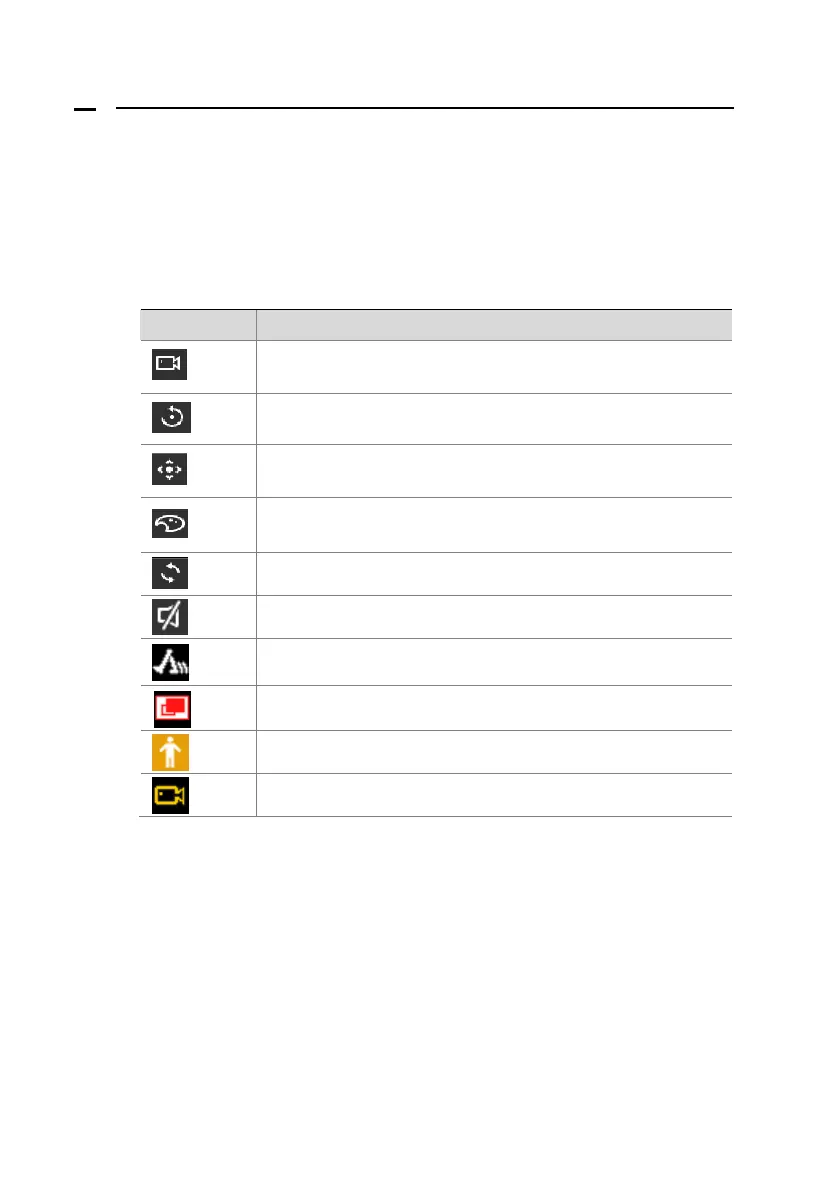
The following icons are used to indicate alarms, recording status and
audio status in a live view window.
Table 3–1 Live View Window Icons
Icon Description
Click to record video manually.
Click to play recorded video.
Available for PTZ cameras. Click to control the PTZ settings.
Click to control camera color, brightness, contrast, saturation
Click to hide the displayed icons.
Click to unmute & mute.
Motion detection icon.
Video blind icon.
Human detection icon.
Recording icon.








 To Next Page