32
Bluetooth
®
- Music Player
Pause
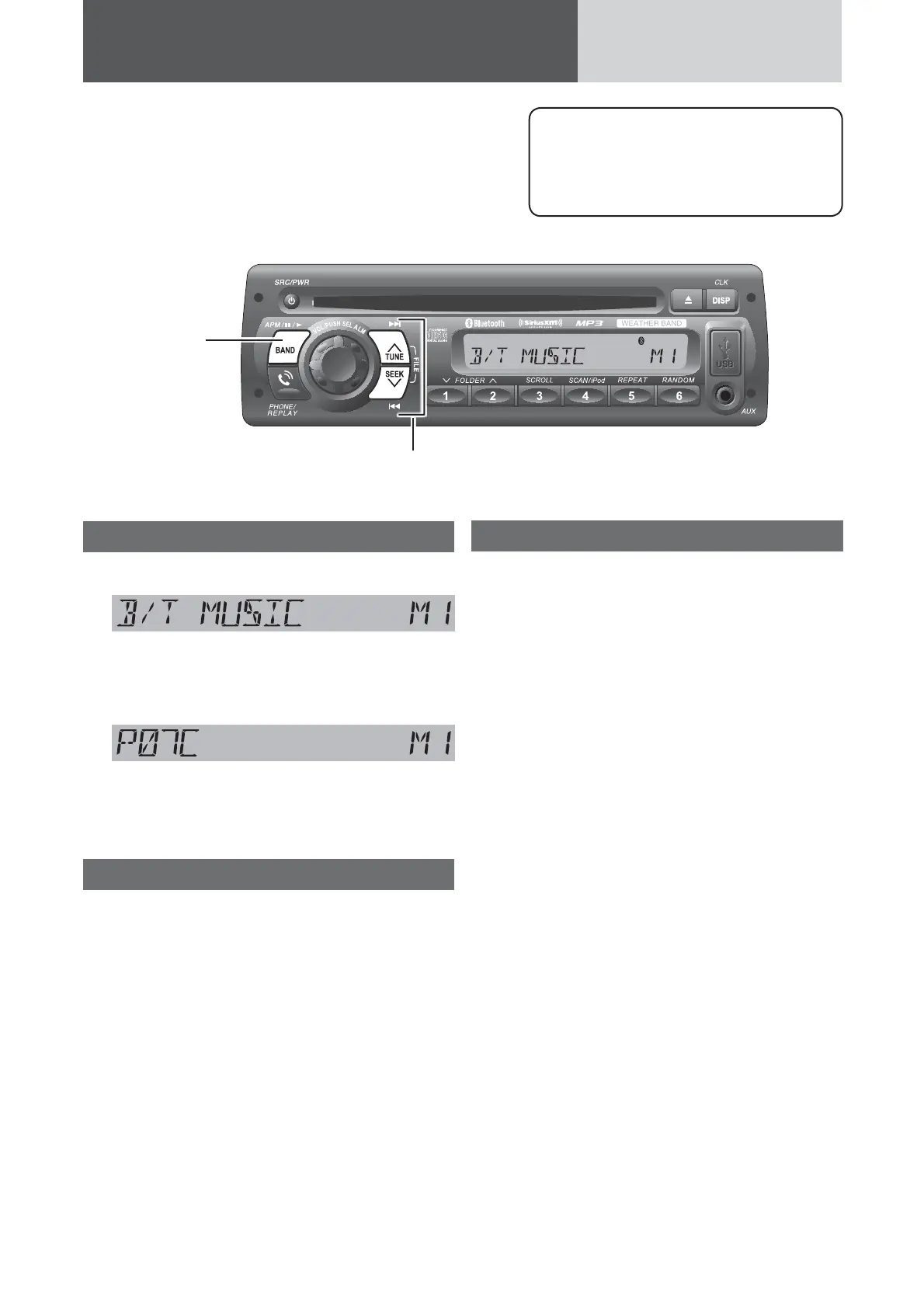
Press [h / 5] (Pause/Play)
Press again to cancel.
Note: Some mobile phones automatically switch to
energy saving mode or sleep mode when pause the
music playback, and automatically disconnected the
Bluetooth
®
connection (“B/T DISCOND” is displayed
on this unit).
But if you want to reconnect the Bluetooth
®
connec-
tion, performing playback on the mobile phone itself.
Music mode activation
Hold down [s] for more than 2 seconds.
(Music mode)
If [s] is held down for more than 2 sec-
onds again, the phone mode is activated.
(Phone mode)
Note: “INVALID” is displayed and the Phone mode
is restored if 1 minute elapse in the Music mode
without detecting A2DP compatible device.
Song selection
[FILE d]: Next fi le
Hold down for fast forward.
Release to resume the regular
play.
[FILE s]: Back to the beginning of the
current fi le.
Back to the previous fi le. (press
twice)
Notes:
¡ The control of pressing [FILE d] / [FILE s]
in music mode depends on the key defi nitions of
connected device.
¡ Depending on the specifi cations of the connected
audio device, operations may not work.
Note: The Bluetooth
®
audio devices that
can be played with this unit must be
compatible with A2DP (Advanced Audio
Distribution Profi le) or AVRCP (Audio/
Video Remote Control Profi le).
[BAND] (h/
5
)
(Pause/Play)
toggles between
pause and play
with the player
source.
[FILE 6] [FILE 7]
skip to the previous/next fi le in the player mode.





 To Next Page