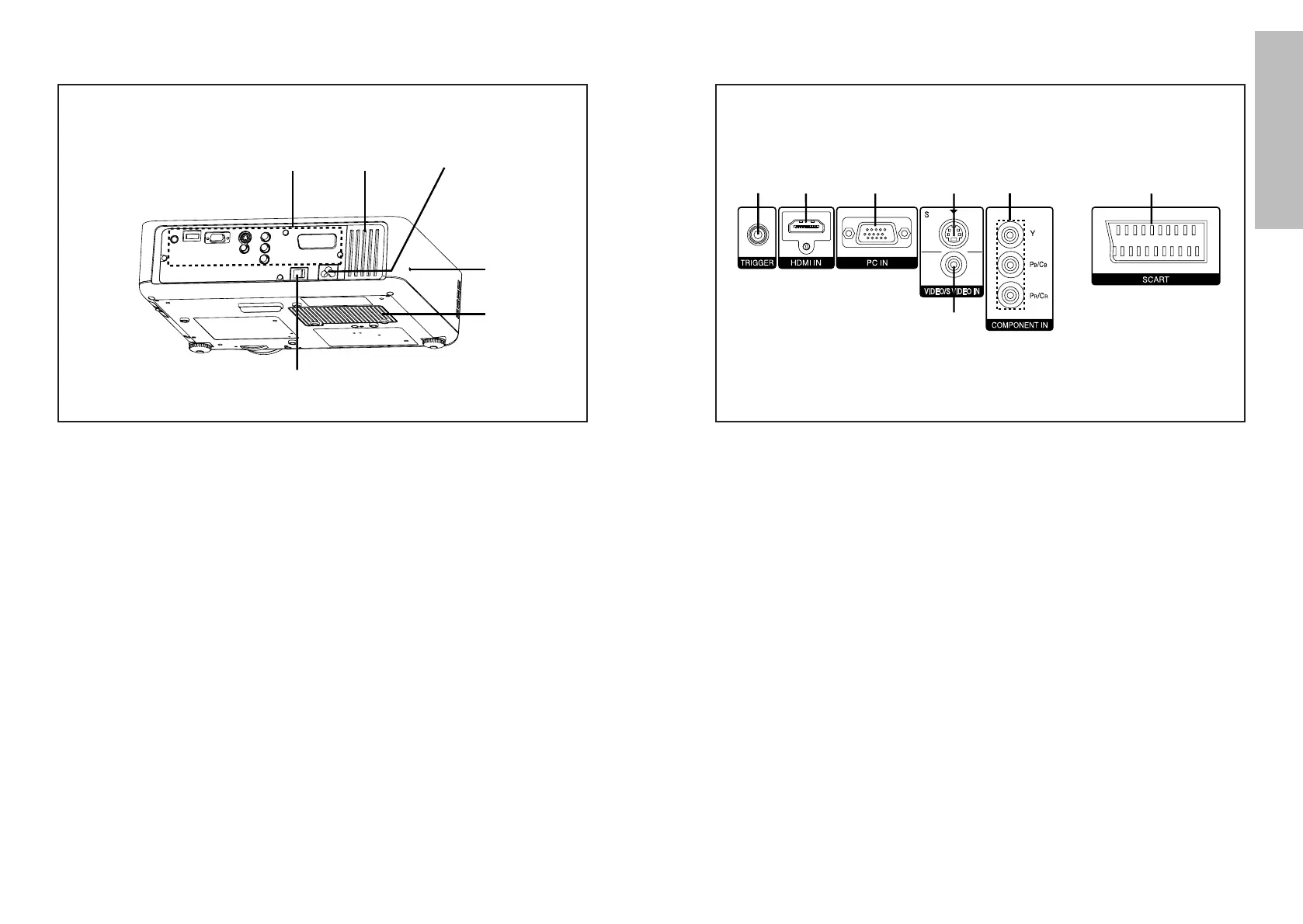
# TRIGGER connector (pages 20, 21 and 22)
This connector outputs 12 V when the power is turned on. Connect this
connector to equipment such as an electric screen.
$ HDMI IN connector (page 21)
This connector is used to input HDMI signals.
% PC IN (RGB input) connector (page 22)
This connector is used to input RGB signals from a PC.
& S-VIDEO IN connector (page 20)
This connector is used to input signals from an S-VIDEO-compatible
equipment such as a video deck.
' VIDEO IN connector (page 20)
This connector is used to input video signals from a video equipment such
as a video deck.
( COMPONENT IN [YPBPR(CBCR) input] connectors (page 20)
These connectors are used to input YPBPR signals from compatible
equipment such as a DVD player.
) SCART connector(page 20)
This connector is used to input SCART signals.
# Connector panel (page 13)
$ Air inlet port
Do not cover this port.
% Power input socket (AC IN) (page 24)
The accessory mains lead is connected here.
Do not use any mains lead other than the accessory mains lead.
& Security lock
This can be used to connect a commercially-available theft-prevention
cable (manufactured by Kensington). This security lock is compatible with
the Microsaver Security System from Kensington.
' Lamp unit cover (page 51)
( MAIN POWER switch (pages 24 and 26)
Projector <Back and bottom>



 To Next Page