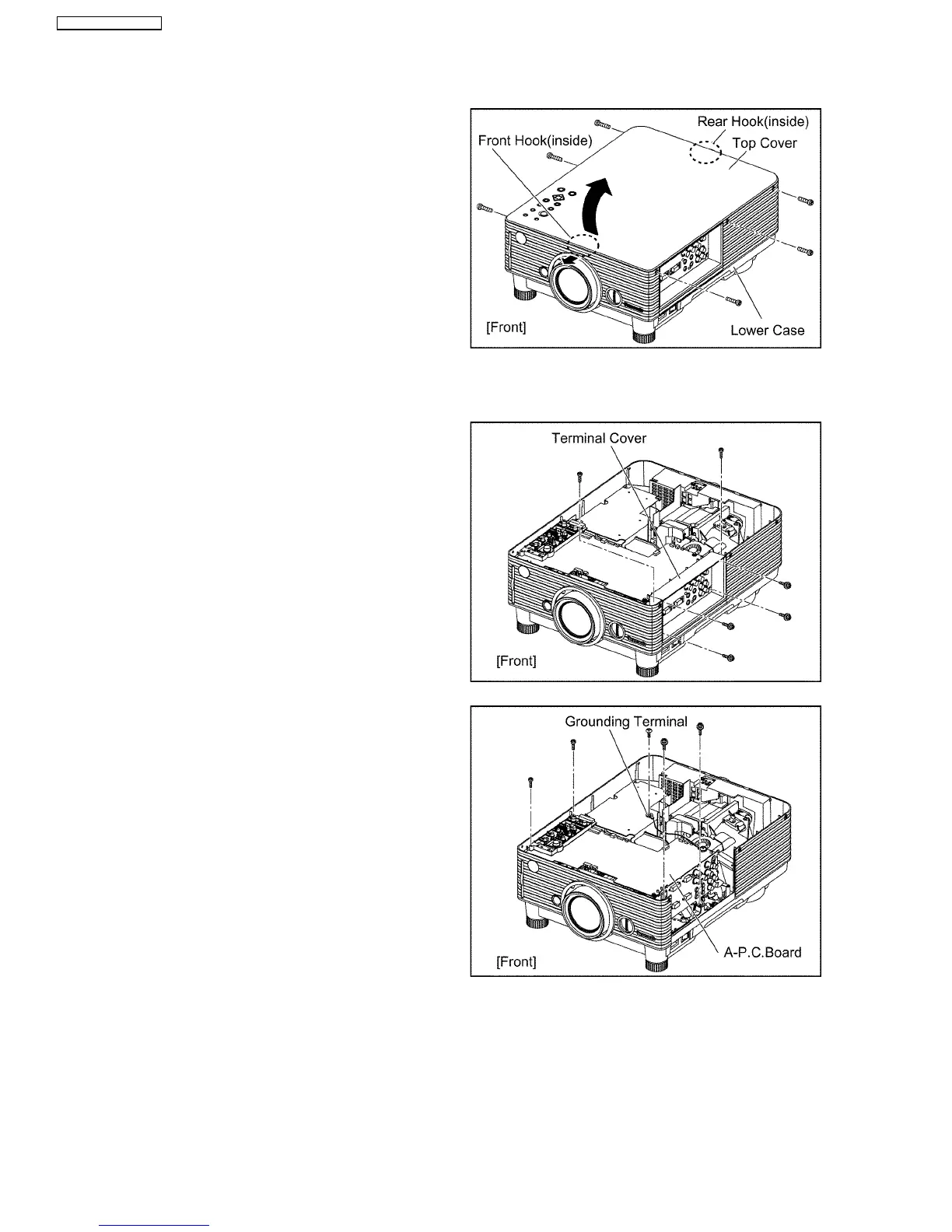
11.2. Removal of Top cover
(1) Unscrew the 6 screws on the side.
(2) Lift the top cover and remove it.
1. Pull the upper part of the lens hole of the lower case a little
forward and disconnect the front hook.
2. While lifting the front, disconnect the rear hook and remove
the top cover.
11.3. Removal of A-P.C.Board
(1) Remove the top cover according to the section 11.2. "Removal of
Top cover".
(2) Unscrew the 6 screws and remove the terminal cover.
(3) Unscrew the 1 screw and remove the grounding terminal.
(4) Unscrew the 4 screws and remove the A-P.C.Board block.
28
PT-D3500U / PT-D3500E



 To Next Page