2/80
Using the Serial Terminals
1. Basic Format
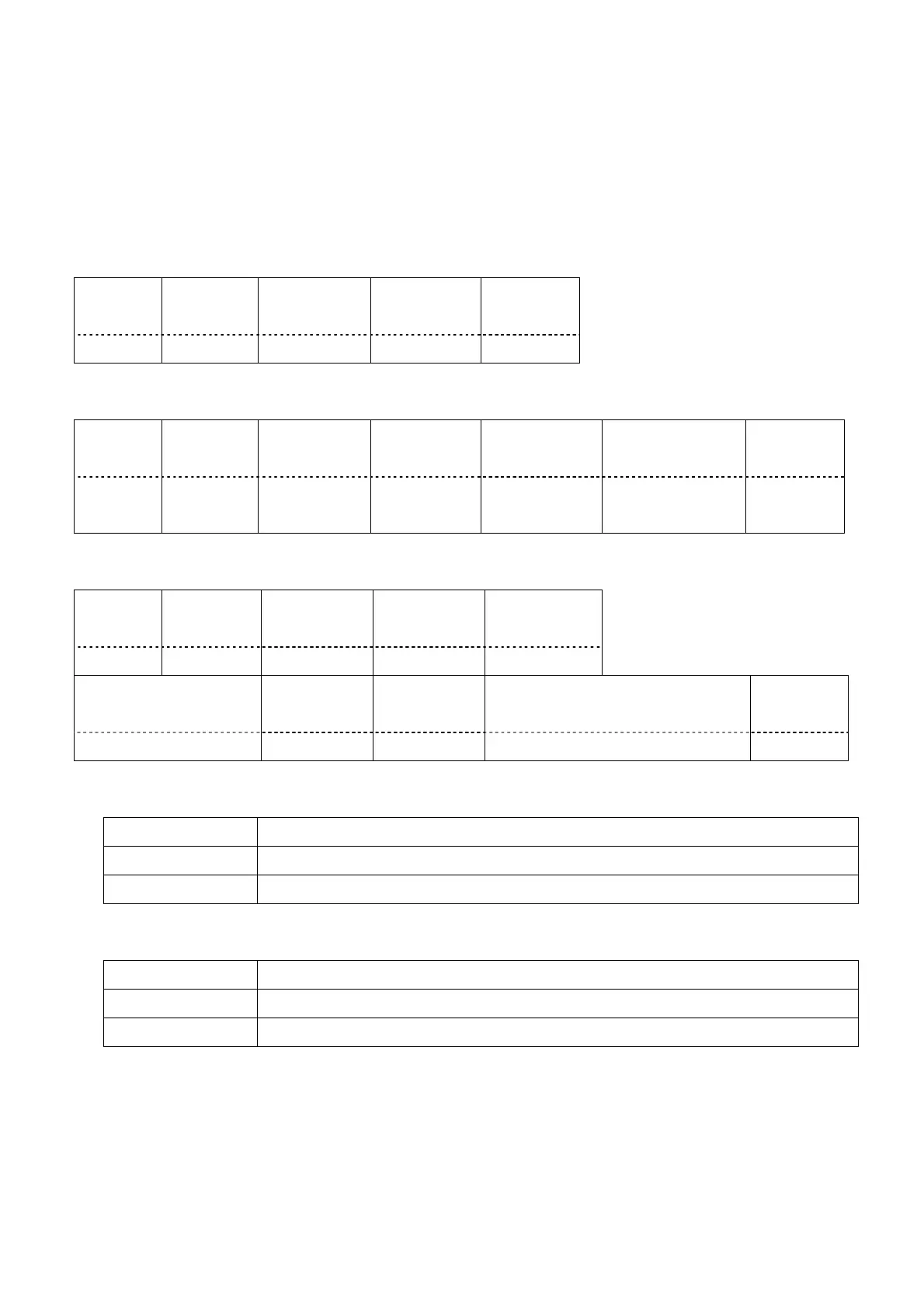
Transmission from the computer begins with STX, then the ID, command, parameter, and ETX are sent in
this order.
Add parameters according to the details of control.
Basic control command (without parameter)
Start
(STX)
ID Separator
(semicolon)
Command End
(ETX)
1 byte 4 bytes 1 byte 3 bytes 1 byte
Basic control command (with parameters)
Start
(STX)
ID Separator
(semicolon)
Command Separator
(colon)
Parameters End
(ETX)
1 byte 4 bytes 1 byte 3 bytes 1 byte Undefined
length
1 byte
Basic control command (with subcommand)
Start
(STX)
ID Separator
(semicolon)
Command Separator
(colon)
1 byte 4 bytes 1 byte 3 bytes 1 byte
Subcommand Operation Sign Parameters End
(ETX)
5 bytes 1 byte 1 byte 5 bytes 1 byte
Operation
Specifies the method of processing the value specified by parameters.
Code Description
= Sets the value specified by the parameter.
_ (underbar) Adds the value specified by the parameter to the current value.
Sign
Specifies positive or negative of the value specified by parameters.
Code Description
+ The value specified by the parameter is a positive value or 0 (zero).
- The value specified by the parameter is a negative value.
Parameters
Specify the setting or adjustment value by right justification (0 is not suppressed).
For example, when the setting value is "1", set it as "00001".









 To Next Page