EasyManua.ls Logo

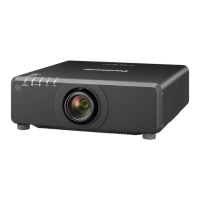
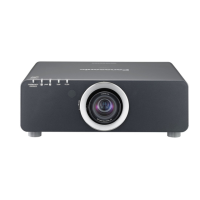
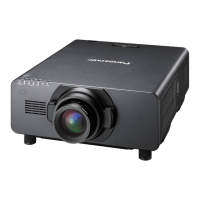
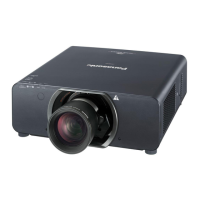
Panasonic PT-DX100U - User Manual

Panasonic PT-DX100U
190 pages
Print Icon
To Next Page IconTo Next Page
Loading...
Thank you for purchasing this Panasonic product.
The Operating Instructions correspond to the rmware’s main version 3.00 and higher.
This manual is common to all the models regardless of sufxes of the Model No.
z
W : White model, the standard zoom lens supplied LW : White model, the lens sold separately
K : Black model, the standard zoom lens supplied LK : Black model, the lens sold separately
Before operating this product, please read the instructions carefully and save this manual
for future use.
Before using your projector, be sure to read “Read this rst!” (
x
pages 2 to 9).
TQBJ0527-3
DLP
TM
Projector
Commercial Use
Operating Instructions
Functional Manual
ENGLISH
Model No.
PT-DZ870U
PT-DW830U
PT-DX100U

Table of Contents

Questions and Answers

  • B
    Benjamin HuberSep 4, 2025
    Why is the color pale or grayish on my Panasonic Projector?
    • S
      Stacy YoungSep 4, 2025
      If the color on your Panasonic Projector appears pale or grayish, check the following: Ensure that the [COLOR] or [TINT] settings are adjusted correctly. Verify that the external device connected to the projector is adjusted correctly. Inspect the RGB cable for any damage.
  • E
    Elizabeth GordonSep 18, 2025
    Why does the image in the 3D eyewear flicker when using Panasonic PT-DX100U?
    • A
      Amanda RobertsSep 18, 2025
      If the image in the 3D eyewear flickers when using your Panasonic Projector, make sure you are within the reception range.
  • W
    wthompsonSep 16, 2025
    Why is my Panasonic PT-DX100U 3D eyewear not functioning?
    • K
      Kyle RogersSep 16, 2025
      If your 3D eyewear isn't functioning with the Panasonic Projector, check if the batteries are drained. If you're using rechargeable eyewear, charge it. If using battery-powered eyewear, replace the battery. Also, verify that the [3D SETTINGS] are correct.
  • S
    sarawrightSep 14, 2025
    Why are the left and right images reversed on my Panasonic PT-DX100U?
    • N
      Nicole PowersSep 14, 2025
      If the left and right images are reversed on your Panasonic Projector, ensure the devices are synchronized and check the 3D eyewear settings. You can also try changing the [LEFT/RIGHT SWAP] setting in [3D SETTINGS].
  • A
    Amy RamseySep 13, 2025
    How to control Panasonic Projector with Art-Net?
    • D
      Diana RodriguezSep 13, 2025
      To control your Panasonic Projector with Art-Net, ensure the connections between the twisted-pair-cable transmitter and the projector or an external device are correctly done. Verify that the [Art-Net] setting is [ON]. Also, confirm that the [PORT ADDRESS] and [START ADDRESS] settings are correct.
  • B
    Brandi BrewerSep 12, 2025
    Why image output from DVI-D of the computer does not appear on Panasonic PT-DX100U?
    • V
      Vincent HaleSep 12, 2025
      If the image output from the DVI-D connection of your computer isn't appearing on the Panasonic Projector, check if the [DVI-D IN] setting is set to [EDID3] or [EDID2:PC]. Consider updating the graphics accelerator driver of your computer to the latest version. It may also be necessary to restart the computer after performing the [DVI-D IN] setting.
  • M
    Mary VasquezSep 9, 2025
    How do I display the menu screen on my Panasonic PT-DX100U?
    • S
      Sara MatthewsSep 9, 2025
      If the menu screen isn't appearing on your Panasonic Projector, check if the on-screen display function is turned off (hidden).
  • W
    wardbrandiSep 7, 2025
    What to do if buttons on the control panel do not operate on Panasonic PT-DX100U Projector?
    • M
      Michael MillerSep 7, 2025
      If the buttons on the control panel of your Panasonic Projector aren't working, check if the [CONTROL PANEL] setting in [CONTROL DEVICE SETUP] is set to [DISABLE]. Also, verify if the terminal is being used for contact control.
  • C
    charlesbensonSep 6, 2025
    What to do if the 3D function is not working on Panasonic PT-DX100U?
    • S
      shannon37Sep 6, 2025
      If the 3D function isn't working on your Panasonic Projector, check the following: Ensure the [3D INPUT FORMAT] setting in [3D SETTINGS] is correct. Verify the 3D eyewear settings are correct. Confirm that the input signal is supported by the projector.
  • R
    Roger ThomasAug 21, 2025
    How to fix a Panasonic PT-DX100U Projector when the power does not turn on?
    • S
      Sandra TorresAug 21, 2025
      If your Panasonic Projector isn't powering on, try these steps: Ensure the power plug is firmly inserted into the outlet. Check if the switch is set to . Verify the wall outlet is supplying electricity and that circuit breakers haven't tripped. Also, check if the lamp indicator / or the temperature indicator are lit or flashing, and confirm the lamp unit cover is attached.

Summary

Chapter 1 Preparation

Precautions for use

Guidelines and warnings for safe and proper use of the projector.

Start-up display

Initial setup procedures and screens displayed upon first use or initialization.

About your projector

Overview of projector components, including remote control and body layout.

Chapter 2 Getting Started

Setting up

Instructions for projector installation modes and physical setup.

Connecting

Guidance on connecting various external devices and cables to the projector.

Chapter 3 Basic Operations

Switching on;off the projector

Procedures for powering the projector on, off, and understanding power indicators.

Projecting

Steps for selecting input signals and adjusting image focus, zoom, and shift.

Operating with the remote control

How to use the remote control for various projector functions.

Chapter 4 Settings

Menu navigation

How to navigate the projector's on-screen menu system.

[PICTURE] menu

Adjusting picture settings like mode, contrast, brightness, and color.

[POSITION] menu

Settings for image position, aspect ratio, zoom, and geometry adjustments.

[ADVANCED MENU] menu

Advanced image processing settings for enhanced picture quality.

[3 D SETTINGS] menu

Configuration options for 3D display modes and synchronization.

[DISPLAY OPTION] menu

Settings related to display options, color matching, and screen configuration.

[PROJECTOR SETUP] menu

Core projector setup options including ID, projection method, and cooling.

[NETWORK] menu

Network configuration for controlling the projector remotely via web or LAN.

Chapter 5 Maintenance

Lamp;temperature;filter indicators

Understanding and troubleshooting projector indicator lights.

Maintenance;replacement

Procedures for cleaning filters and replacing lamp units.

Chapter 6 Appendix

Technical information

Details on PJLink protocol, control commands, and network protocols.

Specifications

Technical details, compatible signals, and projector specifications.

Dimensions

Physical dimensions and mounting information for the projector.

Precautions for Ceiling Mount Bracket

Safety guidelines and instructions for installing ceiling mount brackets.

Panasonic PT-DX100U Specifications

General IconGeneral
Brightness10, 000 lumens
Projection Size40 - 600 inches
Resolution1024 x 768
Contrast Ratio2000:1
Lamp Life2, 000 hours (Normal mode), 3, 000 hours (Eco mode)
InputsHDMI, DVI-D, Composite

Related product manuals