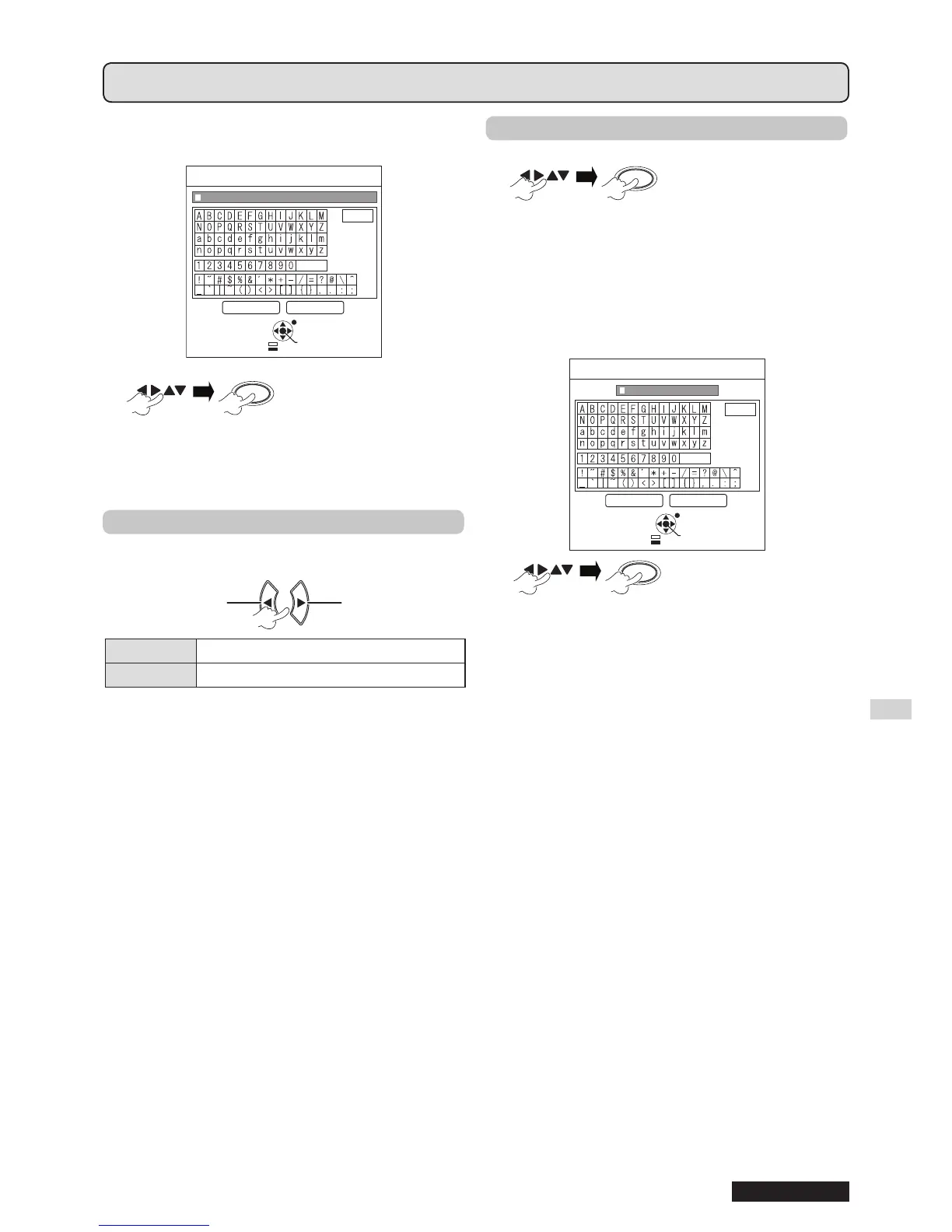
To delete a character, press [DEFAULT] or move the
cursor to the required character then press [DEFAULT].
ALL DELETE
SPACE
OK CANCEL
TEXT CHANGE
RETURN
ENTER
SELECT
DELETE
To select
OK
Select CANCEL or press [MENU/RETURN] to
return to the previous menu without setting.
▌
MENU LOCK
Press [MENU] to display the menu. You can lock or
unlock the menu operation.
Change setting
Change
setting
Change
setting
Change setting
OFF Unlock the menu operation
ON Lock the menu operation
NOTE:
Once • MENU LOCK is set to ON, you cannot use the
[MENU] button unless you input the correct password.
The • MENU LOCK is set to OFF by default and when
initialized.
▌
MENU LOCK PASSWORD
You can set a MENU LOCK PASSWORD.
1
To select
the characters
(You can input up to 16 characters.)
To delete all the entered characters, move the
cursor to ALL DELETE and press [ENTER].
To delete a character, press [DEFAULT] or move
the cursor to the required character then press
[DEFAULT].
ALL DELETE
OK CANCEL
MENU LOCK PASSWORD
SPACE
RETURN
ENTER
SELECT
DELETE
To select
OK
Select CANCEL or press [MENU/RETURN] to
return to the previous menu without setting.
NOTE:
When using the projector for the rst time or after •
INITIALIZE ALL operation is activated, the initial password
is set to AAAA.
Change your password regularly. Do not use a simple •
password that is easy to decode.
To reset the password to the initial password, • see MENU
LOCK PASSWORD. (
page 52)
Menu operation (continued)



 To Next Page