ENGLISH-19
Getting started
Connections
Notes on connections
B Read the instruction manual for each peripheral device carefully before
connecting it.
B Turn off the power supply for all peripheral devices before making any
connections.
B If the cables necessary for connection are not included with the peripheral
device or available as an option, you may need to prepare a proper cable
for the device concerned.
B If there is a lot of jitter in the video signal, the projected image may flicker.
In such cases, it will be necessary to connect a TBC (time base corrector).
B Refer to the list on page 58 for details on compatible signals which can be
input to the projector.
B Only one audio system circuit is available for the AUDIO IN L-R jacks, so if
you change the audio input source, you will need to remove and insert the
appropriate plugs.
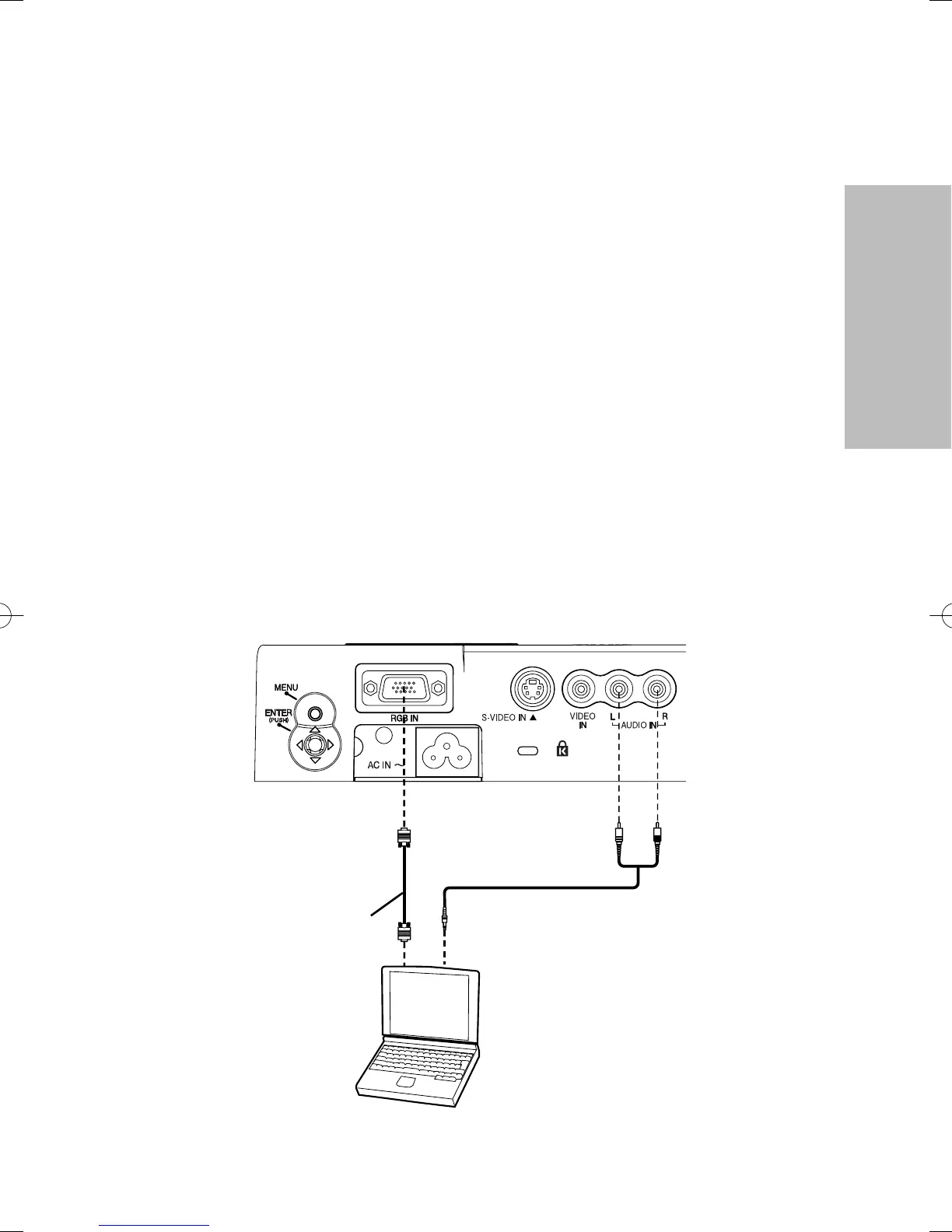
Computer
Connecting to computer
RGB signal cable
(accessory)
p001-019(PT-LM2E)en04.12.259:27ページ19




 To Next Page