20-ENGLISH
NOTE:
B If the signal cables are disconnected or if the power supply for the
computer or video deck is turned off while “D.ZOOM”(digital zoom) or
“INDEX WINDOW” is being used, these functions will be cancelled.
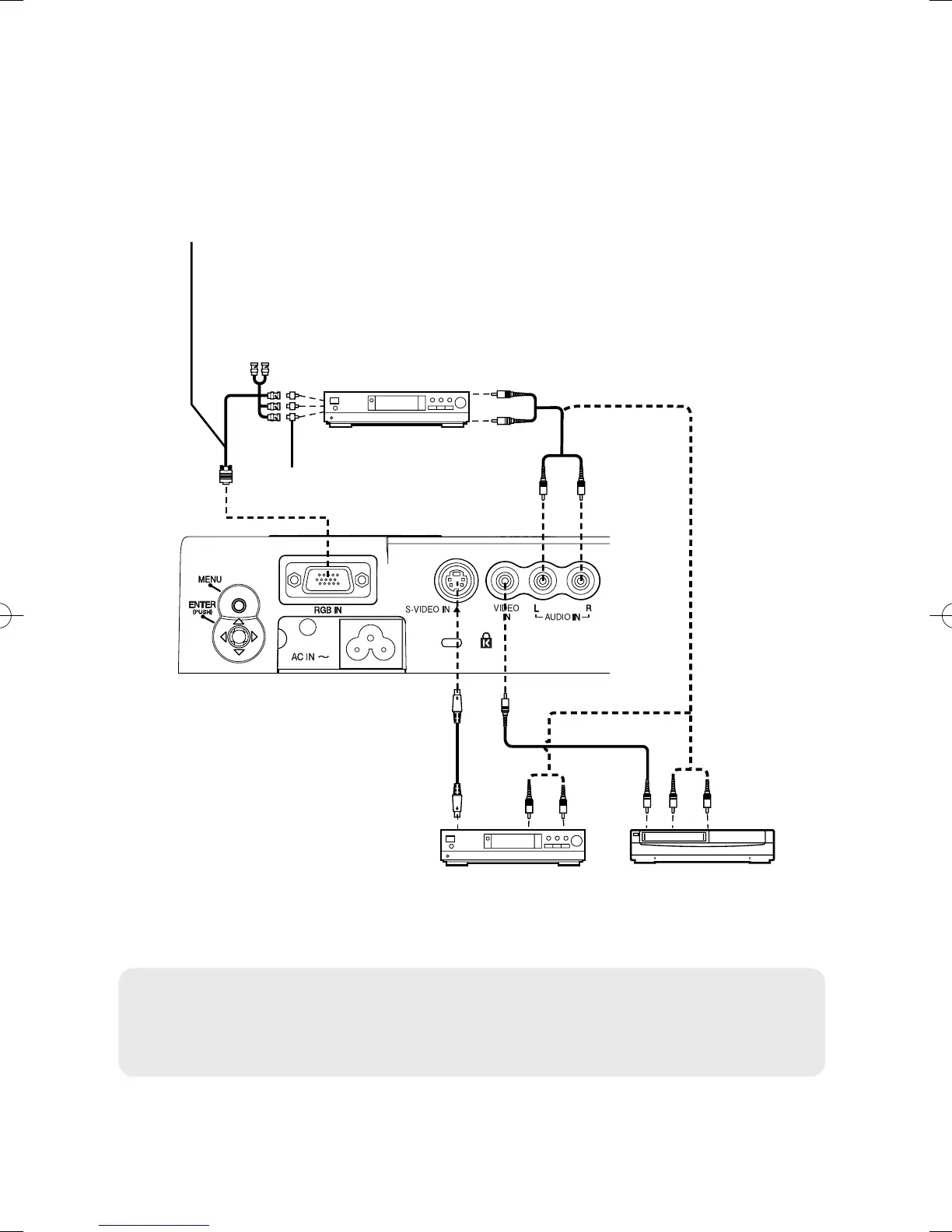
Connecting to video equipment
DVD player Video deck
DVD player
(with component video jack)
D-sub15-pin (male) - BNCx5 (male) adapter cable
Red (connect to PR signal connector)
Blue (connect to PB signal connector)
Green (connect to Y signal connector)
BNC/RCA adapter
p020-039(PT-LM2E)en04.12.259:28ページ20



 To Next Page