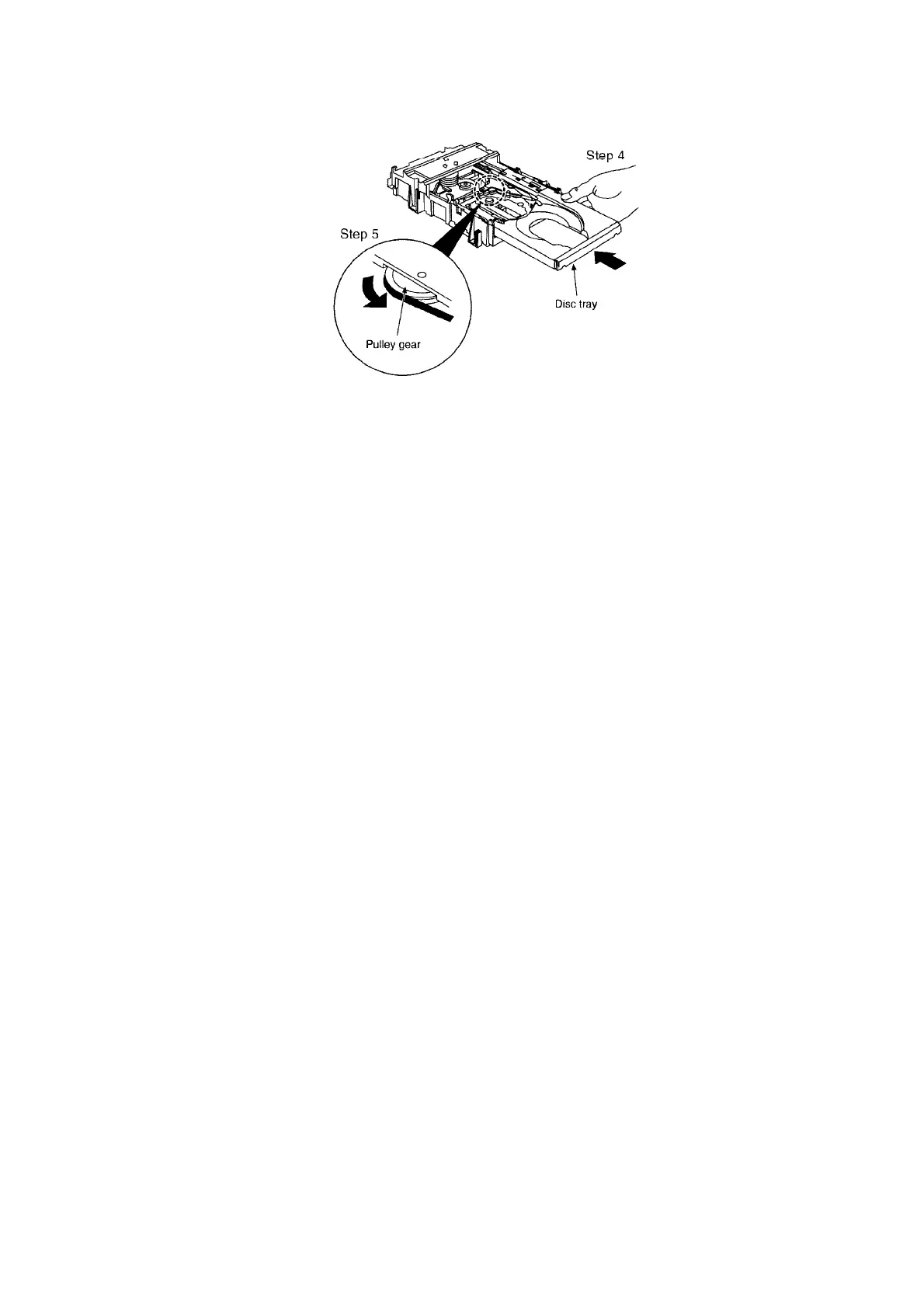
Step 4 Holding the disc tray manually, rotate the pulley gear in the direction of arrow.
Step 5 Rotate the gear 5 or 6 times manually, and then push the disc tray.
9. Self-Diagnostic Function
9.1. Self-diagnostic display
This unit is equipped with a self-diagnostic display function which, if a problems occur, they
shall be memorised as errors and there shall be no error display at the time of such occurrence.
Error displays shall only be displayed in the self-diagnostic mode. See “How to enter Self
Diagnostic Function”.
Use this function when performing maintenance on the unit.
9.2. How to enter the Self-Diagnostic Function
24









 To Next Page