EasyManua.ls Logo

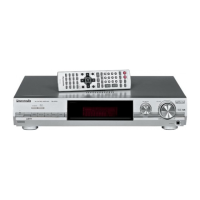
Panasonic SA-XR30 - User Manual

Panasonic SA-XR30
22 pages
Print Icon
To Next Page IconTo Next Page
Loading...
RQT7512-Y
H0204RF0
Model No. SA-XR30
PC
En Cf
Operating Instructions
AV Control Receiver
Dear customer
Thank you for purchasing this product.
Before connecting, operating or adjusting this product, please read these
instructions completely.
Please keep this manual for future reference.
Table of contents
IMPORTANT SAFETY INSTRUCTIONS ................................. 2
Listening caution.................................................................... 2
Supplied accessories ............................................................ 3
The remote control ................................................................ 3
Control guide ........................................................................ 12
The radio ............................................................................... 14
Audio settings....................................................................... 16
Other functions..................................................................... 18
Making a recording............................................................... 18
Specifications ....................................................................... 19
Product Service .................................................................... 20
Maintenance.......................................................................... 20
Troubleshooting guide ......................................................... 21
Warranty ................................................................................ 22
Before use
Step
1
Home Theater connections.... 4
DVD player
TV or monitor
Speakers
AC power supply
cord
Step
2
Other connections ..................6
DVD recorder/VCR CD player
TV or monitor Antennas
Cable box or
satellite receiver,
etc.
Step
3
Settings....................................8
Setup Adjusting speaker
output level
Step
4
Basic operations...................10
Sound modes
Operations
Reference

Questions and Answers

  • J
    Jason HarperAug 14, 2025
    Why does my Panasonic Stereo Receiver stop playing sound and display “F 76” or “OVERLOAD”?
    • J
      Justin SmithAug 14, 2025
      If your Panasonic Stereo Receiver stops playing sound and shows “F 76” or “OVERLOAD”, it could be due to several reasons: * A short circuit in the speaker wires (positive and negative wires touching). * Speakers with impedance lower than the unit's rating. * Excessive volume or power straining the speakers. * Inadequate ventilation in a hot environment. To resolve this, identify and correct the cause, and then turn the unit back on.
  • J
    Jenny ParkerAug 17, 2025
    What to do if my Panasonic Stereo Receiver sound stops and shows 'F 76' or 'OVERLOAD'?
    • R
      Robert WrightAug 17, 2025
      If your Panasonic Stereo Receiver is cutting out and displaying “F 76” or “OVERLOAD”, and then turns off, it could be due to several reasons: * Shorting of positive and negative speaker wires. * Speakers with an impedance lower than rated for the unit. * Excessive volume or power straining the speakers. * Using the unit in a hot environment without ventilation. To resolve this, identify and correct the cause, and then turn the unit back on.
  • S
    Steven CamachoAug 21, 2025
    What to do if my Panasonic Stereo Receiver has no sound?
    • D
      diamondsimpsonAug 21, 2025
      If your Panasonic Stereo Receiver isn't producing any sound, here are a few things to check: * Ensure the volume is turned up. * Verify the connections to your speakers and any other equipment. * Make sure you've selected the correct source. * Confirm that the speakers are turned on. * Adjust the D-INPUT setting to match your connection type. * Check that the unit can decode the digital signals. * Turn off PCM FIX or DTS FIX.
  • N
    Nicholas MasonAug 25, 2025
    What to do if “F 70” appears on the display of my Panasonic Stereo Receiver?
    • C
      Christian Powell DDSAug 26, 2025
      If “F 70” appears on the display of your Panasonic Stereo Receiver, turn the unit off, disconnect the AC power supply cord, and consult your dealer.
  • M
    Matthew HicksAug 28, 2025
    Why can't I use Dolby Pro Logic ? or SFC on my Panasonic Stereo Receiver?
    • F
      Frederick BrooksAug 28, 2025
      You cannot use Dolby Pro Logic ? or SFC when the input is PCM with sampling frequencies of 192, 176.4 (COAXIAL1), 96 or 88.2 kHz.
  • J
    John LamSep 1, 2025
    How to fix no sound on Panasonic Stereo Receiver?
    • D
      David JohnsonSep 2, 2025
      If you're not getting any sound from your Panasonic Stereo Receiver, here are a few things to check: * Make sure the volume is turned up. * Check the connections to the speakers and any other equipment. * Ensure you have selected the correct source. * Verify that the speakers are turned on. * Adjust the D-INPUT setting to match your connection type. * Confirm that the digital signals are decodable by the unit. * Try turning off PCM FIX or DTS FIX.
  • S
    Sarah HuntSep 5, 2025
    Why is my Panasonic Stereo Receiver radio not tuning in properly?
    • O
      ortegapaulSep 5, 2025
      If the radio on your Panasonic Stereo Receiver has poor reception with noise and interference, try the following: * Connect the appropriate antenna. Consider using an outdoor antenna or one with more elements. * Adjust the position of the FM or AM antenna. * Reduce the treble. * Turn off nearby electronic devices like televisions, video decks, DVD players, and satellite receivers. * Separate the antenna from other cables, leads, and appliances.
  • M
    Michelle RhodesSep 9, 2025
    What to do if sound is not heard from surround speakers on Panasonic Stereo Receiver?
    • A
      Adrian HernandezSep 9, 2025
      If you are not hearing sound from the center, surround, or subwoofer speakers on your Panasonic Stereo Receiver, please check the following: * Ensure the SPEAKERS settings are correctly configured for your specific speaker setup. * Turn 2CH MIX off. * The audio source might be in stereo. Try changing the sound mode.

Summary

IMPORTANT SAFETY INSTRUCTIONS

Listening Caution

Advice on safe volume levels to protect hearing.

Step 1 Home Theater connections

DVD player; TV or monitor

Setup for connecting DVD player and TV.

Placement of speakers

Guide on optimal speaker placement for surround sound.

Speakers;AC power supply cord

Connecting speakers

Instructions for connecting speaker wires to terminals.

Step 2 Other connections

Step 3 Settings

Setup

Guide to initial setup and configuration options.

Adjusting speaker output level

Step 4 Basic operations

Center Width Control - C-WDTH

Control guide

Audio settings

Specifications

Troubleshooting guide

Panasonic SA-XR30 Specifications

General IconGeneral
Frequency Response10 Hz - 100 kHz
Input Impedance47 kOhms
Input Sensitivity200 mV
Signal-to-Noise Ratio100 dB
Power Output100 W per channel
InputsOptical, Coaxial, RCA
Tuning RangeFM: 87.5 - 108MHz

Related product manuals