EasyManua.ls Logo

Panasonic SA-HE100 - User Manual

Panasonic SA-HE100
20 pages
Print Icon
To Next Page IconTo Next Page
Loading...
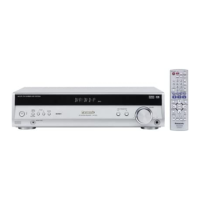
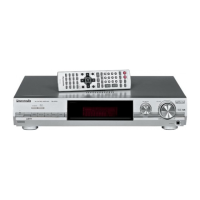
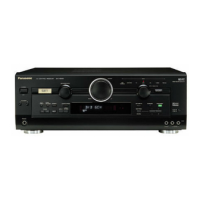
AV Control Receiver
Operating Instructions
Model No. SA-HE100
Dear customer
Thank you for purchasing this product.
Before connecting, operating or adjusting this product, please read
these instructions completely.
Please keep this manual for future reference.
RQT6208-P
P
POWER
SPEAKERS
AB
DOWN
DSP SOUND MODE
UP
TAPE
(MONITOR)
TV DVD
INPUT
CD TUNER PHONO
VCR1/VCR2
VOLUME
INPUT SELECTOR
DVD 6CH INPUTSUBWOOFERTAPE MONITOR
BASS/TREBLE
34
BALANCE L R
DIGITAL INPUT
PHONES
VIDEO IN
VCR2
L AUDIO IN R
- HELP
– RESET
- BAND
– FM MODE
VCR1
l
VCR2
k
MEMORY
ENHANCED SURROUND
TUNING
PRESET
NEO:6
DOLBY
PRO LOGIC 2
8
21
;;yy
TV
TUNER/BAND
VCR
TAPE CD
DVD
AUDIO
321
DISC
/
DECK 1
/
2
SOUND MODE
SFC
TV
/
VIDEO
VOLUME
MUTING
TEST
+
//
TOP MENU
ENTER
MENU
DISPLAY
SUBWOOFER
EFFECT LEVEL
+
6
10
/
ENTER
54
9087
DIRECT TUNING/
DISC ENTER
CH
Table of contents
IMPORTANT SAFETY INSTRUCTIONS ................................2
Supplied accessories
................................................................3
The remote control
....................................................................3
Troubleshooting guide
...........................................................16
Specifications
...........................................................................17
Maintenance
..............................................................................17
Warranty (U.S.A.)
.....................................................................18
Product Service
........................................................................18
Servicenter List (U.S.A.)
.........................................................19
Listening caution
....................................................Back cover
Equipment connections
6
Speaker connections
4
Settings
8
Step 1
Basic operations
10
Before use
Reference
PC
Step 1
Step 2
Step 3
Step 4
Before use
Others
Reference
Step 2
Step 3
Step 4
Control guide ............................................................................12
Presetting
...................................................................................14
Other settings
...........................................................................14
Making a recording
..................................................................15
Using outdoor antennas
........................................................15
Others

Questions and Answers

  • N
    nicole95Aug 14, 2025
    How to fix the radio when it cannot be tuned in or there is a lot of noise and interference on my Panasonic SA-HE100?
    • P
      psimmonsAug 14, 2025
      To address radio tuning issues or excessive noise on your Panasonic Stereo Receiver: * Connect the appropriate antenna. Consider an outdoor antenna or one with more elements. * Adjust the position of the FM or AM antenna. * Reduce the treble. * Select “DSP DEFEAT.” * Turn off nearby televisions, video decks, DVD players, and satellite receivers. * Separate the antenna from other cables, leads, and appliances.
  • N
    Norman BernardAug 21, 2025
    Why is sound not heard from the center, surround, or subwoofer speakers of my Panasonic Stereo Receiver?
    • J
      jodihillAug 21, 2025
      If you are not hearing sound from the center, surround, or subwoofer speakers on your Panasonic Stereo Receiver: * Ensure the SIZE settings for your speakers are correct. * Check the DSP sound mode. * Cancel “DSP DEFEAT.” * Turn ENHANCED SURROUND on. * Turn DVD 6CH INPUT off.
  • Z
    Zachary WagnerOct 30, 2025
    What to do if the sound stops and “OVERLOAD” appears on the display of my Panasonic Stereo Receiver?
    • K
      kimberly27Oct 30, 2025
      If the sound stops and “OVERLOAD” appears on the display of your Panasonic Stereo Receiver, try these steps: * Ensure the power cord is connected. * Turn the volume up. * Check connections to speakers and other equipment. * Turn on the speakers. * Turn off the tape monitor. * Select the correct source. * Change the D-INPUT setting to suit the type of connection you have made. * Check that the digital signals can be decoded by this unit. * Turn PCM FIX or DTS FIX off. * Cancel “DSP DEFEAT.” * Switch off the unit, determine and correct the cause, then switch the unit on. Possible causes: * Shorting (bare wires touching) of positive and negative speaker wires. * Using speakers with an impedance lower than that rated for this unit. * Straining of the speakers thr...
  • D
    Danielle DeleonNov 6, 2025
    Why is there no sound coming from my Panasonic Stereo Receiver?
    • A
      austinlewisNov 6, 2025
      If there is no sound from your Panasonic Stereo Receiver, check the following: * Ensure the power cord is connected. * Turn the volume up. * Check connections to speakers and other equipment. * Turn on the speakers. * Turn off the tape monitor. * Select the correct source. * Change the D-INPUT setting to suit the type of connection you have made. * Check that the digital signals can be decoded by this unit. * Turn PCM FIX or DTS FIX off. * Cancel “DSP DEFEAT.” * Switch off the unit, determine and correct the cause, then switch the unit on. Possible causes: * Shorting (bare wires touching) of positive and negative speaker wires. * Using speakers with an impedance lower than that rated for this unit. * Straining of the speakers through excessive volume or powe...

Summary

Before You Begin

Important Safety Instructions

Critical safety guidelines for operation, installation, and environmental considerations.

Step 1: Speaker Connections

Speaker Placement Recommendations

Guidelines for optimal positioning of front, center, and surround speakers.

Connecting Speaker Cables

Instructions on how to connect front, center, surround, and subwoofer speakers to terminals.

Step 2: Equipment Connections

Connecting External Audio;Video Sources

How to connect DVD players, VCRs, and satellite receivers to the unit.

Step 3: Settings and Configuration

Speaker Configuration: Size, Distance, and Filter

Adjusting speaker size, distance from listening position, and bass crossover.

Digital Input and Output Assignments

Configuring digital input assignments and speaker output levels.

Speaker Output Level Adjustment

Fine-tuning individual speaker volume for balanced sound output.

Step 4: Basic Operations

Selecting and Adjusting DSP Sound Modes

Guide to choosing and configuring Stereo, Surround, and SFC modes.

Troubleshooting, Specifications, and Support

Panasonic SA-HE100 Specifications

General IconGeneral
Power Output100W per channel (6 ohms, 1kHz, THD 10%, 1ch driven)
Frequency Response10Hz - 100kHz
Total Harmonic Distortion0.08% (1kHz, 50W, 6 ohms)
Input Sensitivity200 mV (Line)
Dimensions430 x 151 x 370 mm (W x H x D)
Weight10.5 kg
TypeStereo Receiver
FM Tuning Range87.5 - 108 MHz
Output Power100 W per channel
Input Impedance47 kΩ
Tuning rangeFM
MW Tuning Range522 to 1611 kHz
Speaker Impedance6 ohms

Related product manuals