Getting started
17
VQT2Q55
The following services can be used when this unit is connected
to broadband.
≥ Firmware can be updated (> 21)
≥ You can enjoy BD-Live (> 26)
≥ You can enjoy VIERA CAST (> 34)
≥ DLNA feature (> 36)
For details about connection method, refer to the instructions
supplied with the connected equipment.
≥ The unit is not compatible with public wireless LAN services
(Hotspot etc.) provided in airports, stations, cafes etc.
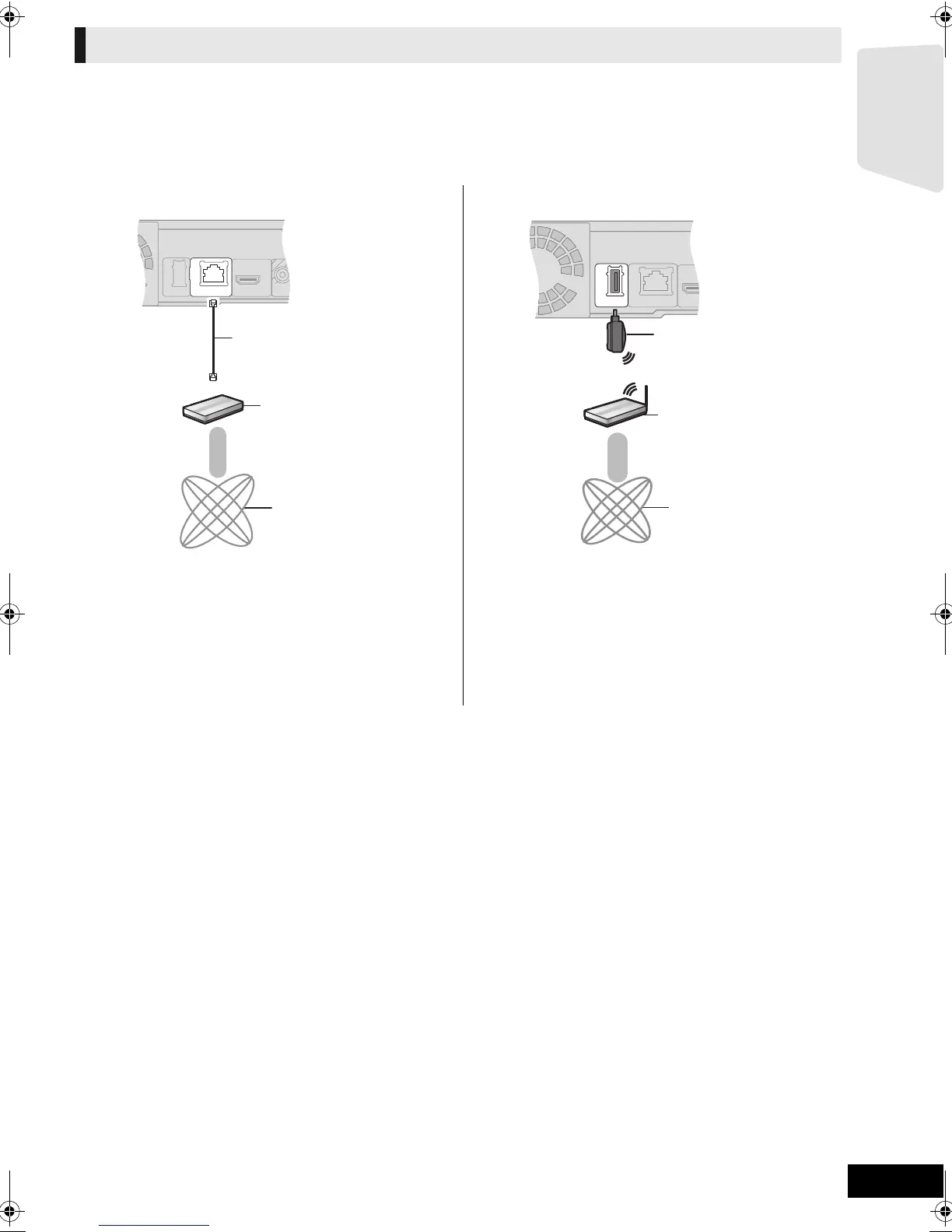
Connection to a broadband network
∫ Using LAN (ethernet) cable ∫ Using Wireless LAN Adaptor (optional)
A LAN Cable [Straight]
(not included)
B Broadband router, etc.
C Internet
A Wireless LAN Adaptor
B Wireless router (Access point), etc.
C Internet
≥ Use shielded LAN cables when connecting to peripheral
devices.
≥ Inserting any cable other than a LAN cable in the LAN
terminal can damage the unit.
≥ Read the operating instructions for the Wireless LAN
Adaptor DY-WL10 (optional) thoroughly when using it.
≥ For up to date compatibility information on your Wireless
router (Access Point) refer to
http://panasonic.jp/support/global/cs/
VIDEO
OUT
LAN
(
10BASE-T/
100BASE-TX
)
≥ Only the Wireless
LAN Adaptor
DY-WL10 (optional)
can be used.
SCBT737_337_230GN_VQT2Q55.book 17 ページ 2010年2月23日 火曜日 午後5時22分


 To Next Page