EasyManua.ls Logo

Panasonic SC-HC3 - User Manual

Panasonic SC-HC3
20 pages
Print Icon
To Next Page IconTo Next Page
Loading...
RQTX0261-2B
EB
Operating Instructions
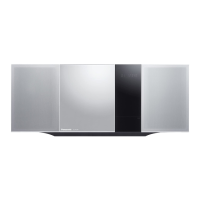
Compact Stereo System
Model No. SC-HC3
Dear customer
Thank you for purchasing this product.
Before connecting, operating or adjusting this
product, please read the instructions completely.
Please keep this manual for future reference.
Supplied accessories Cover
Caution for AC Mains Lead 2
Connections 4
Preparing the remote control 5
Demo function 5
Control guide 6
Disc operations 8
Radio operations 10
RDS broadcasts 10
Timer 11
Sound adjustment 12
External unit 13
Troubleshooting guide 15
Specifications 17
Maintenance 17
Safety precautions 18
Table of contents
“EB” on the packaging indicates the United Kingdom.
Note
Operations in these instructions are described using
remote control, but you can do the operations with
the main unit if the controls are the same.
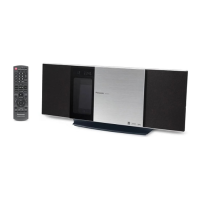
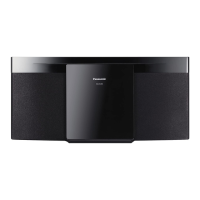
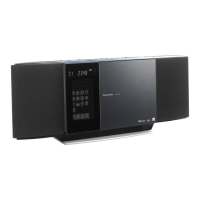
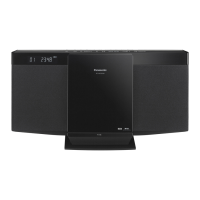
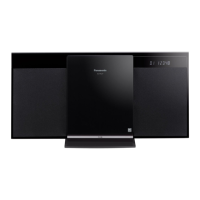
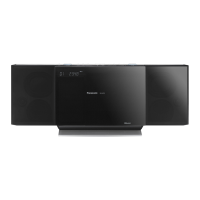
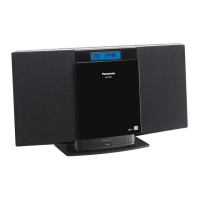
Your unit may not look exactly as illustrated.
Please check and identify the supplied
accessories.
Use numbers indicated in parentheses
when asking for replacement parts.
(Product numbers correct as of February
2009. These may be subject to change.)
1 Remote control
1 AM loop antenna
1 FM indoor antenna
2 Batteries
1 AC mains lead
(RSAX0002)
(N1DAAAA00002)
Supplied accessories
The included AC mains lead is for use with this
unit only. Do not use it with other equipment.
Do not use an AC mains lead from other
equipment.
Note
(K2CZ3YY00005)
(N2QAYB000394)
SC-HC3_EB (RQTX0261-2B).indd 1 3/25/2009 10:27:15 AM

Questions and Answers

  • J
    Jordan PhillipsSep 1, 2025
    How to fix humming sound during playback on Panasonic SC-HC3?
    • O
      Omar JuarezSep 1, 2025
      If you hear humming during playback on your Panasonic Stereo System, keep other appliances and cords away from the unit’s cables, as an AC mains lead or fluorescent light near the cords may be the cause.
  • J
    Jill WestSep 12, 2025
    What to do if my iPod does not turn on when docked to my Panasonic Stereo System?
    • D
      David WrightSep 12, 2025
      If your iPod doesn't turn on when connected to the Panasonic Stereo System, verify that the iPod battery is not depleted before connecting it to the unit and turn off both the unit and iPod before inserting your iPod into the dock. Turn power back on and select the appropriate source.
  • S
    Steven GilbertAug 30, 2025
    What to do if my Panasonic Stereo System has incorrect display or starting problems?
    • M
      Melissa JohnsonAug 30, 2025
      If your Panasonic Stereo System displays incorrectly or has trouble starting, make sure you have inserted the disc correctly. Also, the disc may be scratched or dirty. If there is moisture on the lens, wait for about an hour and then try again.
  • G
    Gregory GomezSep 14, 2025
    What does “PGM FULL” mean on my Panasonic Stereo System?
    • M
      melissajohnsonSep 14, 2025
      If your Panasonic Stereo System displays “PGM FULL”, it means the number of programmed tracks has reached its limit of 24. No further tracks can be programmed.
  • T
    Tom ShawSep 14, 2025
    What does “ADJUST TIMER” mean on my Panasonic SC-HC3?
    • B
      Billy WilliamsSep 14, 2025
      If your Panasonic Stereo System displays “ADJUST TIMER”, it means the play timer hasn't been set. You should adjust the play timer accordingly.
  • A
    Amy Green MDSep 18, 2025
    Why does the TV picture disappear when my Panasonic SC-HC3 is on?
    • J
      Jessica PattonSep 18, 2025
      If the picture on the television near your Panasonic Stereo System disappears or stripes appear on the screen, the location and orientation of the antenna may be incorrect, or the television antenna wire is too close to the unit. Separate the antenna wire of the television from the unit.
  • V
    Victoria StewartSep 23, 2025
    What does “ILLEGAL OPEN” mean on my Panasonic SC-HC3?
    • M
      Molly StewartSep 23, 2025
      If your Panasonic Stereo System displays “ILLEGAL OPEN”, the sliding door is not in the correct position. Turn the unit off and on again.
  • D
    David Brady PhDAug 27, 2025
    Why can't my Panasonic SC-HC3 read MP3 files?
    • C
      colonwilliamAug 27, 2025
      Your Panasonic Stereo System may not be able to play MP3s if you have copied a multi-session disc that has no data between sessions or if the amount of data on the disc is too small. When creating a multi session disc, it is necessary to close the session. Set the amount of data to greater than approximately 5 MB.
  • T
    Tracy AlvarezAug 26, 2025
    Why does my Panasonic SC-HC3 display show '--:--'?
    • J
      Julie DuncanAug 26, 2025
      If the display of your Panasonic Stereo System shows “--:--”, it means that you plugged in the AC mains lead for the first time or there was a recent power failure. You need to set the time.
  • B
    beverly42Aug 25, 2025
    Why is there noise or no sound coming from my Panasonic SC-HC3?
    • A
      Adam HughesAug 26, 2025
      There could be several reasons for noise or no sound from your Panasonic Stereo System. Ensure the volume is turned up. If you are playing MP3s, poor recording quality can cause noise. Try keeping the unit away from mobile telephones to reduce interference. As another solution, switch the unit off, check the connections, and then switch it back on. Speakers may be strained if the volume or power is excessive, or if the unit is in a hot environment.

Summary

Caution for AC Mains Lead

How to Replace the Fuse

Explains the procedure for replacing the fuse in the AC mains plug.

Safety Precautions

General Safety Instructions

Provides safety guidelines to reduce risk of fire, electric shock, and product damage.

Laser Safety

Warns about laser radiation exposure and user serviceability.

Installation and Ventilation

Advises on proper installation, ventilation, and avoiding obstructions.

Connections

AC Mains Lead Connection

Instructions for connecting the AC power cord.

Remote Control Preparation

Guides on how to insert batteries into the remote control.

Control Guide

Remote Control Button Functions

Explains the functions of various buttons on the remote control.

Disc Operations

Basic Playback

Instructions for basic CD playback.

Radio Operations

Tuning Radio Stations

Covers manual, automatic tuning, and improving sound quality for FM/AM.

Memory Presets

How to preset and select radio stations.

Timer Functions

Setting the Clock

Instructions for setting the 24-hour clock.

Play Timer Setup

How to set the timer for playback.

Sleep Timer Setup

How to set the timer to turn the unit off.

External Unit: iPod Integration

iPod Insertion and Docking

Step-by-step guide to inserting an iPod into the unit's dock.

Troubleshooting Guide

Common Operational Problems

Lists common issues and their solutions, such as disc not playing or MP3 read errors.

iPod Related Issues

Solutions for common iPod issues like not turning on or no sound.

Specifications

Panasonic SC-HC3 Specifications

General IconGeneral
BrandPanasonic
ModelSC-HC3
CategoryStereo System
LanguageEnglish

Related product manuals