EasyManua.ls Logo

Panasonic SC-HC3 - User Manual

Panasonic SC-HC3
20 pages
Print Icon
To Next Page IconTo Next Page
Loading...
RQTX0261-2B
EB
Operating Instructions
Compact Stereo System
Model No. SC-HC3
Dear customer
Thank you for purchasing this product.
Before connecting, operating or adjusting this
product, please read the instructions completely.
Please keep this manual for future reference.
Supplied accessories Cover
Caution for AC Mains Lead 2
Connections 4
Preparing the remote control 5
Demo function 5
Control guide 6
Disc operations 8
Radio operations 10
RDS broadcasts 10
Timer 11
Sound adjustment 12
External unit 13
Troubleshooting guide 15
Specifications 17
Maintenance 17
Safety precautions 18
Table of contents
“EB” on the packaging indicates the United Kingdom.
Note
Operations in these instructions are described using
remote control, but you can do the operations with
the main unit if the controls are the same.
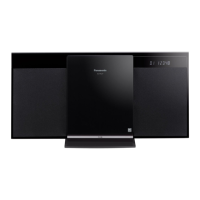
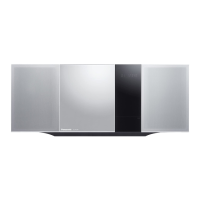
Your unit may not look exactly as illustrated.
Please check and identify the supplied
accessories.
Use numbers indicated in parentheses
when asking for replacement parts.
(Product numbers correct as of February
2009. These may be subject to change.)
1 Remote control
1 AM loop antenna
1 FM indoor antenna
2 Batteries
1 AC mains lead
(RSAX0002)
(N1DAAAA00002)
Supplied accessories
The included AC mains lead is for use with this
unit only. Do not use it with other equipment.
Do not use an AC mains lead from other
equipment.
Note
(K2CZ3YY00005)
(N2QAYB000394)
SC-HC3_EB (RQTX0261-2B).indd 1 3/25/2009 10:27:15 AM

Questions and Answers

  • J
    Jordan PhillipsSep 1, 2025
    How to fix humming sound during playback on Panasonic SC-HC3?
    • O
      Omar JuarezSep 1, 2025
      If you hear humming during playback on your Panasonic Stereo System, keep other appliances and cords away from the unit’s cables, as an AC mains lead or fluorescent light near the cords may be the cause.
  • C
    Colin ValenciaSep 2, 2025
    Why can't I control my iPod with my Panasonic Stereo System remote?
    • R
      Rachel SchultzSep 2, 2025
      If you cannot control the iPod using the remote control or main unit of your Panasonic Stereo System, make sure the iPod is inserted properly into the dock. Check the dock connection and make sure that iPod is selected as the source of music.
  • G
    Gregory StanleySep 3, 2025
    What causes beat sound during broadcast on my Panasonic Stereo System?
    • J
      Jose SilvaSep 3, 2025
      If you hear a beat sound or noise while receiving a broadcast on your Panasonic Stereo System, switch the television or other audio player off or separate it from the unit. Also, switch off the portable audio player if connected to the “AUX” port.
  • M
    marknelsonSep 3, 2025
    Why does my TV picture disappear when using my Panasonic SC-HC3 Stereo System?
    • T
      Thomas OliverSep 3, 2025
      If the picture on the television disappears or appears on the screen with stripes when using your Panasonic Stereo System, separate the antenna wire of the television from the unit.
  • J
    Joshua CaseySep 4, 2025
    What does 'PGM FULL' mean on my Panasonic SC-HC3 display?
    • C
      chanstephanieSep 4, 2025
      If the display on your Panasonic Stereo System shows “PGM FULL”, it means that the number of programmed tracks is limited to 24, and no further tracks can be programmed.
  • J
    Jamie JenkinsSep 5, 2025
    Why does my Panasonic SC-HC3 Stereo System display 'NO PLAY'?
    • K
      Kelly FisherSep 5, 2025
      If the display on your Panasonic Stereo System shows “NO PLAY”, it means that a CD-ROM disc that is not CD-DA or MP3 format is inserted and cannot be played.
  • M
    Madison MercadoSep 6, 2025
    What does 'ERROR' mean on my Panasonic SC-HC3 Stereo System display?
    • R
      rayandreaSep 6, 2025
      If the display on your Panasonic Stereo System shows “ERROR”, it means an incorrect operation was performed. Read the instructions and try again.
  • B
    Brian CruzSep 7, 2025
    What does 'UNLOCKED' mean on my Panasonic Stereo System display?
    • G
      griffinbrandonSep 7, 2025
      If the display on your Panasonic Stereo System shows “UNLOCKED”, make sure the docking switch is pushed back properly.

Summary

Caution for AC Mains Lead

How to Replace the Fuse

Explains the procedure for replacing the fuse in the AC mains plug.

Safety Precautions

General Safety Instructions

Provides safety guidelines to reduce risk of fire, electric shock, and product damage.

Laser Safety

Warns about laser radiation exposure and user serviceability.

Installation and Ventilation

Advises on proper installation, ventilation, and avoiding obstructions.

Connections

AC Mains Lead Connection

Instructions for connecting the AC power cord.

Remote Control Preparation

Guides on how to insert batteries into the remote control.

Control Guide

Remote Control Button Functions

Explains the functions of various buttons on the remote control.

Disc Operations

Basic Playback

Instructions for basic CD playback.

Radio Operations

Tuning Radio Stations

Covers manual, automatic tuning, and improving sound quality for FM/AM.

Memory Presets

How to preset and select radio stations.

Timer Functions

Setting the Clock

Instructions for setting the 24-hour clock.

Play Timer Setup

How to set the timer for playback.

Sleep Timer Setup

How to set the timer to turn the unit off.

External Unit: iPod Integration

iPod Insertion and Docking

Step-by-step guide to inserting an iPod into the unit's dock.

Troubleshooting Guide

Common Operational Problems

Lists common issues and their solutions, such as disc not playing or MP3 read errors.

iPod Related Issues

Solutions for common iPod issues like not turning on or no sound.

Specifications

Panasonic SC-HC3 Specifications

General IconGeneral
BrandPanasonic
ModelSC-HC3
CategoryStereo System
LanguageEnglish

Related product manuals