RQTV0271
9
9
ENGLISH
Using the timers
Setting the clock
This is a 24-hour clock.
1
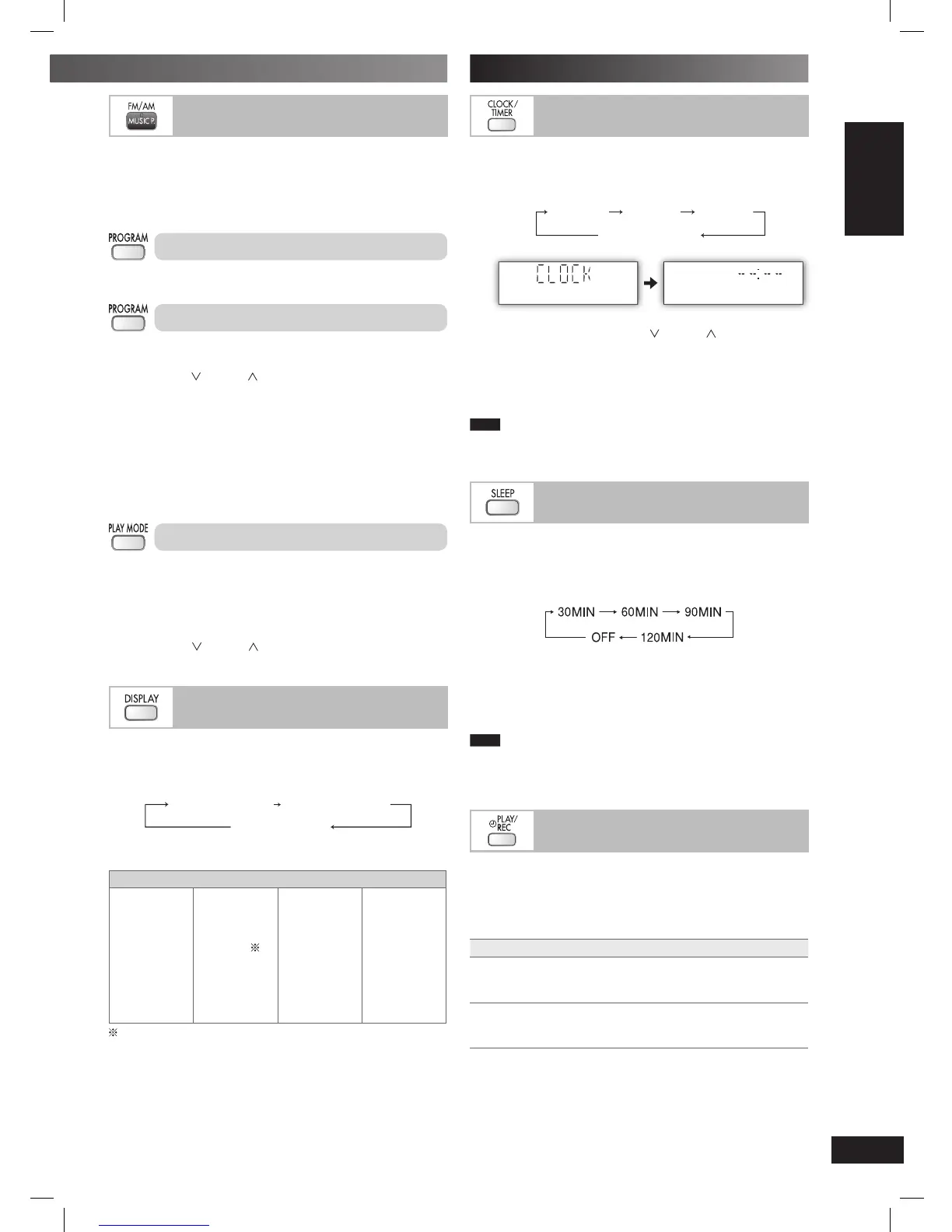
Press [CLOCK/TIMER] to select “CLOCK”.
Each time you press the button:
Original display
CLOCK
˚ PLAY ˚ REC
2
Within 8 seconds, press [4/ ] or [¢/ ] to set the time.
3
Press [CLOCK/TIMER] or [OK] to confirm.
Displaying the clock
Press [CLOCK/TIMER] to display the clock for few seconds.
Note
The clock may lose or gain minutes over a period of time. Readjust
as necessary.
Using the sleep timer
This function enables you to turn off the unit automatically after the
set time.
Press [SLEEP] repeatedly to select your desired time.
“SLEEP” is displayed.
To cancel
Press [SLEEP] to select “OFF”.
Changing the remaining time
Press [SLEEP] to show the remaining time, and press [SLEEP]
again to select your desired time.
Note
• The play and sleep timer can be used together.
• The sleep timer always has priority. Be sure not to overlap timer
settings.
Using the play or record timer
Using the play or record timer
You can set the timer to come on at a certain time to wake you up
(play timer) or to record from the radio or music port source (record
timer).
Preparation
Turn the unit on and set the clock.
Timer Action
Play timer Prepare the music source you want to
listen to; disc, radio, USB, option port or
music port source, and set the volume.
Record timer
Insert the USB device and tune to the radio
station (
➡
page 8) or select the music port
source (
➡
page 15).
Memory preset
Up to 30 stations can be set in the FM band and 15 stations in the
AM band.
Preparation
Press [MUSIC P., FM/AM] repeatedly to select “FM” or “AM”.
Automatic presetting
Press and hold [PROGRAM] to start presetting.
Manual presetting
1
Press [PLAY MODE] to select “MANUAL”.
2
Press [4/ ] or [¢/ ] to tune to the required station.
3
Press [PROGRAM].
4
Press numeric buttons to select a channel.
The station occupying a channel is erased if another station is
preset in that channel.
5
Repeat steps 2 to 4 to preset more stations.
Selecting a preset station
Press numeric buttons to select the channel.
For two-digit channel, press [
h
10], then the two digits.
OR
1
Press [PLAY MODE] to select “PRESET”.
2
Press [4/ ] or [¢/ ] to select the channel.
RDS broadcasting
Enable you to display the name of a broadcasting station or a
program type.
Press [DISPLAY] to display:
Frequency display
Station Name (PS) Program Type (PTY)
RDS displays may not be available if reception is poor.
Program type displays
NEWS VARIED FINANCE COUNTRY
AFFAIRS POP M CHILDREN NATIONAL
INFO ROCK M SOCIAL A OLDIES
SPORT M-O-R- M
RELIGION FOLK M
EDUCATE LIGHT M PHONE IN DOCUMENT
DRAMA CLASSICS TRAVEL TEST
CULTURE OTHER M LEISURE ALARM
SCIENCE WEATHER JAZZ
M-O-R- M = “Middle-of-the-Road music”
(Continued on next page)
PMX3_E_EN.indd 9PMX3_E_EN.indd 9 6/17/08 10:15:07 AM6/17/08 10:15:07 AM







 To Next Page