VQT5J67
8
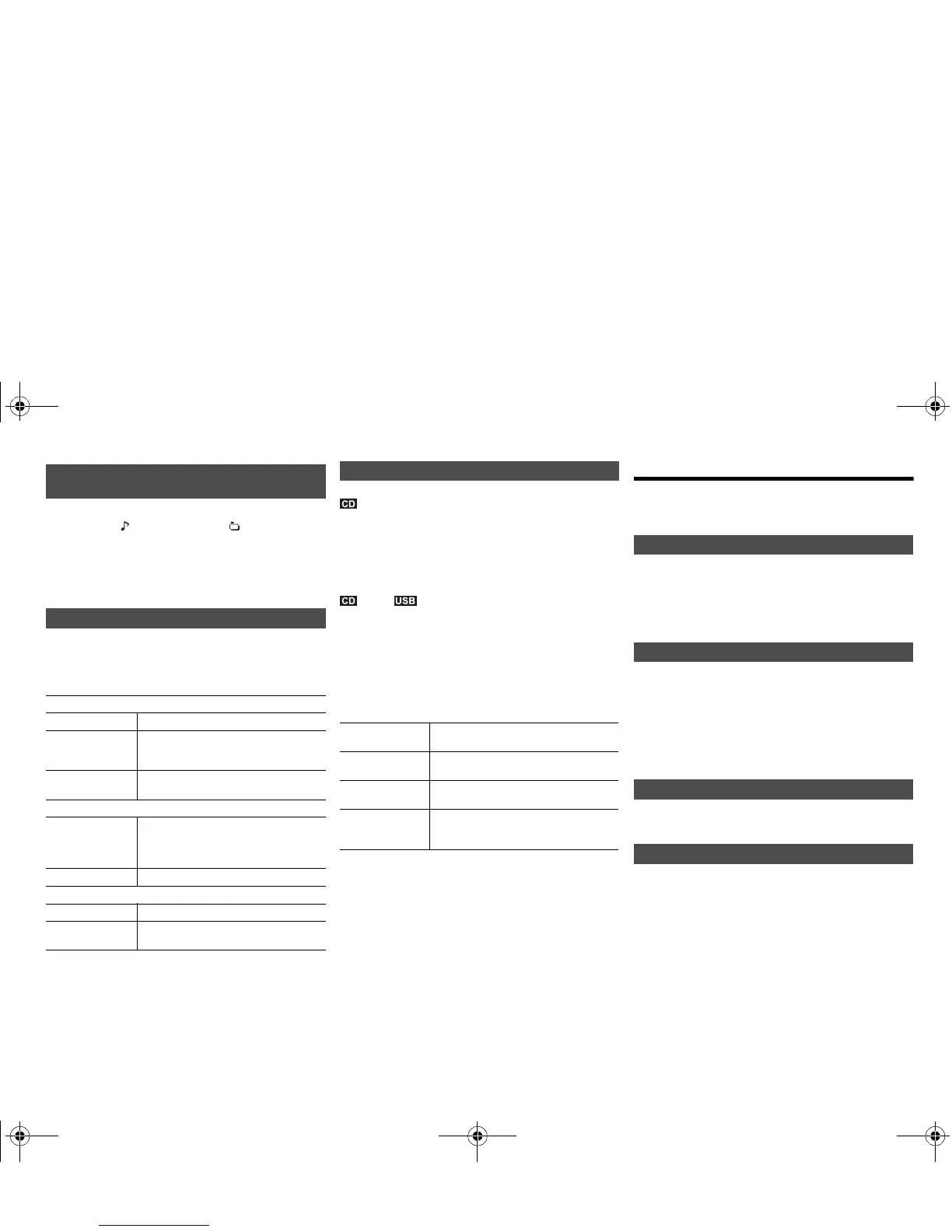
Press [DISPLAY].
Note:
• Maximum characters that can be shown:
approximately 32
• This system supports ver. 1.0, 1.1 and 2.3 ID3 tags.
•
Text data that the system does not support can show differently.
1 Press [PLAY MENU] to select “Repeat”, “Random” or
“PLAYMODE”.
2 Press [2, 1] and then press [OK] to select the
desired mode.
Note:
• During random playback, you cannot skip to tracks which
have been played or press the numeric buttons.
• Playmode function does not work with “Program playback”.
• The setting returns to the default “Off” when you open the
disc tray.
This function allows you to program up to 24 tracks.
(CD-DA)
1 Press [PROGRAM] in the stop mode.
“PGM” is shown.
2 Press the numeric buttons to select the desired
track.
Do this step again to program other tracks.
3 Press [1/;] to start playback.
(MP3),
1 Press [PROGRAM] in the stop mode.
“PGM” is shown.
2 Press [3, 4] to select the desired album.
3 Press [9] and then press the numeric buttons to
select the desired track.
4 Press [OK].
Do steps 2 through 4 again to program other tracks.
5 Press [1/;] to start playback.
Note:
• The program memory is cleared when you open the disc
tray.
Radio
30 FM stations can be preset.
Preparation
Press [SELECTOR] repeatedly to select “FM”.
1 Press [RADIO MENU] to select “Auto Preset”.
2 Press [2, 1] to select “Lowest” or “Current”
frequency.
3 Press [OK] to start presetting.
To cancel, press [∫].
1 Press [6] or [5] to tune in to the station.
To tune automatically, press and hold the button until the
frequency starts changing quickly.
2 Press [PROGRAM].
3 Press the numeric buttons to select a preset number.
Do steps 1 through 3 again to preset more stations.
The new station replaces any station that occupies the
same preset number.
Press the numeric buttons, [:] or [9] (main unit:
[:/6] or [5/9]) to select the preset station.
1 Press [RADIO MENU] repeatedly to select “FM
Mode”.
2 Press [2, 1] to select “Mono” and then press [OK].
To cancel, select “Stereo”.
“Mono” is also canceled when you change the frequency.
To memorize the setting
Continue with steps 2 and 3 of “Manual tuning and
presetting”.
Viewing available information [CD] [USB]
[Bluetooth]
eg. MP3 : Track : Album
TAG: ID3 tags
Play menu [CD] [USB]
Repeat
Off Select to cancel repeat playback.
1-Track Only plays the selected track.
•“1TR, `” is displayed.
(Skip to the desired track.)
All All tracks are repeated.
•“`” is displayed.
Random
On Plays the contents randomly.
• “RND” is displayed.
• “RND” will not be displayed when
“1-Track” is selected.
Off Random playback is turned off.
PLAYMODE
All Play all MP3 tracks.
1-Album Only plays the selected MP3 album.
• “1ALBUM” is displayed.
Program playback [CD] [USB]
Cancel program
mode
Press [PROGRAM] in the stop mode.
Check program
contents
Press [:] or [9] when “PGM” is
shown in the stop mode.
Clear the last
track
Press [DEL] in the stop mode.
Clear all
programed
tracks
Press [∫] in the stop mode. “CLR All” is
shown. Within 5 seconds, press [∫]
again.
Automatic presetting
Manual tuning and presetting
Selecting a preset station
Improving the sound quality
SC-PMX7PC-VQT5J67_mst.book 8 ページ 2014年4月17日 木曜日 午後2時12分






 To Next Page