25
9 Measurements and Adjustments
9.1. Voltage chart of P-board
9.2. Voltage chart of A-board
9.3. Picture level adjustment (RF)
VOLTAGE TEST POINT SPECIFICATION
(Reception state)
REMARKS
PFC390V +TP7201, 7202
-TP7203, 7204
390 ± 15 V *HOT
LED24V TP7514, 7515 24 ± 2 V
DTV16V TP7503, 7504 15.6 ± 1.5 V
STBY6V TP7501, 7502 5.8 ± 0.8 V
VOLTAGE TEST POINT SPECIFICATION
(Reception state)
REMARKS
STB3.3V TP2773 3.3 ± 0.16 V
SUB3.3V TP8701 3.3 ± 0.16 V
SUB5V TP8702 5 ± 0.25 V
PANEL12V TP8716 12 ± 0.6 V
AVDD12.5V TP4021 12.5 ± 2 V
TCON2.5V TP4027 2.5 ± 0.12 V
TCON31V TP4051 31 ± 3.1 V
TCON-6V TP4050 -5.7 ± 0.6 V
Instrument Name Remarks
1. REMOTE TRANSMITTER
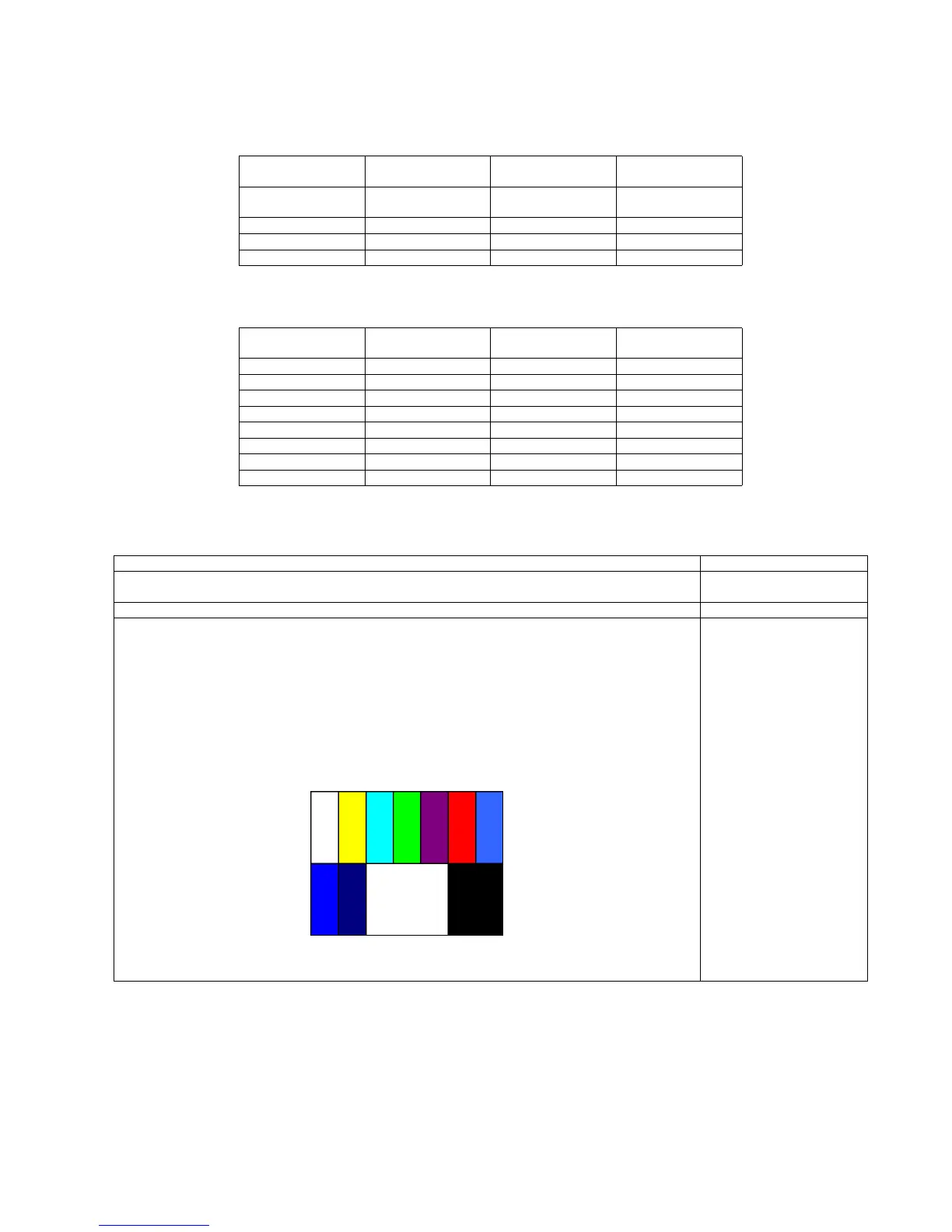
2. Ex. Signal (Sprit color bar)
Adjustment or Inspection Procedure Remarks
< procedure >
1. Receive the Sprit color bar.
(Screen mode: ZOOM or FULL Picture mode: DYNAMIC AI: OFF AI Picture: OFF)
*BACK LIGHT +30
< Inspection >
1. Enter Service mode, and select MAIN_ADJ PICTURE.
Volume UP/DOWN key makes GAIN displayed under PICTURE to set.
Pushing the remote controller [OK] key for about 3 seconds, GAIN is suited
to the adjustment value automatically.
(The Sprit Color Bar Pattern)





 To Next Page