EasyManua.ls Logo

Panasonic TH-43LFE8W - User Manual

Panasonic TH-43LFE8W
84 pages
Print Icon
To Next Page IconTo Next Page
Loading...
Operating Instructions
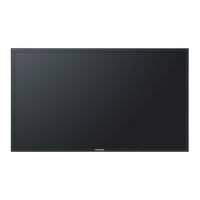
FULL HD LCD Display For business use
Model No. TH-43LFE8W 43-inch model
TH-48LFE8W 48-inch model
TH-55LFE8W 55-inch model
TH-65LFE8W 65-inch model
English
Please read these instructions before operating your set
and retain them for future reference.
Q41G42M103715B

Questions and Answers

  • H
    Heather ClaytonAug 19, 2025
    What to do if my Panasonic TH-43LFE8W Monitor has no picture and no sound?
    • A
      Aaron DavisAug 19, 2025
      If your Panasonic Monitor displays no picture and produces no sound, ensure the monitor is plugged into the AC outlet and switched on. Check the power switch or stand-by button on the remote control, and verify the Picture and Brightness/Volume settings.
  • T
    Thomas FrankAug 21, 2025
    How to fix Panasonic TH-43LFE8W Monitor when there is a normal picture but no sound?
    • M
      Melissa ByrdAug 21, 2025
      If your Panasonic Monitor shows a normal picture but has no sound, check the volume settings. Ensure that the mute function has not been activated on the remote control.
  • E
    elizabethschmidtAug 23, 2025
    Why does my Panasonic Monitor power off automatically?
    • B
      Bridget ShawAug 25, 2025
      If your Panasonic Monitor unexpectedly turns off, examine the settings for [No signal power off], [HDMI1 power management], [HDMI2 power management], [DVI-D power management], [PC power management] and [No activity power off]. One of these options may be set to [On (Enable)].
  • M
    Megan JeffersonAug 26, 2025
    What to do if my Panasonic Monitor remote control isn't working?
    • G
      Glenn BarnesAug 26, 2025
      If your Panasonic Monitor remote control isn't working, verify the batteries aren't discharged and are correctly inserted. Ensure the remote control sensor isn't exposed to outdoor or strong fluorescent light and that no obstacles block the sensor. Confirm the remote control is specifically designed for use with the unit. Check whether the option other than [Off] is selected in [Controller user level] in the [Options] menu. Check whether [Controller ID function] in [Options] menu is set to [On]. Check whether switch is set to (When using ID remote controller).
  • L
    leslie87Aug 28, 2025
    What to do if my Panasonic Monitor has no picture but normal sound?
    • Y
      ystephensAug 28, 2025
      If your Panasonic Monitor displays no picture but has normal sound, it may be receiving a signal with a non-applicable color system format or frequency. In this case, only the input terminal indication is displayed.
  • L
    Larry PadillaAug 30, 2025
    What to do if there is no picture displayed or sound output sometimes on Panasonic Monitor?
    • S
      Shawna CamachoAug 30, 2025
      If your Panasonic Monitor sometimes shows no picture or outputs no sound when using a selector or distributor with HDMI or DVI signals, try turning the power off and on again. If the issue persists, consider replacing the selector or distributor.
  • E
    elizabeth46Sep 1, 2025
    Why does my Panasonic TH-43LFE8W Monitor have no color?
    • J
      James GrimesSep 1, 2025
      If your Panasonic Monitor displays no color, the color controls may be set to the minimum level.
  • S
    sandra82Sep 4, 2025
    Why is the LAN uncontrollable on my Panasonic Monitor?
    • H
      hoffmanyolandaSep 4, 2025
      If the LAN is uncontrollable on your Panasonic Monitor, check the connection. When controlling with the Web Browser Control or the command control, verify that [Network control] is set to [On]. When connecting to a device of AMX, set [AMX D.D.] according to the device to use. Also, confirm that [LAN setup] is configured correctly.
  • J
    joannepittmanSep 6, 2025
    Why is the RS-232C uncontrollable on my Panasonic TH-43LFE8W?
    • C
      Cole AustinSep 6, 2025
      If the RS-232C is uncontrollable on your Panasonic Monitor, check that the connection has been properly made.
  • J
    Jessica SmithSep 8, 2025
    What does it mean when the power indicator is blinking in red on my Panasonic TH-43LFE8W Monitor?
    • C
      Cheyenne WilliamsSep 8, 2025
      If the power indicator on your Panasonic Monitor is blinking red, there is a possibility of malfunction.

Panasonic TH-43LFE8W Specifications

General IconGeneral
BrandPanasonic
ModelTH-43LFE8W
CategoryMonitor
LanguageEnglish

Related product manuals