TH-50FS600D
11
5.5. White Balance Adjustment
After LCD PANEL or A-Board is replaced and repaired, perform [White balance adjustment] in case of necessity for test / check
([White balance adjustment] is not required basically).
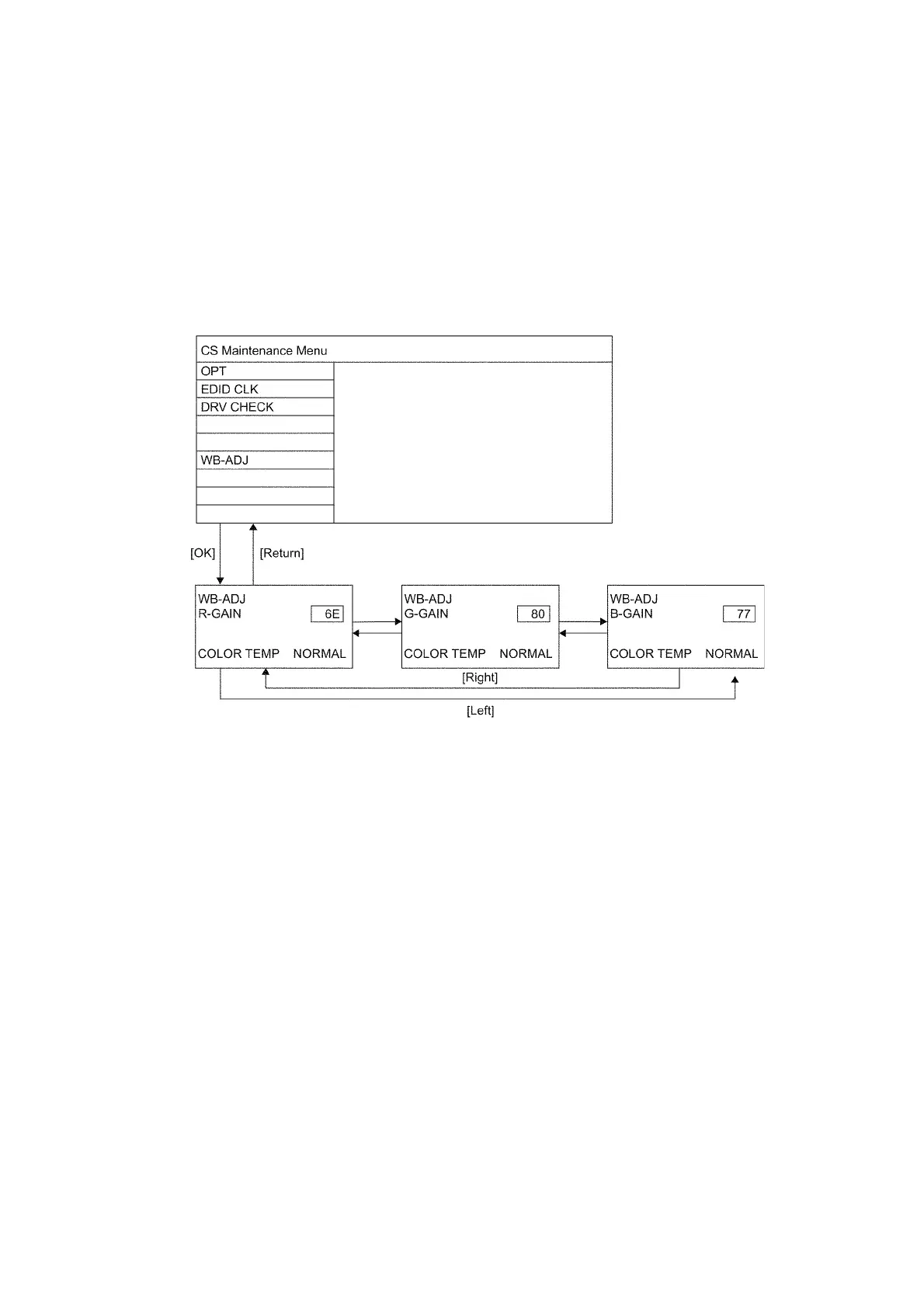
1. Select [W/B ADJ] in CS Maintenance Menu.
2. Press [OK] button on the remote control.
Note for performing [White balance adjustment]
Make a note for the setting values before changing if the settings of [R-GAIN], [B-GAIN] and [G-GAIN] in [WB-ADJ] will be
changed.
3. Press the cursor key [Up/Down] on the remote control to change the data value, and press [OK] button on the remote control
to store the value for this model.
COLOR TEMP : Press the [Option] button of the remote control to change the color temperature. (COOL/NORMAL/WARM/
TUNING)
Exit:
Press the [Return] button on the remote control.



 To Next Page