sin
Web Browse
Click [Submit]
The settin
s will be re
istered.
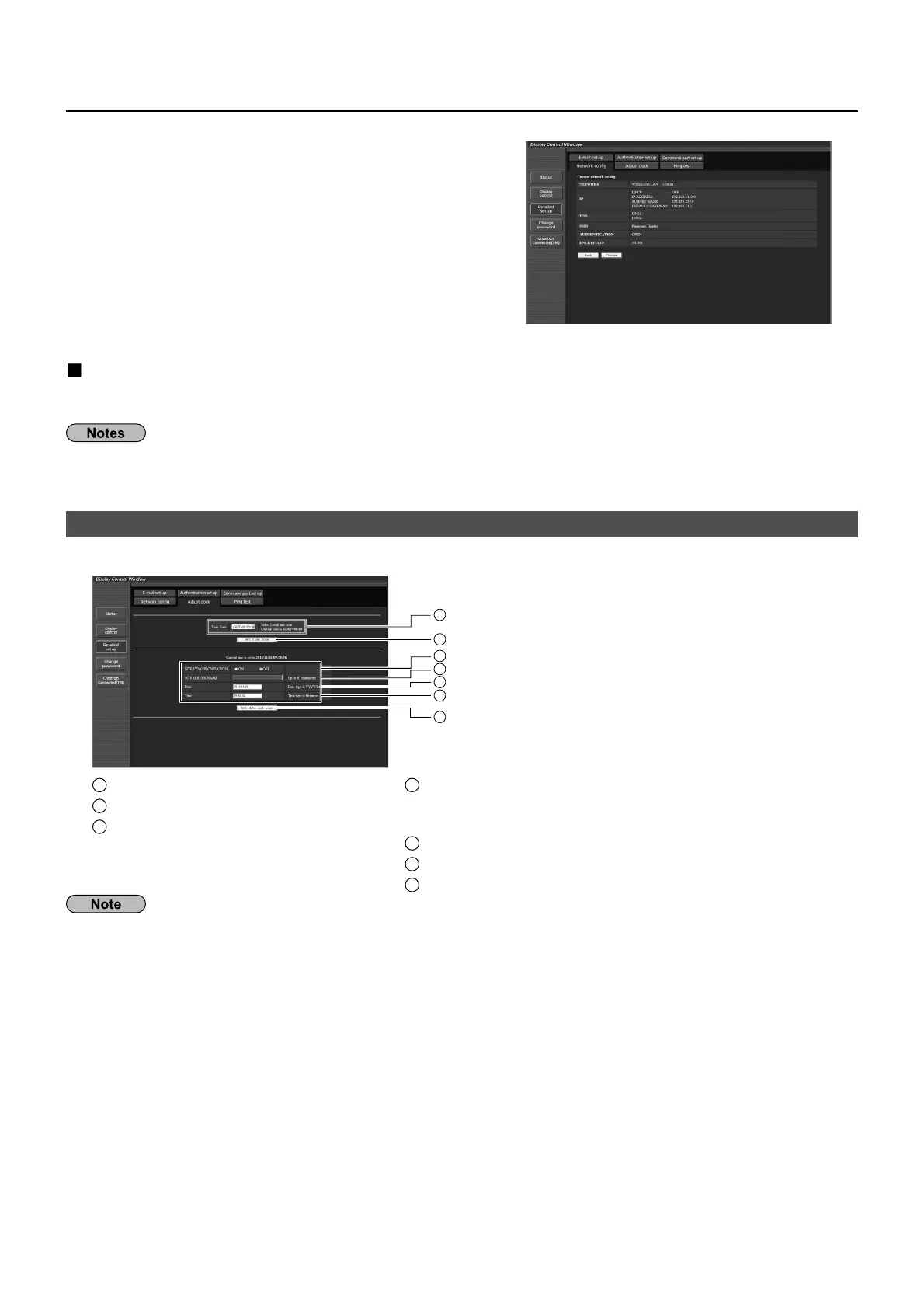
Wireless LAN screen
akin
the above settin
s effective
Onl
for wireless LAN
elect [Wireless LAN] in [Network Settin
s] menu of the Displa
, and select the network set in this pa
e.
mportant video
audio data is protected because AE
encr
ption processin
takes place.•
han
in
the settin
o
LAN while connected with LAN mi
ht disconnect the connection
•
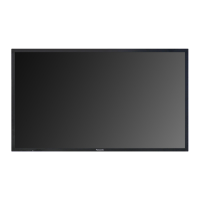
Adjust clock page
lick [Detailed set up], then [Ad
ust clock] to displa
the Ad
ust clock pa
e.
1
2
3
4
5
6
7
1
Tim
z
n
l
ti
2
Button to update time zone settin
3
Turn this
N
to set the date and
time automaticall
.
4
When settin
the date and time automaticall
, input the IP
address or name of the NTP server.
When inputtin
the server
ame, the DN
server must be set.
5
N
w
t
fi
l
6
N
w tim
fi
l
7
Button to update time and date settin
s
I
the time becomes incorrect immediatel
a
ter settin
the correct time, contact the dealer where
ou bou
ht the
Displa








 To Next Page