12
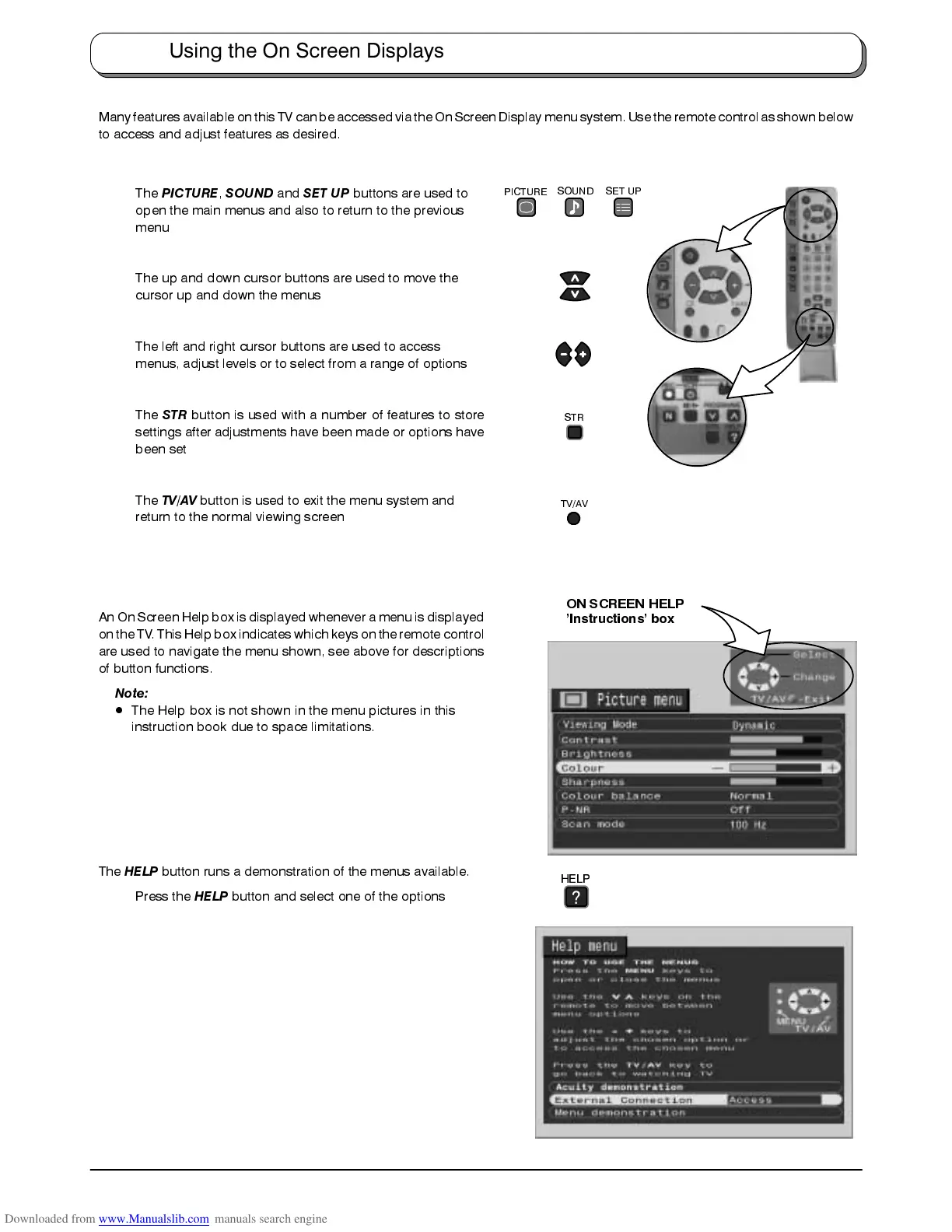
Many featuresavailable onthis TV canbe accessedvia the OnScreen Displaymenu system. Usethe remotecontrol as shownbelow
to access and adjust features as desired.
The
PICTURE
,
SOUND
and
SET UP
buttons are used to
open the main menus and also to return to the previous
menu
The up and down cursor buttons are used to move the
cursor up and down the menus
The left and right cursor buttons are used to access
menus, adjust levels or to select from a range of options
The
STR
button is used with a number of features to store
settings after adjustments have been made or options have
been set
The
TV/AV
button is used to exit the menu system and
return to the normal viewing screen
An On Screen Help box is displayed whenever a menu is displayed
on the TV. This Helpbox indicates which keys onthe remote control
are used to navigate the menu shown, see above for descriptions
of button functions.
Note:
D
The Help box is not shown in the menu pictures in this
instruction book due to space limitations.
The
HELP
button runs a demonstration of the menus available.
Press the
HELP
button and select one of the options
ON SCREEN HELP
’Instructions’ box
Using the On Screen Displays
STR
PICTURE
SOUND
SET UP
TV/AV
HELP
?









 To Next Page